


 英語
英語 スペイン語
スペイン語 ポルトガル語
 フランス語
フランス語 イタリア語
イタリア語 ドイツ語
ドイツ語ドキュメントとユーザーガイド
インスピレーションを与えるチュートリアルで、基礎を学ぶ、またはスキルを磨きましょう。.
Last updated on 23. 4. 2026 by Kornel Mazur
ATM – Multiple Exits Generation
ページのコンテンツ
ATM – Multiple Exits Generation
高度な貿易管理(ATM) introduces functionality for defining multiple exit targets within a single trading strategy in StrategyQuant X. This allows traders to partially close positions at different profit levels, aiming to improve trade efficiency and reduce risk.
This feature is available starting in StrategyQuant X Build 130 and is currently marked as experimental.
Overview: What is Multiple Exits Logic?
The logic of ATM with multiple exits is as follows:
- Trade entry is initiated as usual.
- A portion of the position is closed early at a smaller target to reduce risk and cover costs.
- その remaining position is left to run toward a more ambitious target — now effectively a risk-free trade.
This approach can be configured manually in the strategy code or through AlgoWizard, but ATM makes it accessible via the standard StrategyQuant interface and usable with existing strategies.
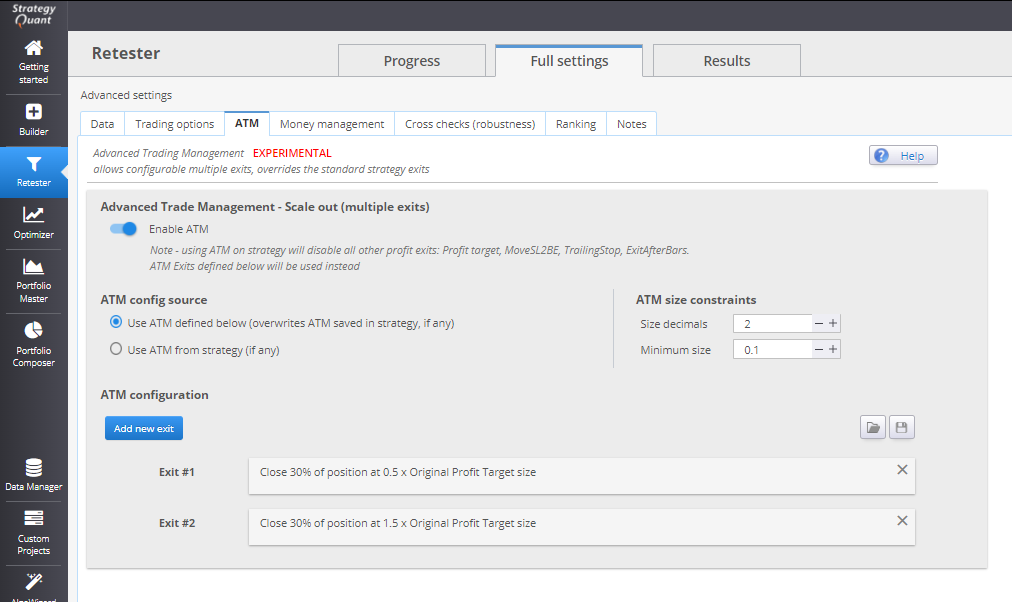
Example Configuration
Let’s consider a setup with two exit points:
- Exit 1: Close 50% of position at 0.5 × original Profit Target
- Exit 2: Close remaining 50% at 2 × original Profit Target
Note: When ATM is enabled, it will override all other exits, 例えば、
- Profit ターゲット
- Trailing Stop
- Exit After X Bars
ただ、 損切り remains active by default, alongside the custom ATM-defined exits.
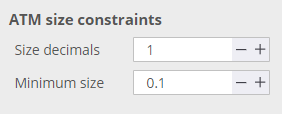
ATM Size Constraints
ATM requires specific size boundaries to properly allocate positions across multiple exits:
- Minimum position size
- Decimal precision of trade size
Important Notes:
- もし money management output (e.g., 0.1 lot fixed size) cannot be split among multiple exits while meeting the minimum size requirement, only the valid exit(s) will be executed.
- For instance, with:
- Trade size = 0.1
- Two exits = 50% each
- Minimum size = 0.1
- ➤ Only the first exit will be used.
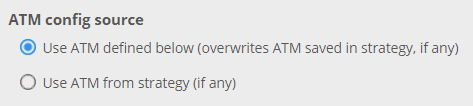
ATM Configuration Source
ATM configuration can be sourced from two places:
- ATM saved within the strategy
- ATM settings defined in the optimization panel
If ATM settings are defined manually during optimization, they will be saved with the strategy upon export or saving.
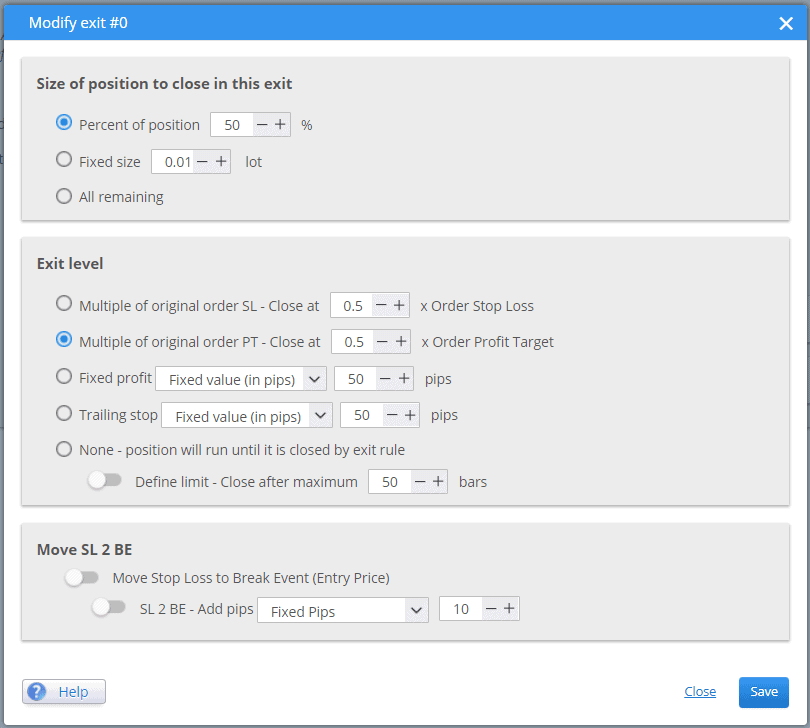
Exit Types and Setup Options
Each exit defined in ATM can use various types of exit logic:
- Fixed profit target
- Multiple of original Stop Loss (SL) or Profit Target (PT)
- Trailing Stop
- Time-based exit (X bars after entry)
This flexibility allows tailoring exits to fit diverse market scenarios and strategy profiles.
Performance Expectations
ATM is not guaranteed to improve every strategy, but it introduces potential for:
- 改善されました risk-adjusted performance
- Better trade management flexibility
- Enhanced profit capture across different market movements
Internal testing has shown potential improvement in 10–30% of strategies, especially with well-structured multi-exit configurations.
この記事は参考になりましたか? この記事は役に立った この記事は役に立たなかった
ページのコンテンツ