


 英語
 スペイン語
 ポルトガル語
 フランス語
 イタリア語
 ドイツ語
SQ Xのアップデート
955件の回答

ここからSQ Xのアップデートやニュースについて話し合うことができます。.
このトピックは「SQ4 Early Preview」から名称変更されました。古い、もはや関連のない投稿は削除され、アーカイブされます。.
ポイントは、古い、関連性のない内容からフォーラムを整理することです。.
マーク
StrategyQuantアーキテクト
0

Sorry for not announcing it here, but the last few days before release were hectic. You can install new version by just starting the installer again for clean installation, or SQ X should update also automatically if you have older version. You can also download installer here: https://strategyquant.com/download As for licensing and updates for existing SQ 3 users – SQ X is a new version of SQ, and EVERYBODY who bought SQ before the change of licencing on 15.10.2018 midnight has LIFETIME upgrades. So you can upgrade to SQ X, we didn’t cut you out. Your “old” version of license is almost like Ultimate license, with the exception that much more expensive Ultimate license also means that these users will get also all the potentially paid modules for free – if we’ll release some paid addons to SQ X in the future.
We are very grateful to you for keeping the commitment to your previous licence agreement and current holders. It is not common or easy after such hard work and expensive upgrade to see a vendor honor his word.
This bodes well for the future for your business as we are the ultimate marketers for SQ.
You are a very honorable man!
Best wishes,
ジョジョ
0

Mark Fric:
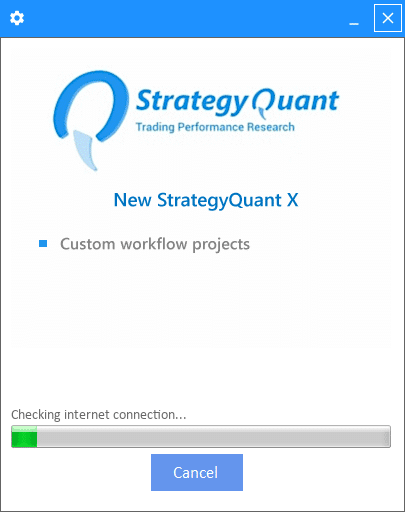
I am a paid user. The installer I downloaded from here is https://strategyquant.com/download.
However, the installation has not been successful, I do not know if it is network reasons, please disclose a complete installation package is OK. Thank you
0
You can download full installation as a ZIP archive here https://strategyquant.com/licenses/d?code=sqxzip
Just download and unzip it to your target folder.
However, if your installer doesn’t work then also autoupdates won’t work, and if you’ll download full installation every time you’ll have to make a clean installation every time.
There is a configure icon on the top left corner of the installer, if you’ll click on it you can configure a proxy to use for internet connection, perhaps this is what you need to set in order to make it work.
マーク
StrategyQuantアーキテクト
0

when will the next update be released? Will the versions be released every two weeks?
0

when will the next update be released? Will the versions be released every two weeks?
マークさん、こんにちは,
ich would be nice to know what are the next steps with SQX
0
the new update is planned in two weeks time as usual, so next Friday – 26.10.2018
As for what is planned next, we have some exciting new features on the roadmap. Some of it is described on the bottom of the features page here: https://strategyquant.com/features/
For now we are focusing on fixing the reported bugs, so that SQ X is completely stable and bug free. The most imminent feature is producti0n-ready support for Tradestation EasyLanguage .
The next bigger feature will probably be new advanced cross check modules to protect against overfitting – Optimization profile and Parameter permutation method.
マーク
StrategyQuantアーキテクト
0

It is glad to know that you will honor the lifetime upgrades commitment for those who had purchased SQ3 earlier.
Is it necessary to maintain internet connection upon starting SQX? There is error as per attached when I cut-off the line before starting SQX. What if I were on the plane or somewhere without internet accessible…..
0
Is it necessary to maintain internet connection upon starting SQX? There is error as per attached when I cut-off the line before starting SQX. What if I were on the plane or somewhere without internet accessible…..
no, but if you are offline start SQ by running StrategyQuant_nocheck.exe
StrategyQuantX.exe checks for updates, that’s why it displayed this error message. But we’ll fix it, it shouldn’t display it.
マーク
StrategyQuantアーキテクト
0

THIS version is go back to worse, running only one day it was frozen vs the previous version can run 4 day before inactive, meaning the CPU no activity not strategy generated. also the algowizard change the gui again dont know what you try to do on that, thanks for hard work, but i just lose the patient.
0

THIS version is go back to worse, running only one day it was frozen vs the previous version can run 4 day before inactive, meaning the CPU no activity not strategy generated. also the algowizard change the gui again dont know what you try to do on that, thanks for hard work, but i just lose the patient.
Same for me 🙁 hangs up after couple of hours … as well some filters dont work as used to work on previous version.
0
THIS version is go back to worse, running only one day it was frozen vs the previous version can run 4 day before inactive, meaning the CPU no activity not strategy generated. also the algowizard change the gui again dont know what you try to do on that, thanks for hard work, but i just lose the patient.
have you created a bug about that and have you posted your build config there? We will be releasing an update next Friday, we will look at it and fix it if it is reported.
As for AlgoWizard, there was no change in GUI, but perhaps it opened your strategy in a Simple mode. You can switch between Full and Simple modes on the bottom.
Simple is the default one because it is simpler.
マーク
StrategyQuantアーキテクト
0
こんにちは、,
how can i downgrade to SQX 111 ? SQX 112 runs only for 3 hours before it is frozen (bug https://roadmap.strategyquant.com/tasks/sq4_3160)
0
I updated our download page, now it is possible to download SQ as a ZIp archive, and download also older build.
The bug you reported seems to be quite unique to your configuration, there were some slow downs reported when SQ runs for a longer time, but not total freeze. Did it work for you without problems in Build 111?
マーク
StrategyQuantアーキテクト
0
こんにちは、,
thanks for download page.
Yes 111 was working without problems. 111->112 was updated by updater not clean install if that helps.
My rig is Hyper-V windows 2016 without GPU card (SQX GPU UI disabled). Tried various combinations of settings (all variations). If you need any more data I will provide.
0