


 Inglés
 Portugués
 Francés
 Italiano
 Alemán
 japonés
Documentación y guías del usuario
Aprenda los conceptos básicos o perfeccione sus habilidades con tutoriales diseñados para inspirarle.
Última actualización el 23 de abril de 2026 por Kornel Mazur
What If Simulation
Contenido de la página
What If Simulation es un fast and flexible cross-check introduced in Construir 129. It allows users to simulate hypothetical execution scenarios without performing a new backtest.
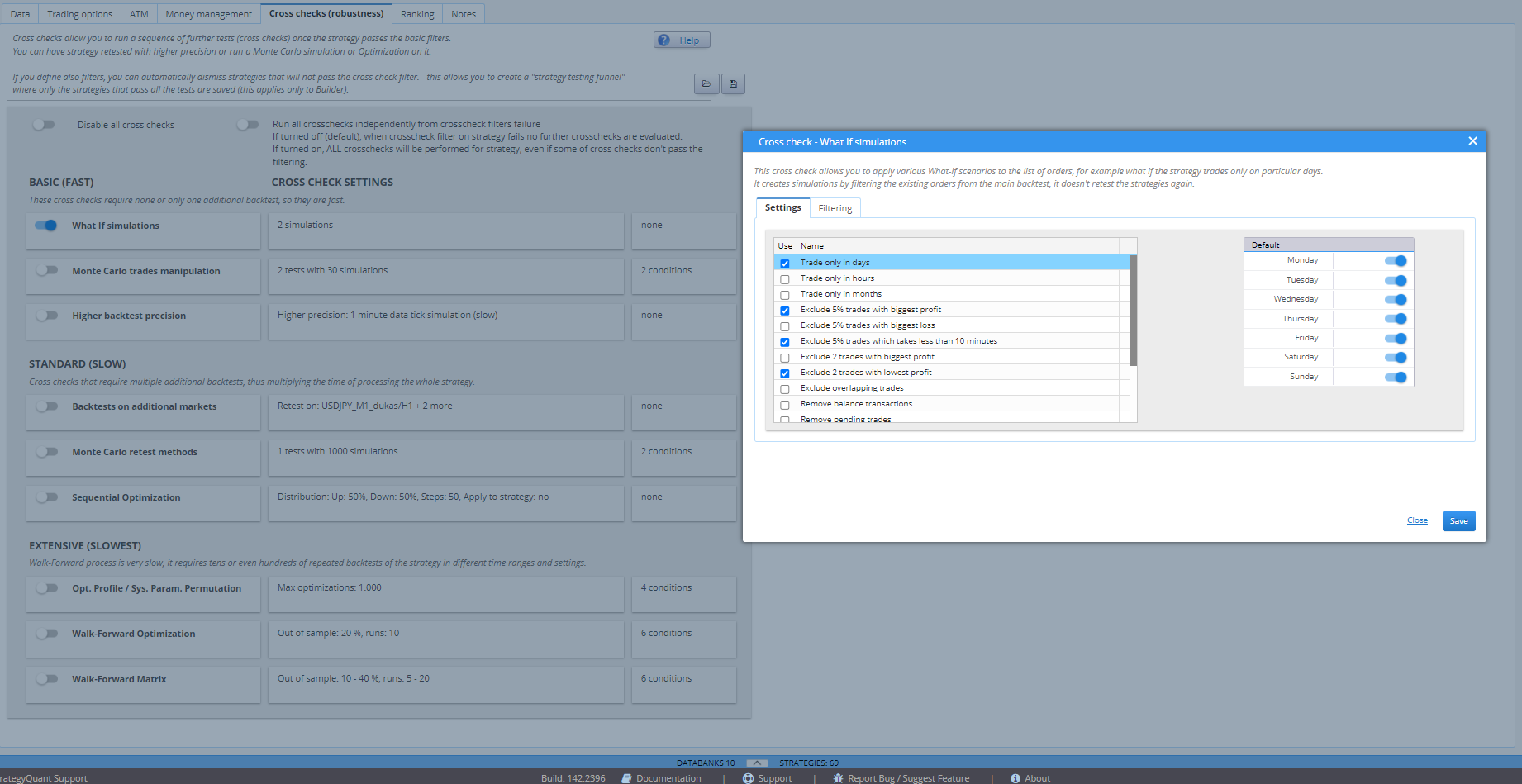
Propósito
This tool applies predefined scenarios to the existing trade list from the main backtest to observe how strategy performance changes under alternate conditions, such as:
- Missing profitable trades
- Limiting trade execution to specific days or hours
Cómo funciona
- Scenarios are applied to the original trade list, without re-running a backtest.
- Modifications include:
- Randomly skipping trades
- Limiting trades to selected weekdays
- Simulating partial trade execution
Because it does not require re-simulation, this cross-check is extremely fast.
Suporte a la filtración
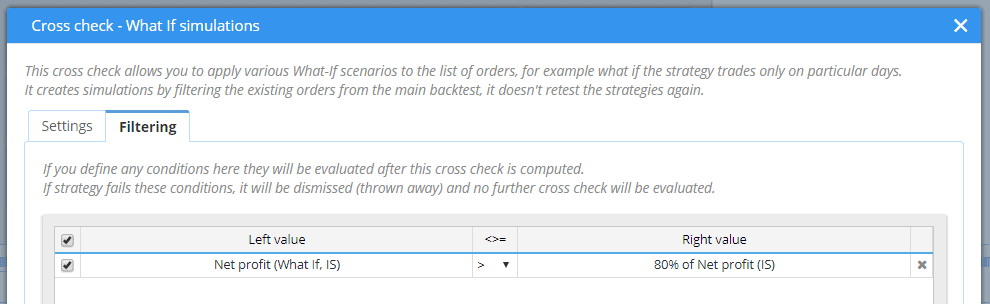
You can configure filters to automatically reject strategies that deteriorate significantly in What If scenarios.
Ejemplo:
Filtrar cualquier estrategia en la que What If Net Profit < 80% de Proajuste neto original.
Viewing Results
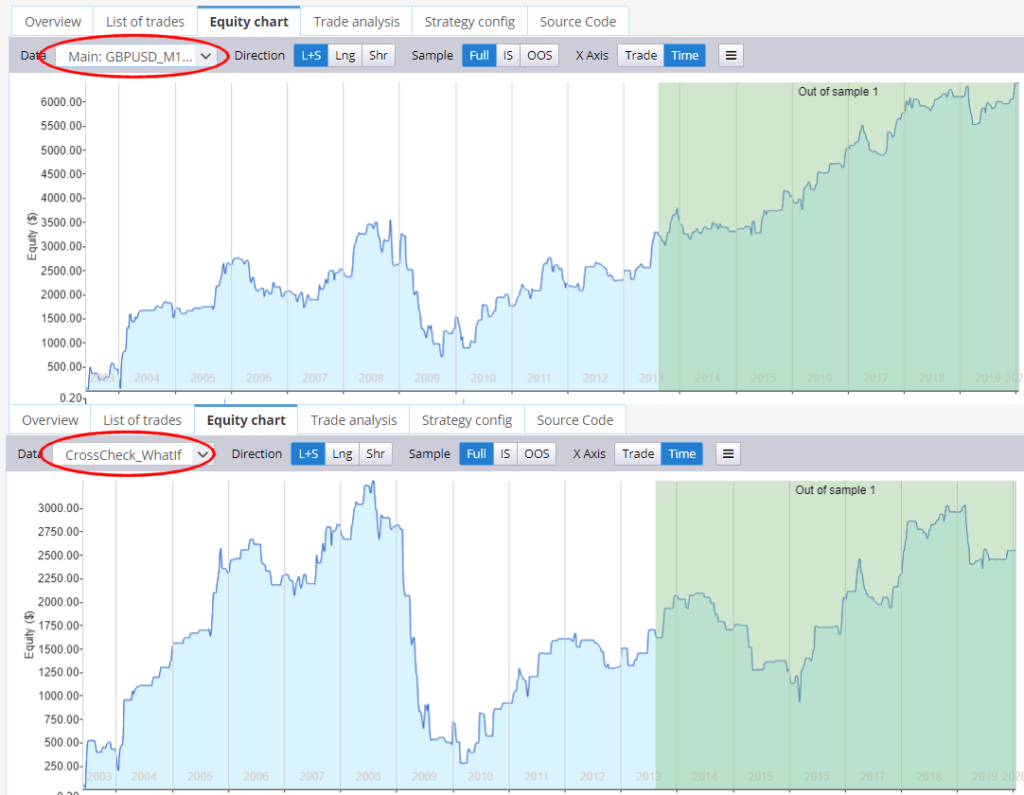
What If simulation results are visible in:
- Gráfico de renta variable
- List of Trades
- Overview Tab
This allows direct visual and metric comparison between the original and simulated outcomes.
¿Le ha resultado útil este artículo? El artículo era útil El artículo no era útil
Contenido de la página