Parlez-en à vos amis et à votre famille.
sociálních sítích
How I saved tens of hours: Q researched and built 201 custom blocks in minutes
Q, the AI assistant in StrategyQuant X, searched the web for breakout ideas and turned them into 201 custom blocks, the entry conditions and price levels that strategies are built from. It took 3 minutes and 24 seconds. By hand the same work would have taken me days, if not weeks.
I have been using StrategyQuant since 2014. In all those years the slow part of the work stayed the same: finding ideas and turning them into entry conditions. You read, you take notes, you click every condition together by hand, and only then can you test anything. A library of a few hundred conditions is weeks of work, sometimes months.
This time I wanted breakout strategies for the e-mini Nasdaq, and I tried it both ways. First the old way. I opened AlgoWizard and built one custom block by hand, EMA 50 crossing above EMA 200, with both periods as parameters. It took me a bit over two minutes, and that was the easy part, because I already had the idea. Finding two hundred ideas worth building is what takes the days and weeks.
Then I handed the job to Q in StrategyQuant X Build 145. I asked it to look up what well-known traders publish about breakouts and to make custom blocks out of it. Three minutes and 24 seconds later it answered: “I built 201 intraday-breakout custom blocks and saved them to your library, which went from 1 block to 202.” By my estimate that is tens of hours of my work.
My name is Ivan Hudec, clonex on the forum, and I am one of the developers of Q, so read this as a developer’s account. Q’s answers are quoted word for word.
Why breakouts and why the Nasdaq
There was no special reason behind breakouts on the e-mini Nasdaq. Breakout strategies are widely used on index markets, and there is public research on them, for example this study on the Nasdaq-100 ETF.
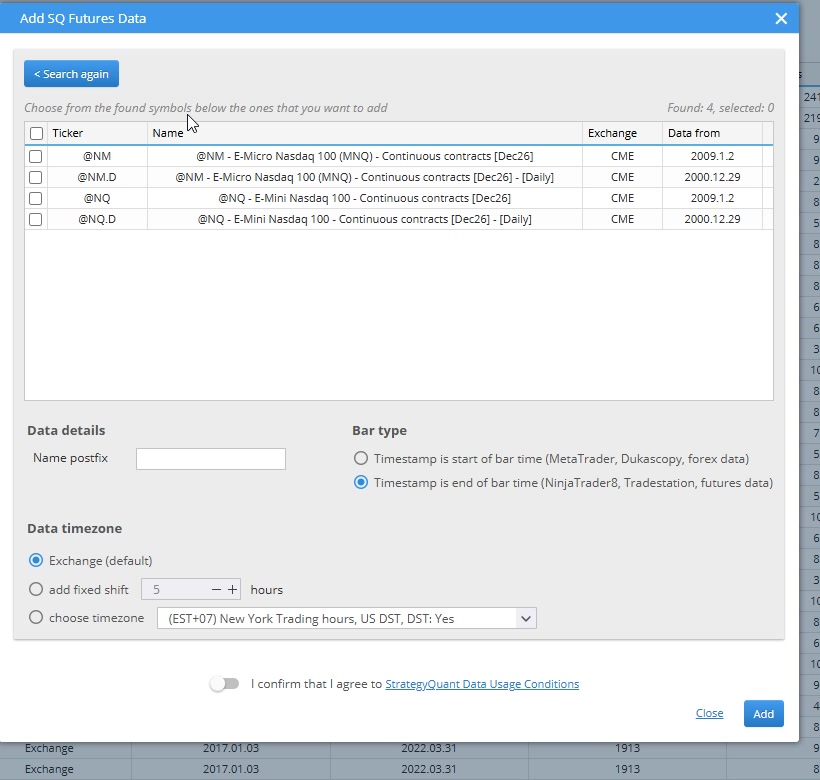
First I downloaded the data. In Data Manager I opened SQ Futures data, searched for “nasdaq” and added @NQ, the E-Mini Nasdaq 100 continuous contract in one-minute bars. The download gave me 5,942,256 records from 2 January 2009 to 12 November 2026. The instrument settings came with the data, so there was nothing to set up.
Add SQ Futures Data: searching “nasdaq” finds @NQ
What a breakout strategy needs
A évasion is a move where price gets through a support or resistance area and stays beyond it. A breakout strategy turns that into rules. It needs a level, a way to enter when price gets through it, some view on which breaks are worth taking, and a stop for when the break fails.
The classic methods differ mostly in how they draw the level. I go through them here because all of them come back in Q’s answer.
A channel breakout uses the recent extremes. The Canal Donchian is the highest high and the lowest low of the last n periods. Richard Dennis taught his Turtles a similar rule: buy when price rises above its recent range and sell when it falls below it.
An opening range breakout uses the high or low of the first part of the session. Toby Crabel put it in the title of his 1990 book, Day Trading With Short Term Price Patterns and Opening Range Breakout.
A volatility breakout measures the level from the open. In Larry Williams’ version the long trigger is the open plus a fraction of yesterday’s high-low range, and the short trigger is the open minus the same amount.
Other ideas deal with timing. Crabel’s narrow range days, NR4 and NR7, are days with the narrowest range of the last four or seven days (StockCharts). John Carter’s TTM Squeeze looks for Bollinger Bands that sit inside Keltner Channels, which StockCharts reads as a low volatility period. Both describe a quiet market that may be about to move.
For the exit, the classic is Charles Le Beau’s Chandelier Exit. For a long trade it is the 22-day high minus three times ATR(22).
The old way: one block by hand
A strategy in StrategyQuant is put together from building blocks, and a block can be one of two kinds. A condition is a rule for the entry, for example Close is above a moving average. A price level is a value, a price that is used for orders and stop-losses.
A bloc personnalisé is your own combination of blocks saved under one name. Since Build 127 you can make one in AlgoWizard without writing code. Once saved, it is available in the AlgoWizard editor and in the Builder’s building blocks.
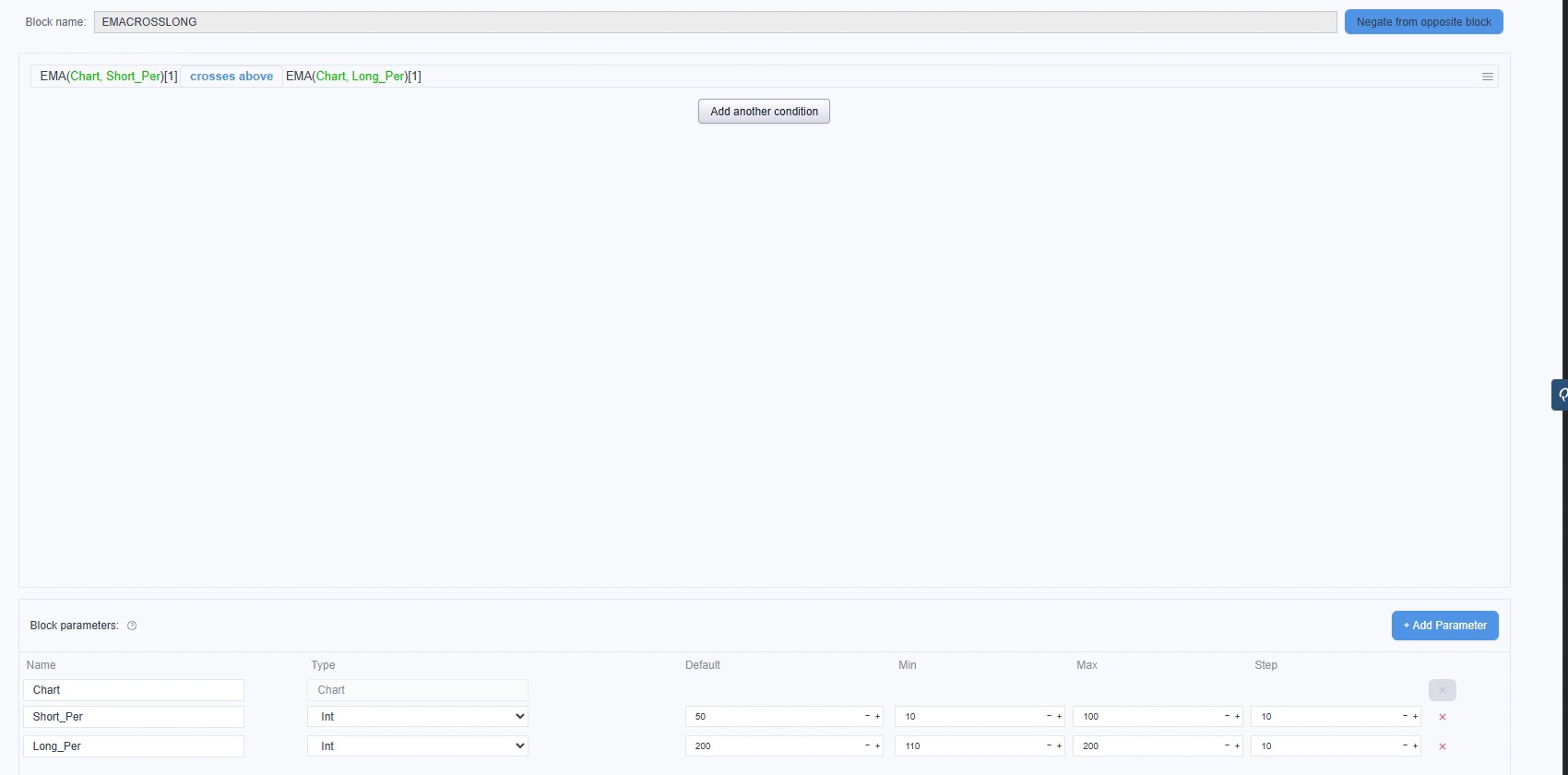
Here is the one I built by hand. In AlgoWizard I opened Custom blocks, clicked Add custom block, and named it EMACROSSLONG with the type Condition. I added an EMA, changed the comparison to “crosses above” and put a second EMA on the right side. The parameters came next, because they are what the Builder can change later. I named them Short_Per and Long_Per, gave them defaults of 50 and 200 with ranges of 10 to 100 and 110 to 200 in steps of 10, and bound each EMA’s period to its parameter. The finished block:
The hand-made EMACROSSLONG block with its two parameters
That is one condition, and it works for longs only. Now imagine you want hundreds of them, so that StrategyQuant can later go through them all and keep the best ones. Every single one starts with an idea. Then comes the clicking, the parameters and the mirror version for shorts. In the old days this was days of work, and more often weeks. I still remember building my own database of conditions. It had 300 of them, and it took me several months.
Then I asked Q
I wanted to avoid two things. One was generating random conditions. The other was searching the internet for ideas and writing the conditions out myself. My plan was to have Q find what well-known traders publish about breakout entries and turn that into custom blocks.
I opened Q, chose Analyze & Research and switched the model to Opus 5.5. For this kind of work I pick at least Opus, or the equivalent from OpenAI, which in Q’s model list is GPT-6.1 Sol.
My first question:
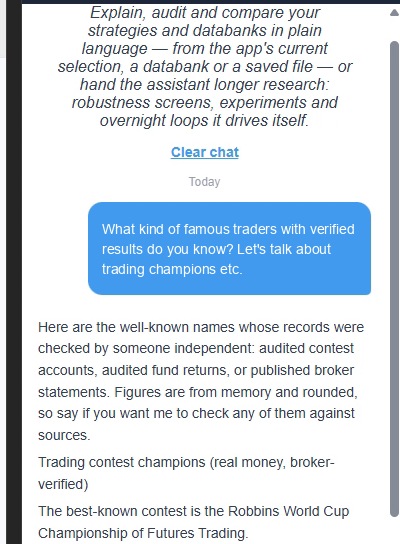
What kind of famous traders with verified results do you know? Let’s talk about trading champions etc.
The answer listed contest winners first, among them Larry Williams, Michelle Williams, Andrea Unger and Kevin Davey from the World Cup Championship of Futures Trading, and then fund managers with audited long-term records. It opened with a caveat: “Figures are from memory and rounded, so say if you want me to check any of them against sources.” I did not ask it to check them, so I am not repeating the figures here. The official results are in the World Cup historical standings.
My first question and the start of Q’s answer
My second request:
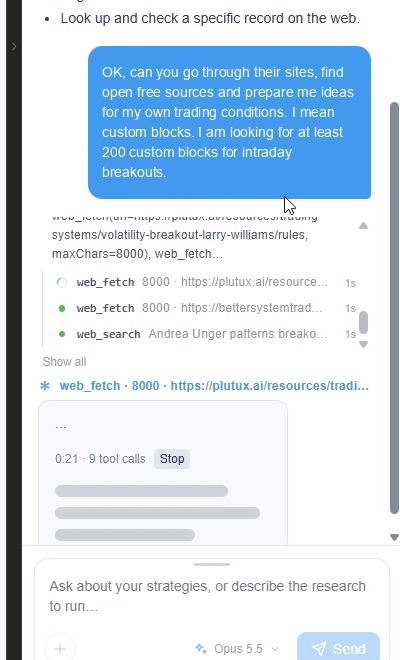
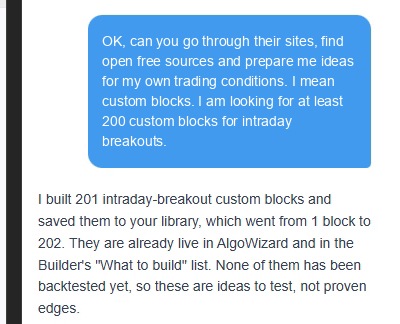
OK, can you go through their sites, find open free sources and prepare me ideas for my own trading conditions. I mean custom blocks. I am looking for at least 200 custom blocks for intraday breakouts.
Q searched the web for breakout material by Unger, Williams and Davey and fetched a few pages. It also resolved the parameter names of SQX blocks such as OpenD, HighD, LowD and CloseD. Then the Custom blocks list on the left filled up. The footer under the answer said “13 steps completed · 3m 24s”.
Q’s web searches and page fetches while it works
Where the ideas came from
The first source Q named is Larry Williams’ volatility breakout, with the rules taken from a public write-up. The second is Kevin Davey’s advice on testing entries and exits, from a podcast summary on bettersystemtrader.com, which shaped how the blocks are split up and tuned more than it added rules. The rest are what Q called classic public methods: “Turtle/Donchian channels, Toby Crabel’s opening range, narrow-range and inside days, Bollinger and TTM squeezes, the Chandelier exit and pivots.”
Q also wrote: “None of them has been backtested yet, so these are ideas to test, not proven edges.”
Q’s answer: 201 blocks saved to the library
What I found in my library
I scrolled through the list for a while. Where I had one EMA cross a moment ago, there were now hundreds of new ideas to build strategies from. Some of the blocks are simple, some are complex, all of them have parameters, and I can use every one of them straight away.
The blocks are sorted into six categories, and these match the parts a breakout strategy needs.
Catégorie
Blocks
What is in it
Breakout_Levels_user
54
Price levels for stop-order entries: Williams-style levels, Donchian, last week’s high and low, opening range, Bollinger and Keltner bands
Breakout_Triggers_user
54
The same 27 level pairs as true/false conditions that fire when the bar closes through the level
Breakout_Confirm_user
14
The breakout bar itself: big body, close near the extreme, wide range, volume surge
Breakout_Bias_user
40
Direction: yesterday’s direction, side of VWAP or of a moving average, slope of the average, +DI against -DI
Breakout_Filters_user
20
State of the market, the same for longs and shorts: quiet market, narrow days and bars, ADX, volume, volatility turning up
Breakout_Stops_user
19
Stop levels: fixed levels, trailing lines and midlines
Levels and Triggers are the two kinds of block I described earlier. A level is a price for a stop order. A trigger is a condition that waits for the bar to close beyond the same price. The Williams-style levels alone make 16 pairs: four anchors (yesterday’s close, open, high/low and midpoint) times four range types (yesterday’s range, last week’s range, ATR and Bollinger width), each with a fraction the Builder can tune.
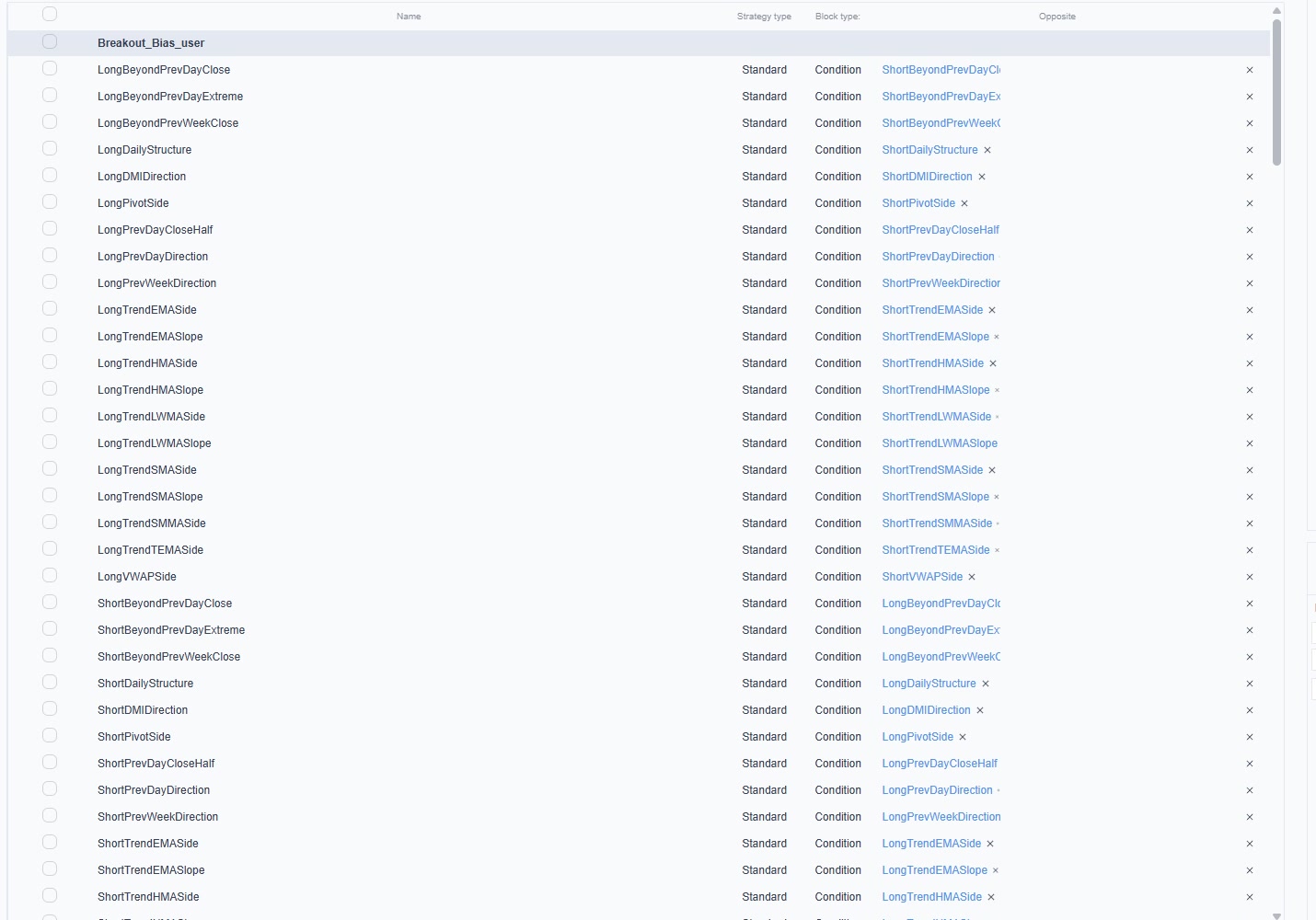
Q wrote that every directional block has a long and a short version, that each block reads only bars that have already closed, and that periods, multipliers and session hours are parameters the Builder can change. I opened fifteen of the blocks myself. All of them read closed bars, and the long and short blocks are linked as opposites. One thing differs from Q’s description: several blocks use ATR with a fixed period of 14, and only the multiplier is a parameter.
Breakout_Bias_user in the Custom blocks list: every Long block is linked to its Short opposite
Let’s take a look at four of them.
The first is a level, LongPrevWeekExtreme_ATRBuf. It takes last week’s high and adds a buffer, with the ATR multiple at 0.2 by default and a range of 0 to 2:
For the bias I opened LongDailyStructure, which checks that yesterday’s low is above the low of the day before:
LowD[Chart, 1] > LowD[Chart, 2]
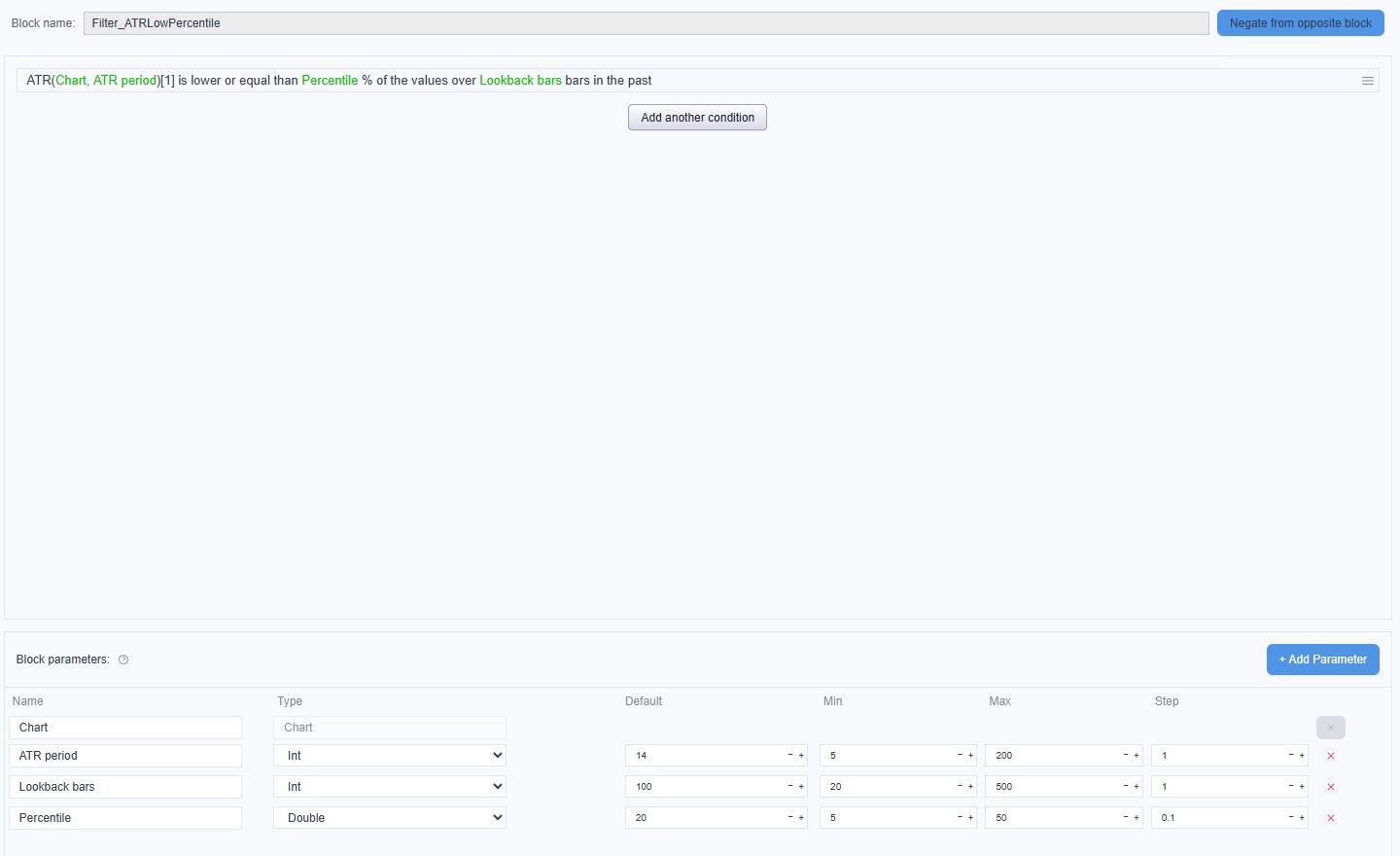
The last one is a filter, Filter_ATRLowPercentile. It is the quiet market idea from the NR7 and squeeze paragraph, measured with ATR. The defaults are ATR 14, a lookback of 100 bars and the 20th percentile, and all three are open to the Builder:
ATR(Chart, ATR period)[1] is lower or equal than Percentile % of the values over Lookback bars bars in the past
Filter_ATRLowPercentile with its three parameters
Where we go from here
The custom blocks are the first step. There are two ways to continue, and the next articles in this series will follow them.
The first way is to organise the blocks. I can pool them into groupes aléatoires, which is the step Q offered at the end of its answer, then build a strategy template and connect the random groups to it.
The second way is to go straight to the Builder and generate concrete strategies from the custom blocks.
That same afternoon I took the second way and asked Q to set up the Builder with the new blocks. That is the next article. If you try this with your own ideas, let me know in the comments how it went.
Je suis trader depuis 15 ans et je développe des stratégies avec StrategyQuant X depuis 2014. Aujourd’hui, je me consacre à trois activités : je développe et teste en conditions réelles des stratégies automatisées, j’enrichis la plateforme SQX elle-même avec des indicateurs personnalisés, des extraits de code et des outils Python dédiés à l’apprentissage automatique et à la recherche quantitative, et j’aide d’autres traders à atteindre leurs objectifs plus rapidement — sans qu’ils aient à commettre les mêmes erreurs coûteuses que celles que j’ai commises au fil des années.
La plupart des stratégies de trading au détail semblent très prometteuses lors des backtests, mais s'effondrent en conditions réelles. Mon travail va à l'encontre de cette tendance : je développe des stratégies honnêtes, validées et suffisamment robustes pour qu'on puisse leur confier de l'argent réel. Je décris ce processus — avec ses bons et ses mauvais côtés, ainsi que le surajustement dont personne ne parle — sur mon site, algotrading.space.
Si vous souhaitez approfondir vos connaissances en matière de validation, de développement SQX sur mesure ou de création d'un véritable avantage concurrentiel grâce aux données et au code, c'est là que je partage toutes ces informations. www.algotrading.space
What if you could control StrategyQuant X simply by talking to an AI agent? With the introduction of MCP (Model Context Protocol), we’re taking another step toward a new era …
Can you identify major market turning points before they become obvious on a price chart? Most traders rely on technical indicators such as RSI, MACD, or moving averages. But these …
Le concept de « Turnaround Tuesday » fait débat chez les traders depuis des décennies : après une forte baisse lundi, le marché pourrait rebondir mardi ou dans les jours qui suivent. Des exemples spectaculaires ont suivi…


 Anglais
 Espagnol
 Portugais
 Italien
 Allemand
 Japonais


 Tomas Vanek