


 英語
 スペイン語
 ポルトガル語
 フランス語
 イタリア語
 ドイツ語

I asked Q how to set up my Builder instead of telling it what to set
In the previous article Q built 201 breakout custom blocks for me in three and a half minutes. This is what I did with them the same day, and the …
 クローネックス / イヴァン・フーデツ
17. 11. 2026
コンテンツへスキップ | メインメニューへ移動 | 検索に移動
We have prepared an article about data setting in SQX for you. It’s very important since quality data and their correct settings are the key and the basis for success in algo-trading.
In this manual, we will share with you data configurations for the most commonly used tickers, symbols, and sessions. The goal of this article is to bring even easier ways how to:
* it means data that was shifted due to different time zone (e.g. UTC and UTC+2) as you can see in the second part of this article
Furthermore, you may read how to do reliable backtests in MetaTrader 4/5, TradeStation, and MultiCharts ここ.
This part is only for those who create strategies for MultiCharts and TradeStation.
The following config includes regular sessions which are used on futures tickers in MultiCharts and TradeStation platforms as you can see on this screen:
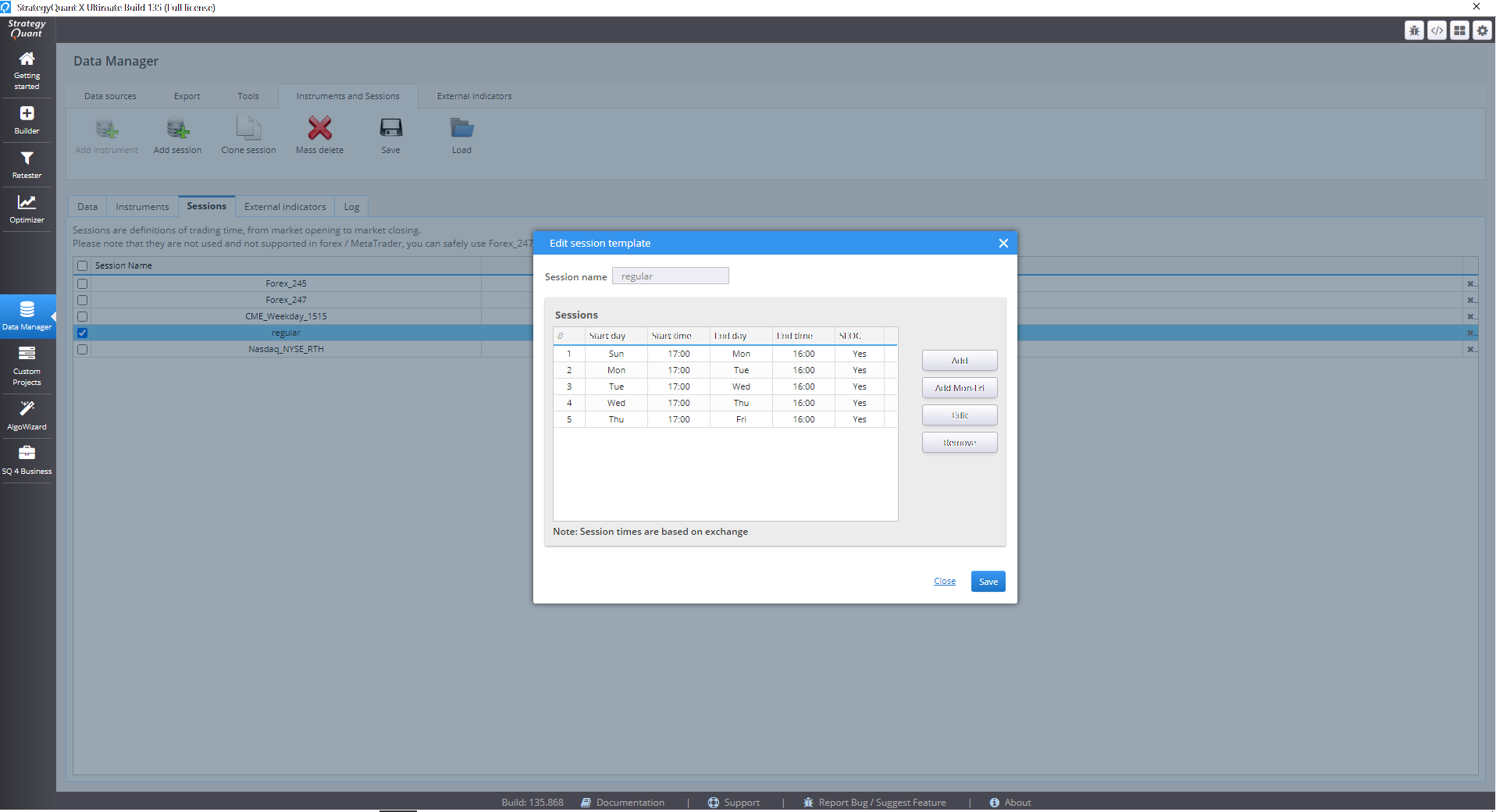
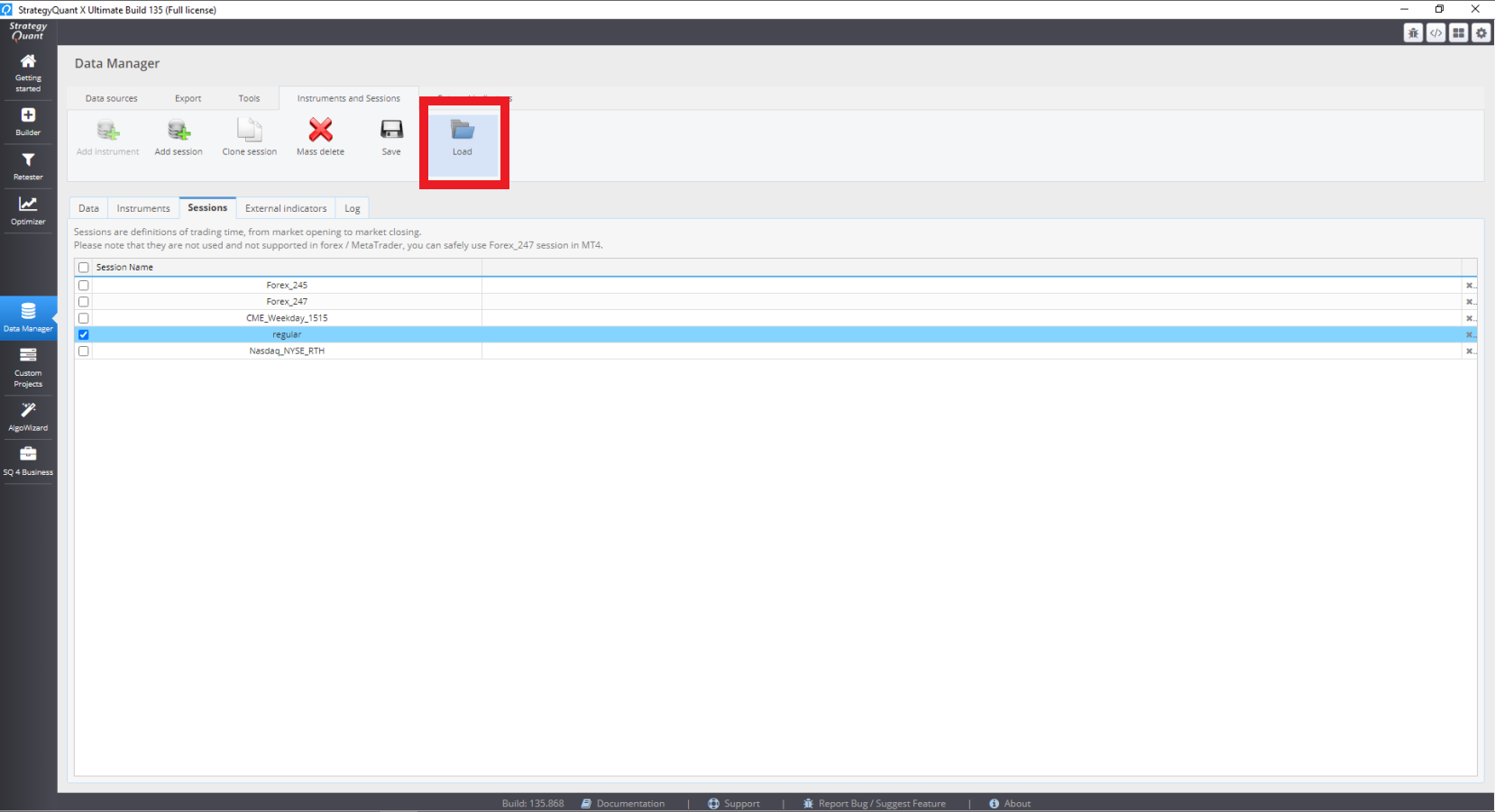
You can download the file here.
This data preset includes the most commonly used tickers and symbols for:
– exchange timezone TradeStation (end of bar) with prefix _TS
– UTC time zone MetaTrader 5 (start bar) with prefix _MT5
List of tickers: ET, ES, MN, NQ, RX, QR, YM, YR, EW
EURUSD, GBPUSD, AUDUSD, NZDUSD, USDCHF, USDJPY, GBPJPY, EURJPY
SP500 (ticker SP), Nasdaq (ticker NQ), Dow Jones (ticker DJ)
The config also includes the following parameters presets:
Default slippage
デフォルトのスプレッド
The most commonly used value for CFDs
Commissions for futures
How to import the ticker config file
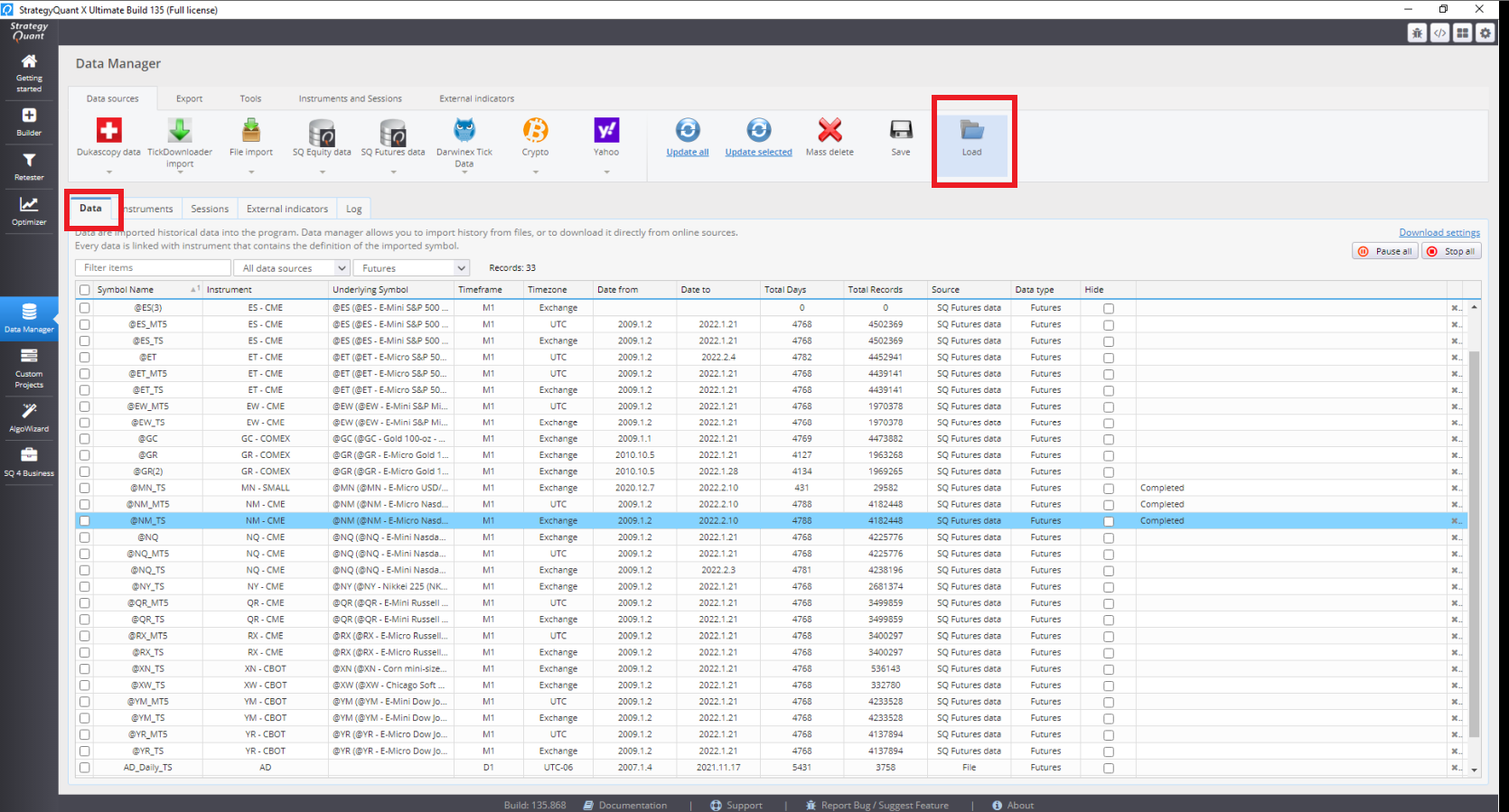
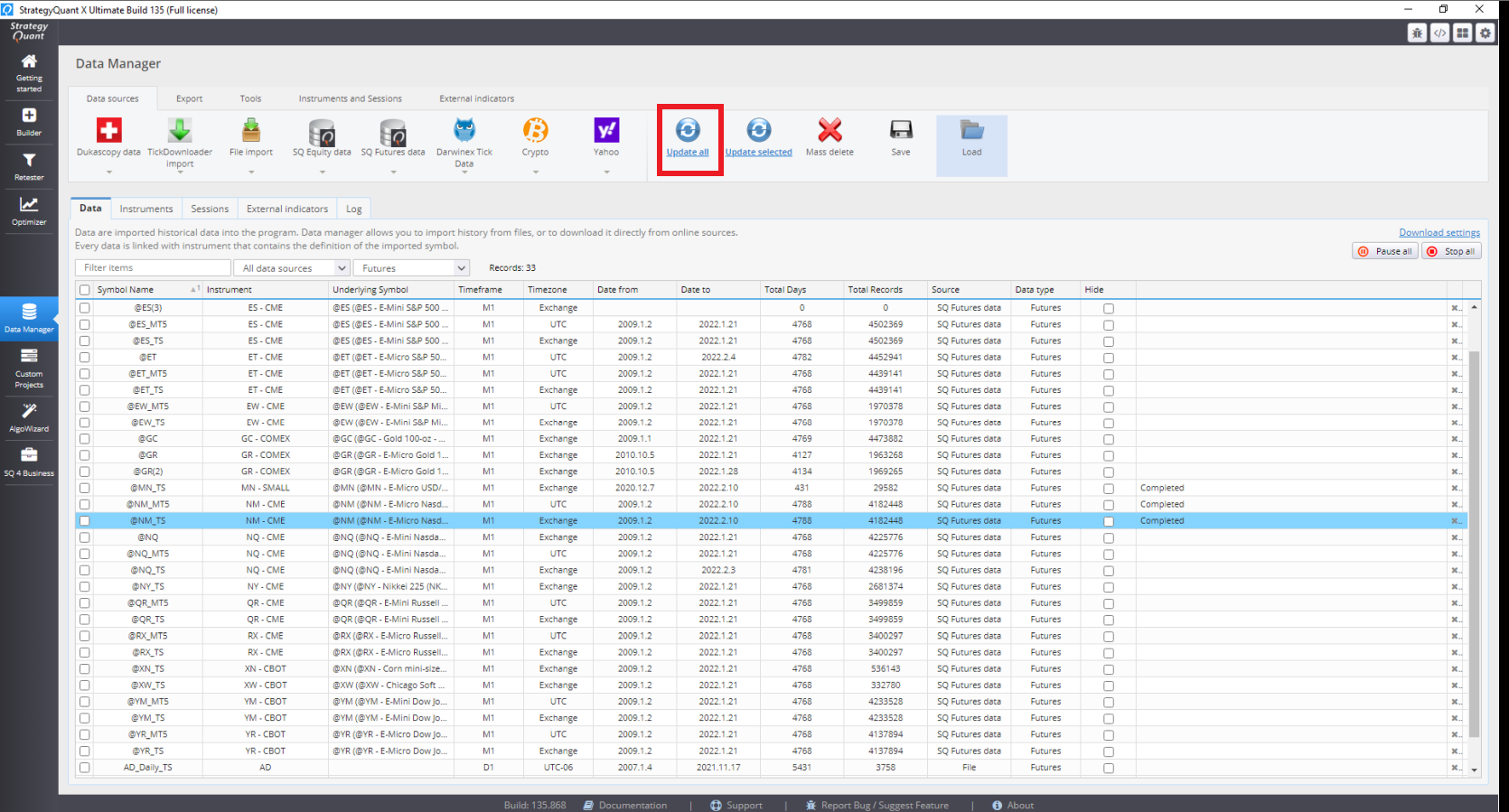
Please also note that this config includes commonly used data (tick pip step/size), spreads, and commissions. For accurate backtesting on your platform always check if these settings comply with your broker.
I hope that you will enjoy the comfort of data imported just by a few clicks ?
PS: If you want to share your data configs with everyone and save time, just feel free to upload the config with the screen to our shared section.

In the previous article Q built 201 breakout custom blocks for me in three and a half minutes. This is what I did with them the same day, and the …
クローネックス / イヴァン・フーデツ17. 11. 2026
Q, the AI assistant in StrategyQuant X, searched the web for breakout ideas and turned them into 201 custom blocks, the entry conditions and price levels that strategies are built …
クローネックス / イヴァン・フーデツ16. 11. 2026

What if you could control StrategyQuant X simply by talking to an AI agent? With the introduction of MCP (Model Context Protocol), we’re taking another step toward a new era …


I am using Multicharts and this is helping a lot ! Thank you very much Tomas
Thank you very much Tomas !!