


 英語
英語 スペイン語
スペイン語 ポルトガル語
 フランス語
フランス語 イタリア語
イタリア語 ドイツ語
ドイツ語Doing the EA right?
7件の返信

I drafted the attached EA. Am I doing it correctly?
I have a custom indicator that provides Entry, Stop, Profit Target, and Trailing stop.
1. EA places 3 Stop Orders when the entry price populates in the field by the Indy.
2. Put the stop and profit target on each as provided by the Indy
3. Then, when the indy populates the ActiveStop field, EA to change the stop price (or do a trailing stop) and then do it again when the Indy updates the ActiveStop field to a new number.
I appreciate your feedback and help!
Stearno
0

Hello Stearno,
it seems correct, although I don’t know the original strategy.
The 3 stop orders are placed correctly, the only problem could be with trailing stop -it can be implemented in a different way in your trading system than it is in EA Wizard.
> 3. Then, when the indy populates the ActiveStop field, EA to change the stop price (or do a trailing stop) and then do it again when the Indy updates the ActiveStop field to a new number.
if you want to change the stop loss only after the Indy updates the ActiveStop field you probably should add new rule for that.
The rule would be:
もし
(order exists and iCustom(…, ActiveStop) > 0)
それから
Move SL To iCustom(…, ActiveStop)
best regards,
マーク
マーク
StrategyQuantアーキテクト
0
マーク、,
Great feedback. I will update these settings after the new update with the increased parameters. Thank you!
0
You said, “if order exists.” What do I choose to check that logic?
I looked under Strategy Control, but nothing seemed to return if an open order existed by a the magic number.
Also, under Market Position, what is Flat, Long, Short used for/mean?
ありがとう
ステアルノ
0
there are two functions to check if order is opened:
Market Position – returns position of the whole EA
Order Position(MagicNumber) – returns position of order with given magic number
The possible return values of these functions are:
Flat – it means there is no open position
Short/Long – it means there is short or long position open
マーク
StrategyQuantアーキテクト
0
Oh, okay. I was thinking Flat/Short/Long could possibly be the profit/loss. Thanks for clearing that up.
So now doing as you asked, ran across two more questions:
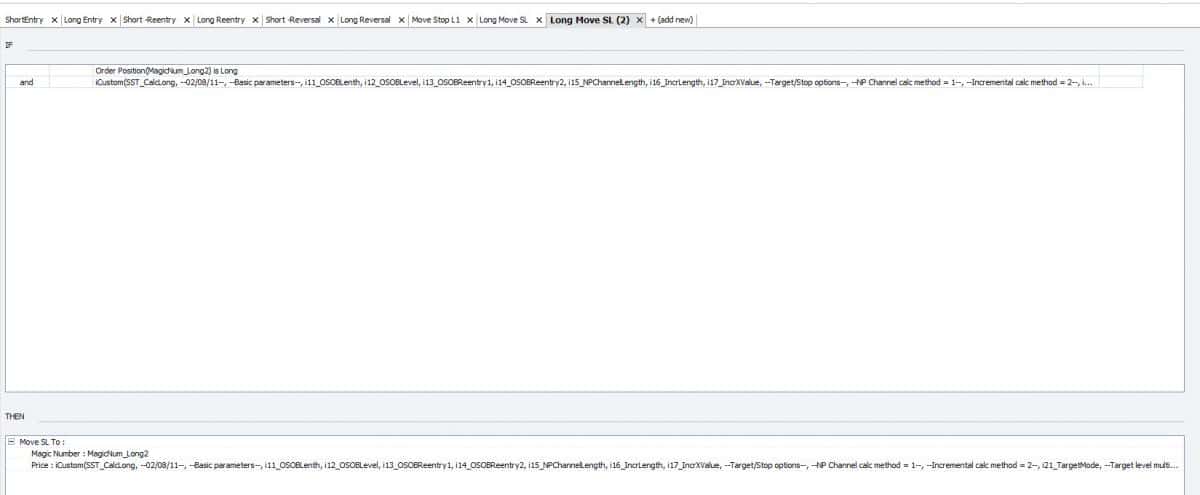
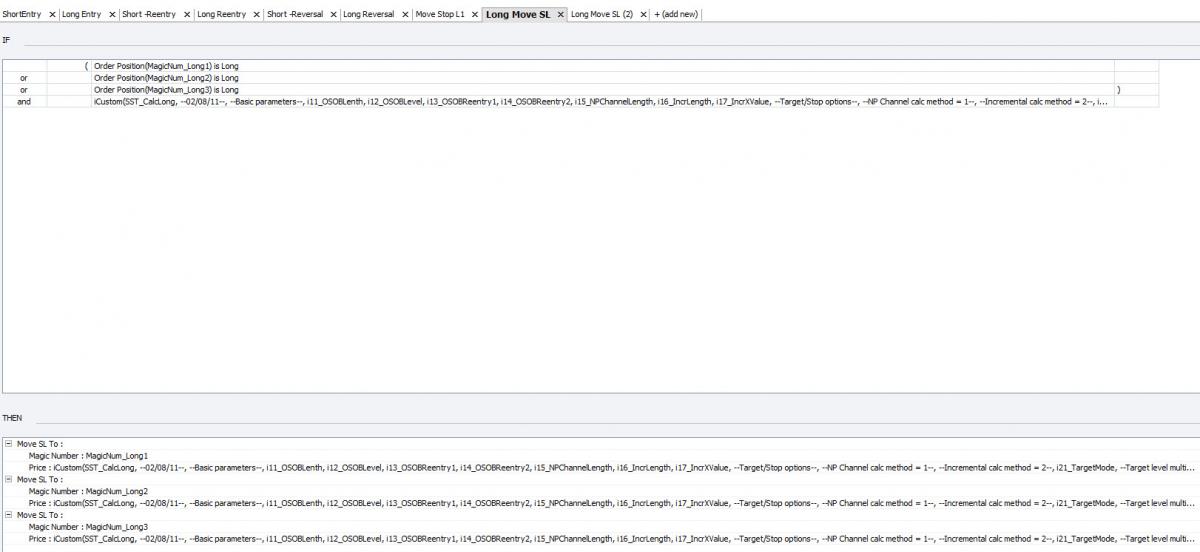
1. This EA will open 3 Long orders when the long conditions are met. If I do another tab for moving the stop loss, do I have to do a tab for each Long order (magic Long1, Magic long2, Magic Long3) or can I do one tab that will have 3 Then statments each one moving a SL for each order. Reason I ask is, maybe Long Order 1 has reached the Profit Target, so only 2 orders remain open. If the Then statement is calling on that order to change its SL and does not exist, will that cause a problem or it will skip it and move to the next Then statement. If it causes a problem, then I have to do a Tab for each MagicNumber to modify that one order only. (example of each attached with 3 on one tab, and only one on one tab, which will work)?
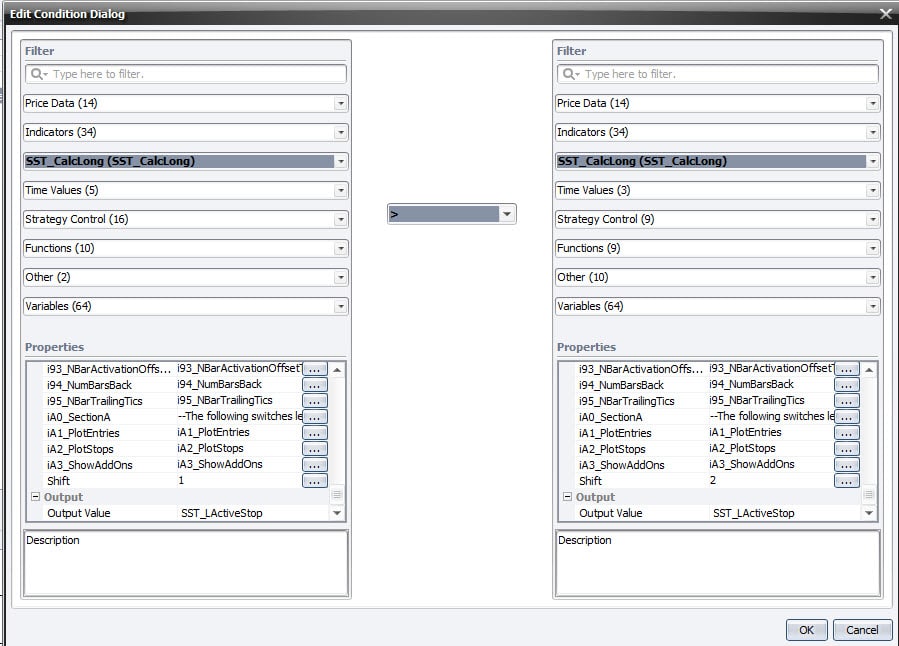
2. Also, the ActiveStop indicator output will be populated and then change the numbers. So what I was thinking is the If statement will compare the Active Stop output [1] to the previous Active Stop Output [2]. If it is greater (cause going long, so stop will only rise), then move the stop to the new output. Is this the best way?
ありがとう、,
ジョナサン
 05-12-2012 9-06-16.jpg
 05-12-2012 9-07-38.jpg
 05-12-2012 9-13-49.jpg
0
1. This EA will open 3 Long orders when the long conditions are met. If I do another tab for moving the stop loss, do I have to do a tab for each Long order (magic Long1, Magic long2, Magic Long3) or can I do one tab that will have 3 Then statments each one moving a SL for each order. Reason I ask is, maybe Long Order 1 has reached the Profit Target, so only 2 orders remain open. If the Then statement is calling on that order to change its SL and does not exist, will that cause a problem or it will skip it and move to the next Then statement. If it causes a problem, then I have to do a Tab for each MagicNumber to modify that one order only. (example of each attached with 3 on one tab, and only one on one tab, which will work)?
you can put it into the same trading rule. If the order doesn’t exist and you try to modify its SL/PT then nothing happens, it is just ignored.
2. Also, the ActiveStop indicator output will be populated and then change the numbers. So what I was thinking is the If statement will compare the Active Stop output [1] to the previous Active Stop Output [2]. If it is greater (cause going long, so stop will only rise), then move the stop to the new output. Is this the best way?
yes, I think this is the only way, if you need to check for change in the ActiveStop value
マーク
マーク
StrategyQuantアーキテクト
0
7件の返信を表示中 - 1 - 7件目 (全7件中)