


 英語
 スペイン語
 ポルトガル語
 フランス語
 イタリア語
 ドイツ語
SQ Xのアップデート
955件の回答

ここからSQ Xのアップデートやニュースについて話し合うことができます。.
このトピックは「SQ4 Early Preview」から名称変更されました。古い、もはや関連のない投稿は削除され、アーカイブされます。.
ポイントは、古い、関連性のない内容からフォーラムを整理することです。.
マーク
StrategyQuantアーキテクト
0

clonex, never mind. I also want to say thanks for your contribution, I always see you report many issues and come up with many good features for SQ.
You are very helpful, you helped SQ to be better and better.
0
Marcel – that is strange, we tested it on multiple computers. Did you make an upgrade or clean install?
Anybody else is experiencing this problem?
Very first start could be slower because there is some initialization.
マーク
StrategyQuantアーキテクト
0
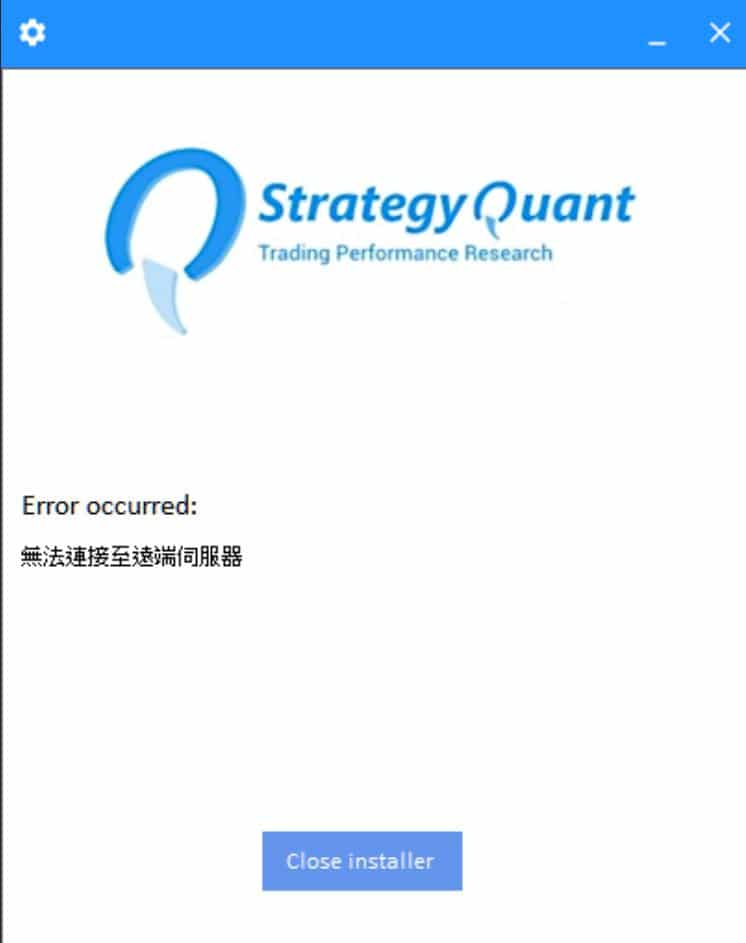
I use ZIP archive and sometime occurs this error when I click SQX to start.
And now two download links are dead.
0

@Mark: Update, not a clean installation. Do you mean that can solve my problem?
0
I tried it, but it didn’t help.
I just get to see the SQX picture and that’s it. That disappears after about 5 seconds and that’s it.
I would like to upload the picture here but I can’t do that because if I click on the button “choose files” I get “address not found” displayed without being able to select a file at all……..all in all very disappointing because I now have to downgrade for the 2nd time and I would have better things to do with my time………….
0
Marcel – this looks like firewall / antivirus issue, there is no reason why it shouldn’t work.
Try disabling your antivirus / firewall for a while and start SQ.
マーク
StrategyQuantアーキテクト
0

Bug #sq4_4270: The EA generated by ALGOWIZARD after calling custom function does not add custom function code in it. – Fixed
121 version :This BUG has not been completely repaired and the generated code has not added the function’s own code to it.
0
Bug #sq4_4270: The EA generated by ALGOWIZARD after calling custom function does not add custom function code in it. – Fixed
121 version :This BUG has not been completely repaired and the generated code has not added the function’s own code to it.
Please attach the strategy that is not working for you to that task, I’ll check it. It works in my tests.
マーク
StrategyQuantアーキテクト
0
Marcel – this looks like firewall / antivirus issue, there is no reason why it shouldn’t work. Try disabling your antivirus / firewall for a while and start SQ.
The subject is solved.
It was NOT the virus protection or the firewall.
It was because Zulu was still installed on my computer. Apparently this leads to problems with SQ since version 121.
I have now uninstalled Zulu and SQ is also running in version 121 now.
0

Thank you, Mark
However
#property strict is still not there
0

マーク、,
can you review the task sq4_4147 ? I believe something still not what i expected, i thought it was because it is updated install and not clean install, but i did the clean install
the problem still there.
I set maximum strategies to store in databank to 5 (just make it to show the problem fast)
stop generation when to never
after the bank reach 5, the Accepted kept at 5/0.03% and still running forever, please note in your rejection note you ask me to change the stop condition to never not to reach the bank cap, but i never set to this option, it is not stop issue it is still running, but the accepted is frozen never increase any more , I believe it is wrong , the accepted should be still going on and the bank will store whatever the better one.
right now i have to set the bank to very high number to make it generating.
0
こんにちは,
when we will publish a manual that is made especially for SQX and does not contain any passages of SQ 3.8.1 (ideally even in several languages)?
0

Can Mark or someone guide me on how to test my custom indicator?
I can not find any guide document in http://www.strategyquant.com.
Programming guide has been moved to here:
https://strategyquant.com/codebase/.
Where is the document to test my custom indicator?
ありがとうございます。.
0
Maybe I imagined it but in 119 it was possible to download data in a 1min format, right? If yes in 121 only tick data downloads are possible. Am I incorrect?
it is there, but the configuration whether it is minute or tick data was moved to Add symbol dialog. So you have to specify that you want minute data when you create the data.
Can Mark or someone guide me on how to test my custom indicator? I can not find any guide document in https://strategyquant.com. Programming guide has been moved to here: https://strategyquant.com/codebase/. Where is the document to test my custom indicator? Thx.
it is described here: https://strategyquant.com/codebase/adding-envelopes-indicator-step-by-step/
Go to section “Testing…”
Hello, when we will publish a manual that is made especially for SQX and does not contain any passages of SQ 3.8.1 (ideally even in several languages)?
we are working on it. I’m sorry it takes so long, but we are finally getting to it
yourrodstaff – I’ll check it again
Thank you, Mark However #property strict is still not there
no, and there is no plan to do this in the near future. I still don’t understand why this should be important. It has no effect on the quality or reliability of strategies.
マーク
StrategyQuantアーキテクト
0
I have 2 questions (maybe I missed the explanation somewhere):
1.
What exactly is the database autosync intended for so what does it do and where exactly is the difference if I do it every 10 minutes or every 1 hour?
2.
If I set “No symmetry” in the options “Trading direction”:
Does SQ then exclude symmetry completely or does SQ search for strategies with symmetry anyway, but then also for those without symmetry?
0