


 英語
 スペイン語
 ポルトガル語
 フランス語
 イタリア語
 ドイツ語
Pro「Retester」という名前の関数は存在しません
3件の返信

Hi There,
I’ve been using the new SQX for about a day now and have all of a sudden started getting this error when try to use the retester (which had been working fine previously):
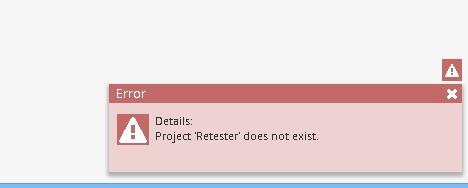
When trying to load the default settings I get the following:
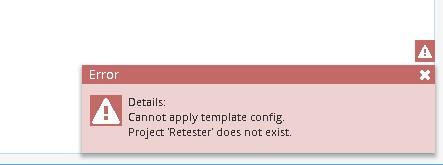
I tried re-installing but it still hasn’t fixed the issue. I am unable to locate where this would be – would this come under user/projects? Or how to replace it as reinstalling hasn’t fixed the issue. Not sure how to proceed, any assistance greatly appreciated.
ありがとう、,
J
0

Please try to update to Build 117 if you have not done so yet and let us know
0
Have just tried, same issue. Interestingly – I installed on another partition and it’s working, on that but still not on the main drive. When I save a template on the working one and try and open it, it works fine, when it try open the same previously working template file from the non-working instance it doesn’t open and has the same error, it suggests it’s not the template save file that is the issue.
I was able to copy the complete user folder over from the working install on the other partition which seems to have fixed it, it’s weird that the re-install didn’t fix it, I must have needed to delete some of the user files that didn’t get removed with the original re-install or something…
If it happens again i’ll replace the folders one by one to see if I can isolate exactly what file needs to be replaced to fix the issue.
ありがとう、,
J
0

this error occurs when file “project.cfx” in user/project/retester somehow has been destroyed.
Copy this file from ZIP file and you will be fine
利益を上げるアルゴトレーダーになりたいですか?私たちは2014年序盤からStrateQuantソフトウェアを使い始めました。現在では、あらゆるタイプの市場に対応するEA構築に関する膨大なノウハウを持っています。私たちはこのノウハウ、アプリ、ツール、そしてすべての最終的な戦略をリアル・トレーダーの皆様と共有しています。参加したい方は、以下にご記入ください フォーム.
0
3件の返信を表示中 - 1 - 3件目 (全3件中)