


 英語
英語 スペイン語
スペイン語 ポルトガル語
 フランス語
フランス語 イタリア語
イタリア語 ドイツ語
ドイツ語TradeStationにおけるナスダックおよびその他の先物指数のワークフロー
本ウェブサイト上で公開されているワークフローの設定や戦略例を含むすべての情報は、StrategyQuantソフトウェアの使用に関連するトピックを学習することを唯一の目的としており、いかなる形でも特定の投資や取引に関する推奨を意図するものではありません。.
ウェブサイトの運営者も個人の執筆者も、登録されたブローカー、投資顧問、またはブローカーではありません。.
ウェブサイト上で特定の金融商品、コモディティ、株式、外国為替、またはオプション言及されている場合、それは常に情報提供の目的のみを目的としています。.
ウェブサイトの運営者は、個々のユーザーの具体的な決定に対して責任を負いません。.
ページのコンテンツ
Complete workflow for swing breakout Futures Nasdaq strategies, or any other indices, based on the Tradestation engine. This workflow includes testing across different markets, slippage, two OOS (Out-Of-Sample) periods, and Monte Carlo simulations.
Please note that you will need to adjust the strategies in the data bank according to your computer’s memory and processing capabilities. Check our YouTube tutorial.
Important NOTES:
You need to import regular session to the data manager from this link.
You need SQ data subscription, or you need to import data from Tradestation using this tutorial. This workflow uses exchange timezone.
Import tickers from this config file.
You need also to download the template here そして、ビルダーでテンプレートへのパスを指定します。.
If your broker uses a different commission structure, you will need to adjust it in the data manager.
If any resources are missing, the Custom Project will not function properly!
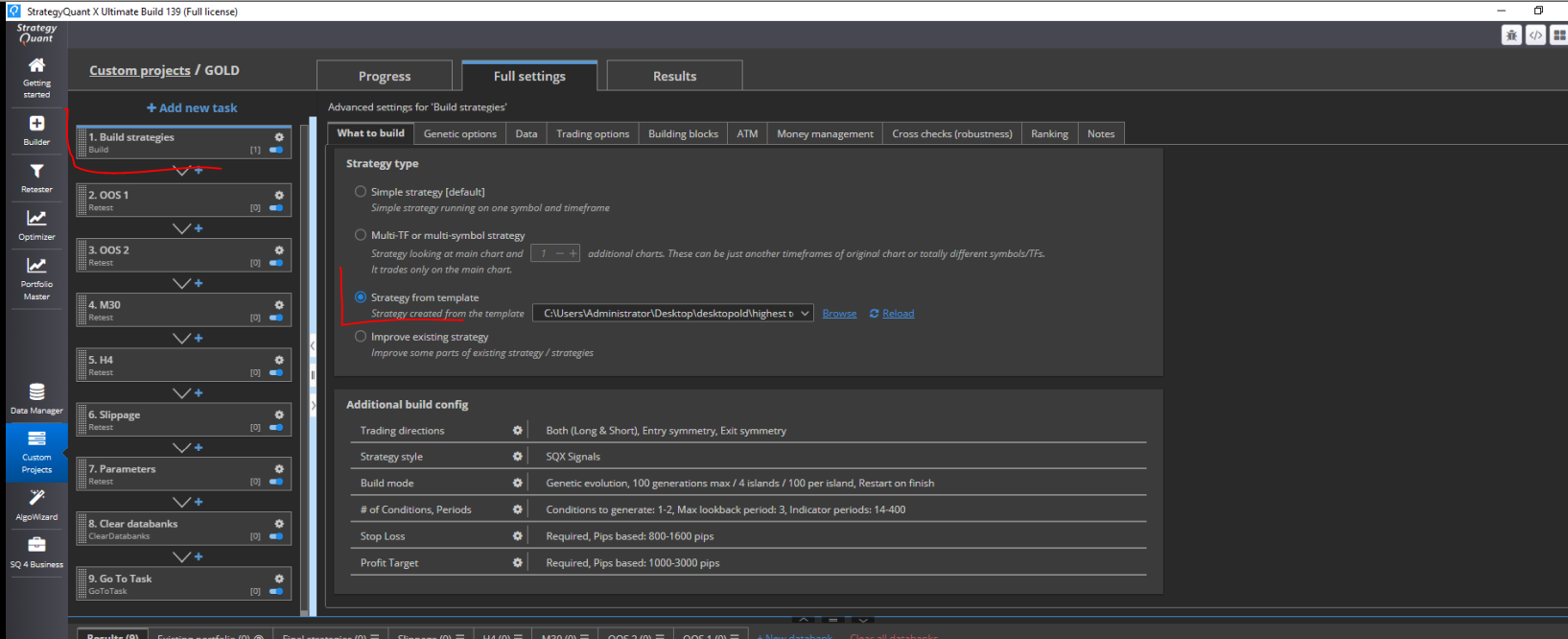
How to load the template, you can see on this screen:
Backtest Strategy in Tradestation and results comparison
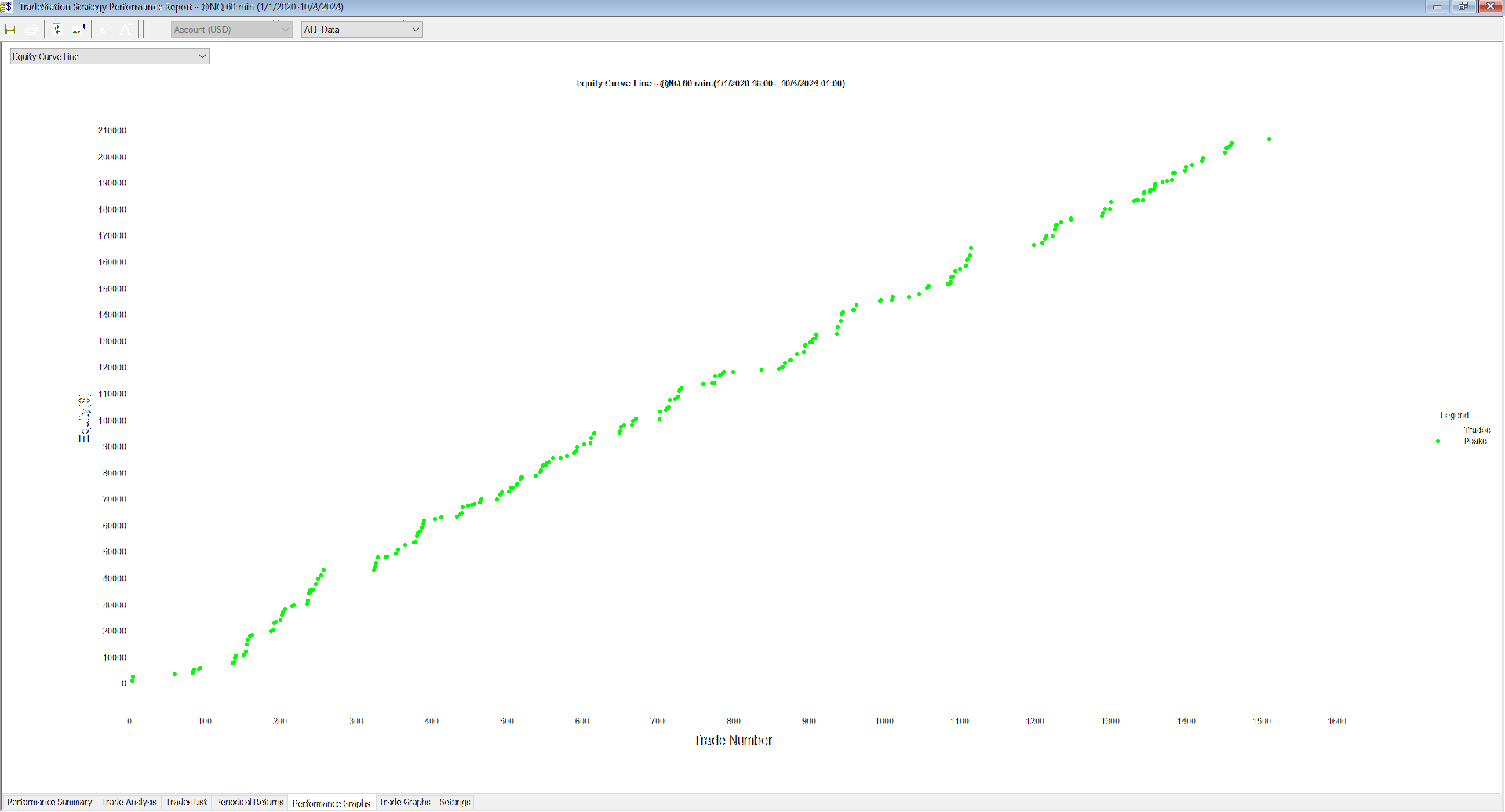
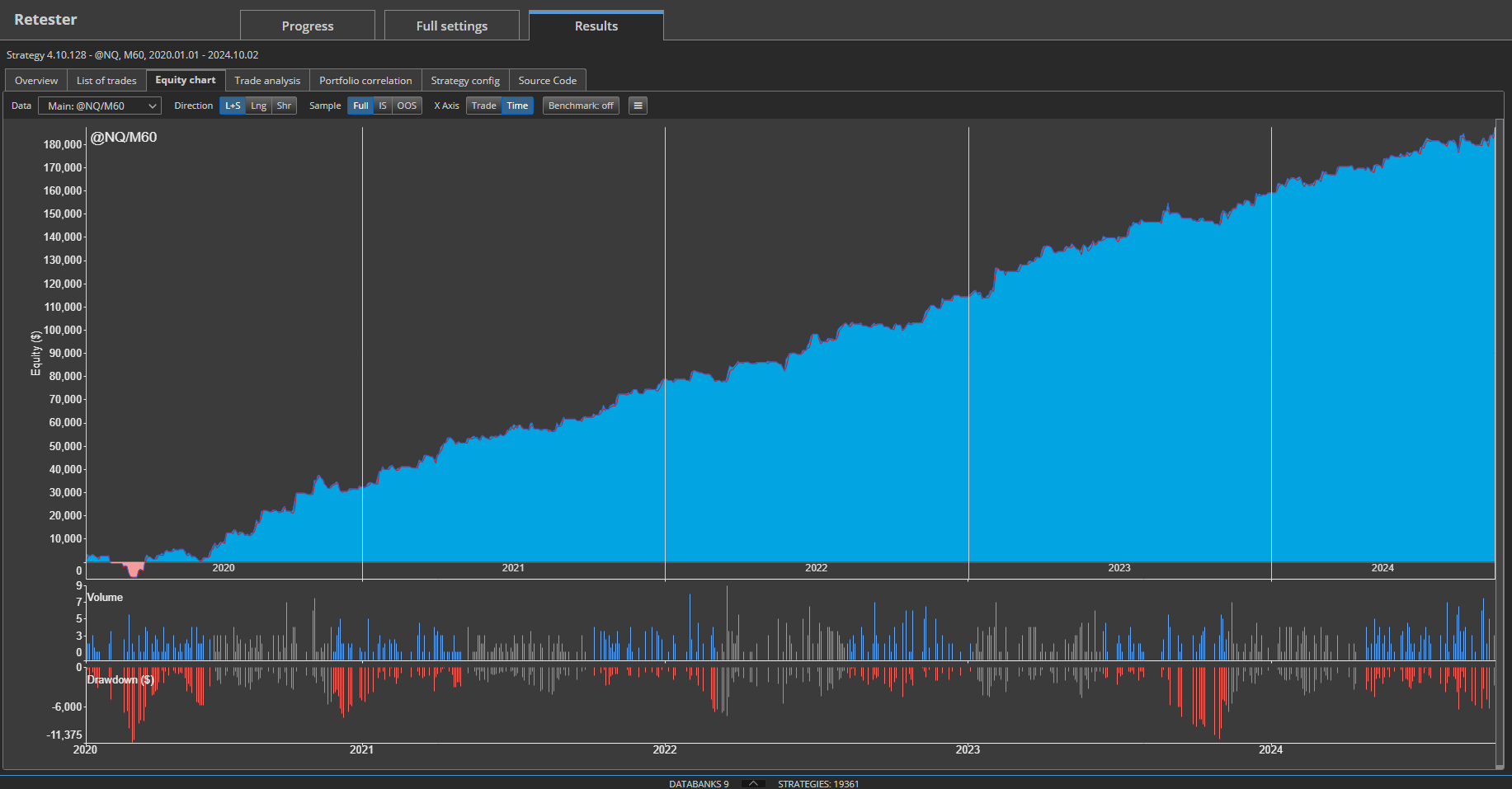
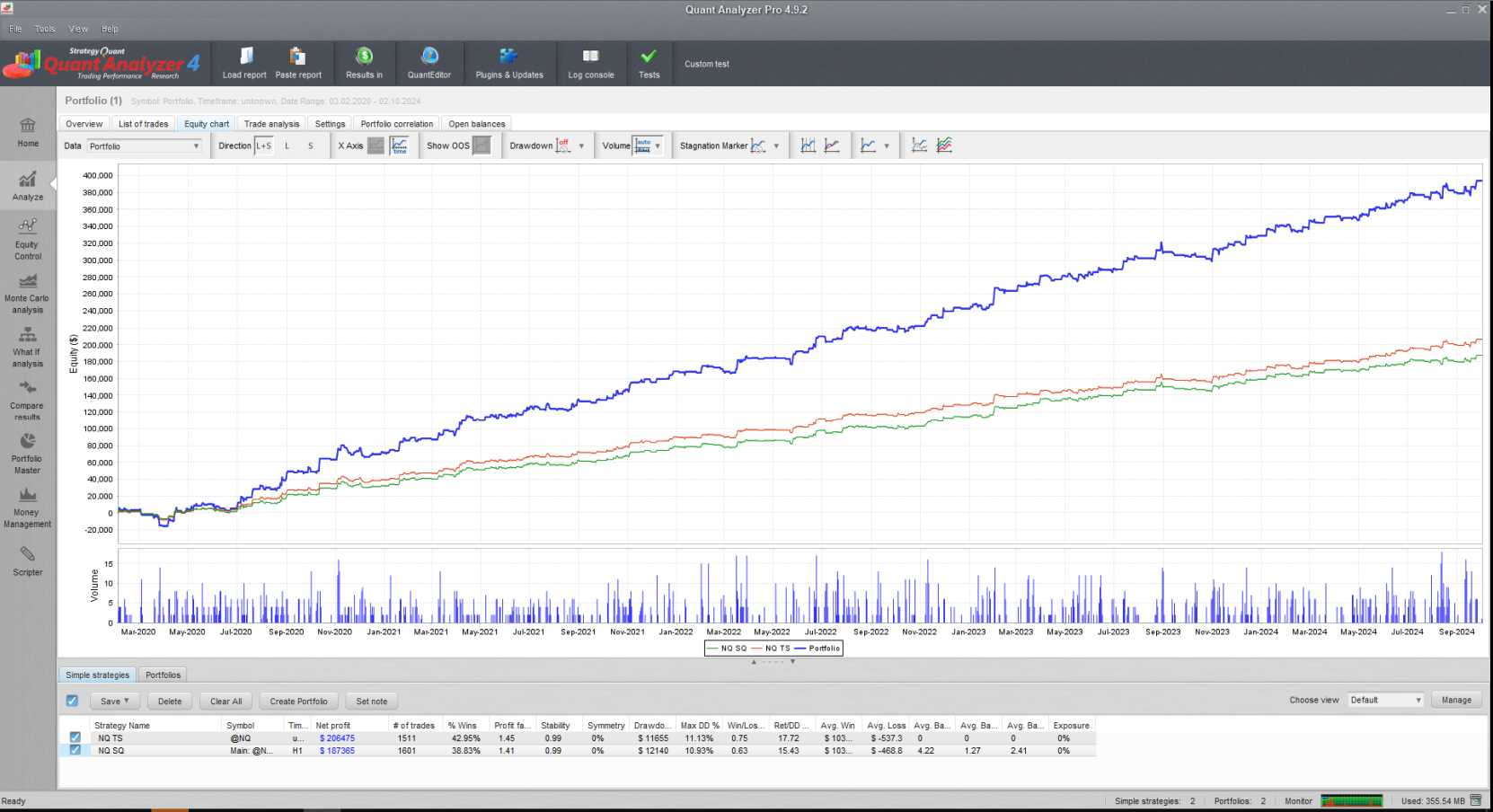
Many people struggling with the achieving the same results in TS platform as in SQX. I have decided to create this workflow as an example for achieving same results in TS platform. Here is the comparison SQ X and TS platform. In the TS it is important to set everything the same as in SQ X, otherwise your results will not match with SQ X, and it is not fault SQ X but data and backtest setting.
Backtest Strategy in Tradestation and results comparison
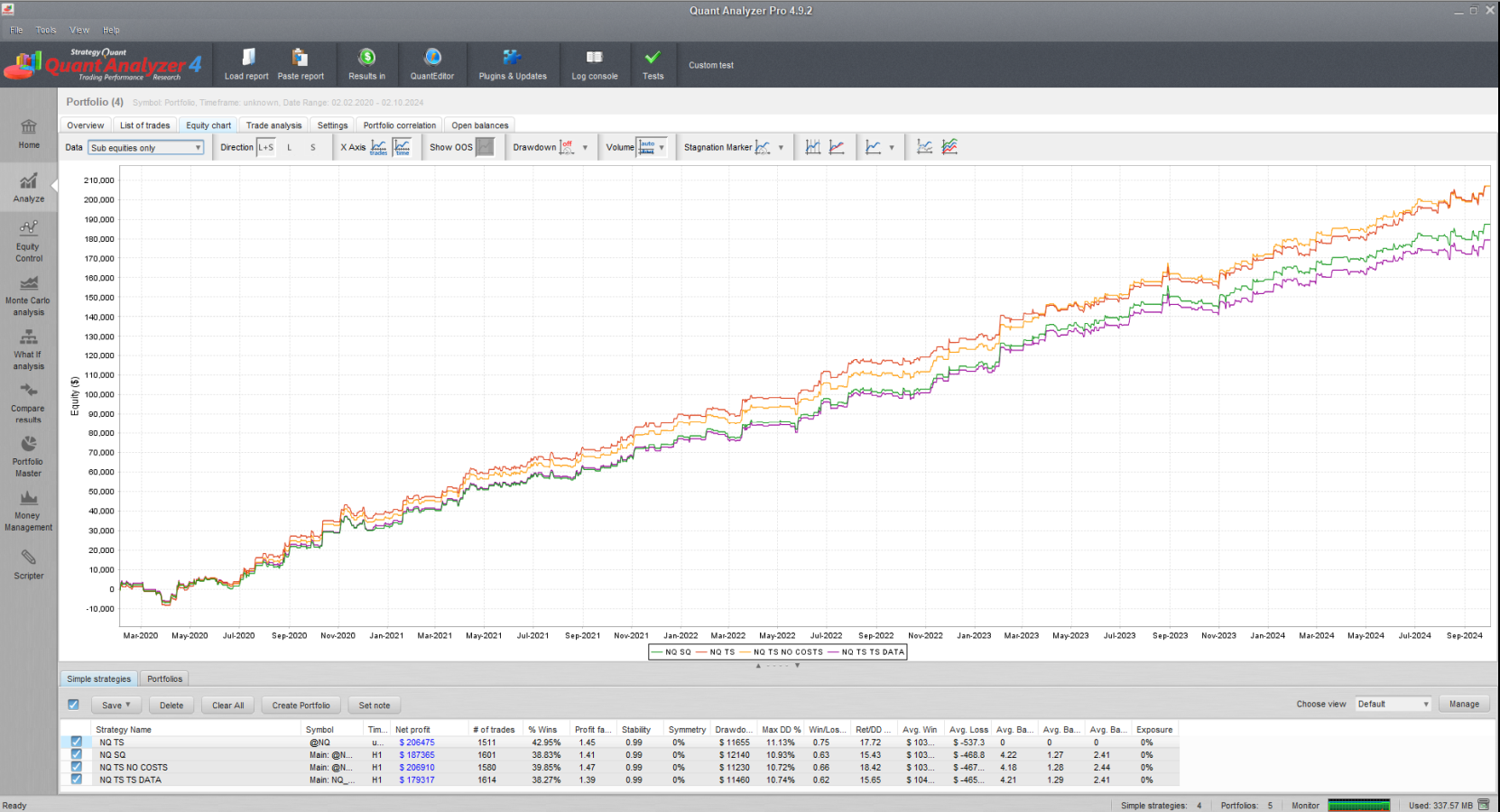
Comparison of backtests in Tradestation and StrategyQuantX, without costs, and on TradeStation data in StrategyQuantX
結論
I am attaching the generated strategy as a resource for this article so that you can quickly verify your results in the Tradestation platform. If you are unable to achieve the same results, the issue likely lies in the data settings. Please note that the Tradestation backtest must have exactly the same settings for timezone and session; otherwise, the results will differ.
As you can see, the backtest in StrategyQuantX closely follows the behavior of the platform. However, there may be some small differences. It is not possible to achieve exactly the same results for each trade, but the differences should not exceed 5-10%. After developing the strategy in StrategyQuantX, you should implement and work with the strategy in your platform to gain an accurate understanding of the real trading results.
If you are new to StrategyQuant, we strongly recommend starting by building a simple strategy for one timeframe and verifying it in your platform. This will ensure that the results match with your platform, helping you avoid wasting computing power and time.
