


 英語
英語 スペイン語
スペイン語 ポルトガル語
 フランス語
フランス語 イタリア語
イタリア語 ドイツ語
ドイツ語ドキュメント
アプリケーション
最終更新日:2020年5月18日(マーク・フリック)
カスタムインジケーターやその他のスニペットのインポート / エクスポート
ページのコンテンツ
StrategyQuant CodeEditorでは、作成したカスタムインジケーターやその他のスクリプトを簡単にエクスポートして、別のコンピューターでインポートしたり、別のユーザーに送信してインポートしたりすることができます。.
注:エクスポートできるのはカスタムスニペットのみです。すべてのSQインストールでスニペットのデフォルトセットが同じだからです。.
指標やその他のスクリプトの書き出し
作成した2つのインジケーターをエクスポートしてみましょう。 フォースインデックスの記事.
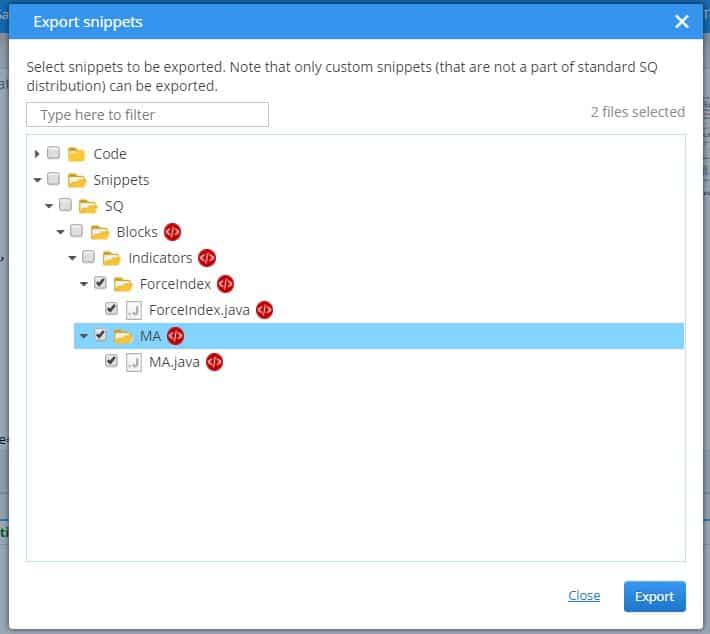
まず、Code Editor に移動し、トップメニューの「インポート/エクスポート」 → 「拡張機能のエクスポート」を選択します。

これでダイアログが開きます。そこで、エクスポートするスニペットを選択できます。複数のスニペットを同時に選択できます。例では、MAとForceIndexのスニペットを選択します。.
次に、ファイルダイアログでエクスポート先のフォルダとファイル名を選択してください:
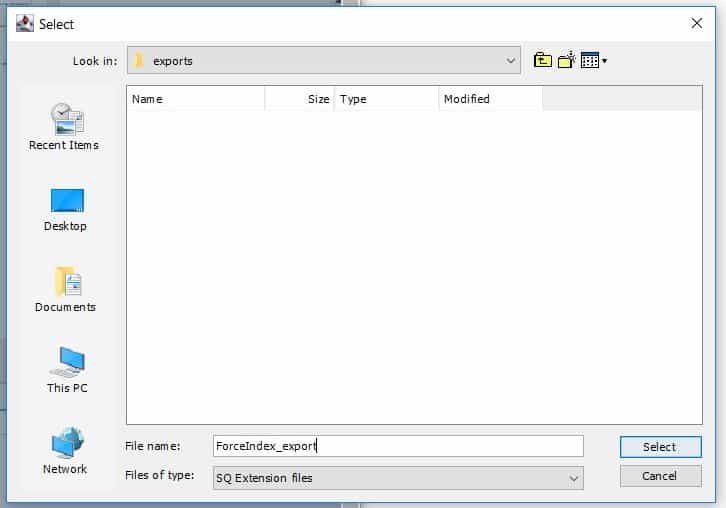
フォルダー名を「ForceIndex_export」とします。 クリック 選択 そして、選択したスニペットがこのファイルにエクスポートされます。.
このファイルには .sxp 拡張子が付いています。このファイルを使用して、別の SQ インストールでインジケーターをインポートしたり、別のユーザーにファイルを送信してインポートさせることができます。.
スニペットのインポート
インジケーターやその他のニピットのインポートも同様に簡単です。「コードエディタ」に移動し、「インポート/エクスポート」→「拡張機能のインポート」を選択してください:

次に、ファイルダイアログでインポートするファイルを選択します。
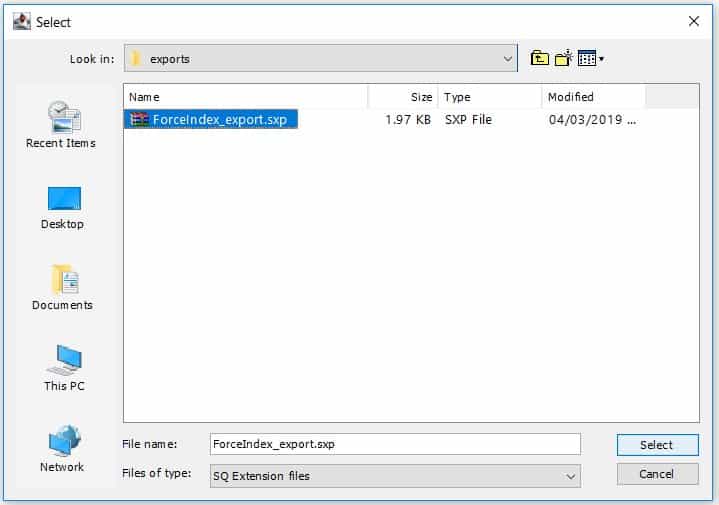
そして「選択」をクリックします。このファイル内のすべてのスニペットがインポートされます。.
完了したら、ナビゲーターでそれらを確認できます(最初に「更新」を必要になる場合があります):
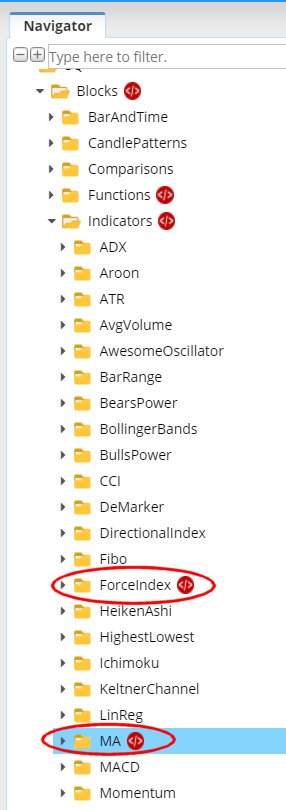
これで、SQコードベースにスニペットが追加されました。 Hit すべてをコンパイルする すべてのスニペットを再コンパイルすれば、SQやAlgoWizardでそれらを使用できるようになります。.
この記事は参考になりましたか? この記事は役に立った この記事は役に立たなかった
アドバイスありがとうございます。手順に従いました。mgl5形式のサンゴトレンドインジケーターの例をsxp形式に変換してコンパイルしましたが、ブロックに追加されませんでした。.
すべてが成功した後、プラットフォームを再起動してください。その後、「インジケーター」ブロックではなく、「シグナル」ブロックを確認してください。私も同じ問題に遭遇しており、あなたのメッセージを見つけて動作させることができましたので、共有しておきます。.
こんにちは。ブロックの名前は何ですか?
そして、指標をmt5にエクスポートするにはどうすればよいでしょうか?