


 英語
英語 スペイン語
スペイン語 ポルトガル語
 フランス語
フランス語 イタリア語
イタリア語 ドイツ語
ドイツ語ドキュメント
アプリケーション
最終更新日:2020年5月18日(マーク・フリック)
はじめに
StrategyQuant version X was built from the scratch as an open, extendable platform.
Majority of the functionality is implemented using either plugins or snippets. What’s the difference between them:
- Plugin – is a bigger module that includes both some user interface and some background code. An example of plugin is the whole Builder screen, and it itself contains other subplugins – every settings tab and every result tab are another plugin.Development of plugins is not covered in this manual, it is very technical and complex and will be possibly offered in some future versions of StrategyQuant X.
- Snippet – is a “function” implementing one thing. For example – every Money management model is a snippet. Every indicator and building block is a snippet. Every databank column is a snippet.This allows you to extend StrategyQuant with your own indicators, statistics values, etc. in a relatively simple way.
Each Snippet is a short Java class that implements some function. We’ll give an example of most common snippets in this manual, to enable you to start using them.
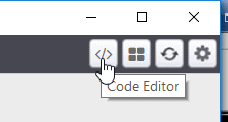
Snippets are accessible through the CodeEditor icon on the top right corner.
This will open CodeEditor panel where you can view, edit and create snippets.
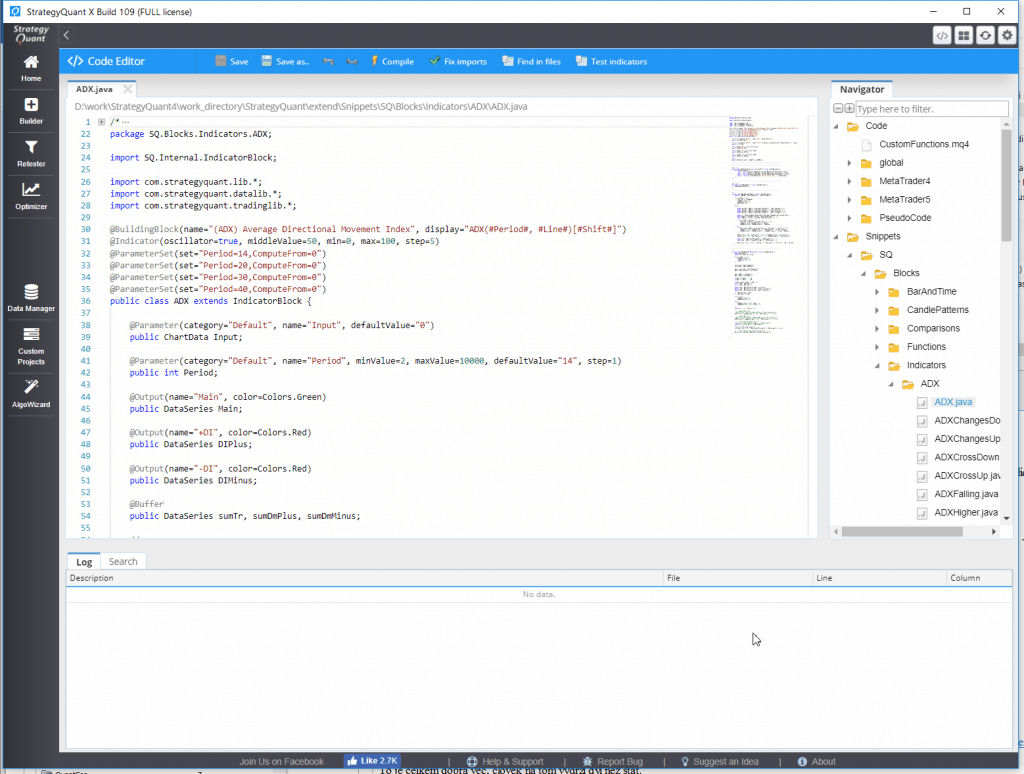
On the right side of the editor you see the tree structure of all SQ Snippets.
There are two main categories:
- Code – these are templates in Freemarker marking language that are used to translate strategies from internal XML format into the target trading platform language – be it MQL, EasyLanguage or any other. When you’ll add new indicator or signal to SQ as a snippet, you also have to define its translation code here, so that SQ knows how to generate the proper code for it. Extending Code will be described along with examples of custom indicators.
- スニペット – are files written in Java, each implementing some function.
Snippets are organized hierarchically in categories.
この記事は参考になりましたか? この記事は役に立った この記事は役に立たなかった
I have been at a pain point With this program for four years now. I purchased the ultimate full package five years ago and Haven’t gotten much from it. Currently, I am unable to use it because I am building out indicators that use cycle calculations. So every period of each indicator can adapt to the market… This updates every new candle open. Unfortunately, with the more complex indicators, such as these, I’m unable to proceed further with using this program. You will not be able to find a long-term program through utilizing this tool. You constantly have to make… 続きを読む »
The Custom Projects function may be the best way to do it. Set up a custom project to rebuild or retest on a regular basis.
If you can build a strategy that can handle the past 20 Years, why should you not be able to build one for 21 Years?
Video: SMC-Concepts in ATS
Video: ATS Masterclass
I’ve been using SQX’s generated EA’s for the past year and they’re going great. Don’t blame the program when the issue is you. It sounds like you’re overcomplicated it. The most braindead simple strategies work the best.
E.g. If CloseDaily > CloseWeekly, put a buy stop on the highest high of the last X bars. Then, set a SL. That’s the essence of one of the EA’s.