


 Spanish
 Portuguese
 French
 Italian
 German
 Japanese
Documentation & User Guides
Learn the basics, or refine your skills with tutorials designed to inspire.
Last updated on 9. 9. 2025 by Kornel Mazur
Parts to improve
Page contents
Settings → Parts to Improve
The Parts to Improve configuration is available only when "Improve Existing Strategy" is selected in the What to Build settings. This section defines which components of the existing strategy should be modified during the build process.
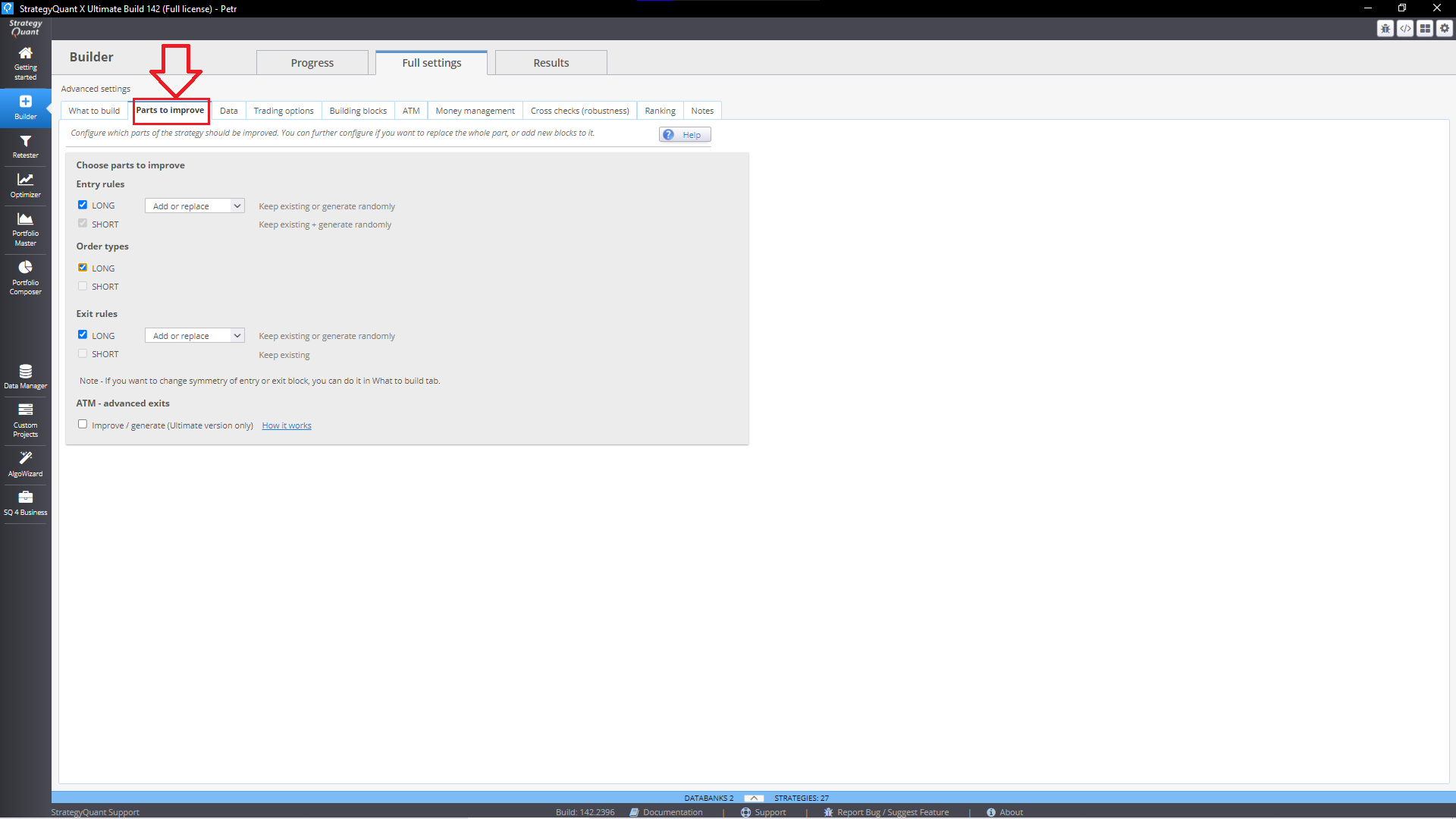
Selectable Parts
You can choose to improve:
- Entry Rule
- Exit Rule
- Order Type
Modification Modes
For each selected part, you can define how it should be improved:
- Add
Adds new conditions to the existing rules. - Replace
Removes existing conditions and generates entirely new ones. - Add or Replace
Randomly chooses between adding or replacing during each build cycle.
The builder will automatically parse your existing strategy to identify the rule components and apply the specified modifications accordingly.
Alternative Improvement Method: Strategy Template
A more advanced and flexible method is to use a Strategy Template via AlgoWizard:
- Open your existing strategy in AlgoWizard.
- Insert RandomConditions in the parts you want to modify.
- Start a new build using this template.
This approach generates strategies that maintain your original architecture while modifying only the targeted components.
Was this article helpful? The article was useful The article was not useful
Page contents