


 Spanish
 Portuguese
 French
 Italian
 German
 Japanese
Documentation & User Guides
Learn the basics, or refine your skills with tutorials designed to inspire.
Last updated on 23. 4. 2026 by Kornel Mazur
Templates
Page contents
Templates
Overview
One of the key features of StrategyQuant X is the ability to generate strategies using customizable strategy templates. These templates define the structure of strategies while leaving specific logic blocks open for automatic generation using random placeholders.
This system gives users full control over the format and logic layout of generated strategies while allowing StrategyQuant to randomly fill in the decision logic during the build process.
Strategy Templates and Placeholders
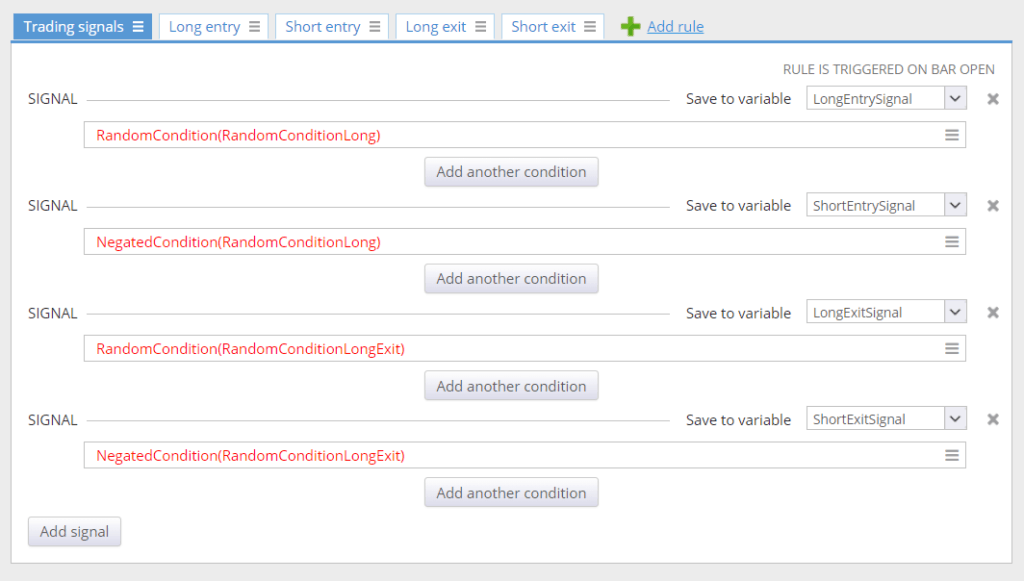
Strategy templates are predefined strategies containing placeholders instead of specific rules. These placeholders act as dynamic components that StrategyQuant replaces with randomly generated logic based on your configured settings.
Example:
A typical strategy template might include:
- RandomCondition(RandomConditionLong)
- → A placeholder for randomly generated condition(s) used for Long Entry.
- NegatedCondition(RandomConditionLong)
- → Automatically generates a Short Entry condition that is the logical negation of RandomConditionLong.
After strategy generation, these placeholders may be replaced as:
- Long Entry Condition:
- scss
- CopyEdit
- CCI(14)[1] > 0 and RSI(20)[1] > 50
- Short Entry Condition:
- scss
- CopyEdit
- CCI(14)[1] < 0 and RSI(20)[1] < 50
Note that the Short entry is an exact negation of the Long condition, providing symmetrical entry logic.
How Are Random Conditions Generated?
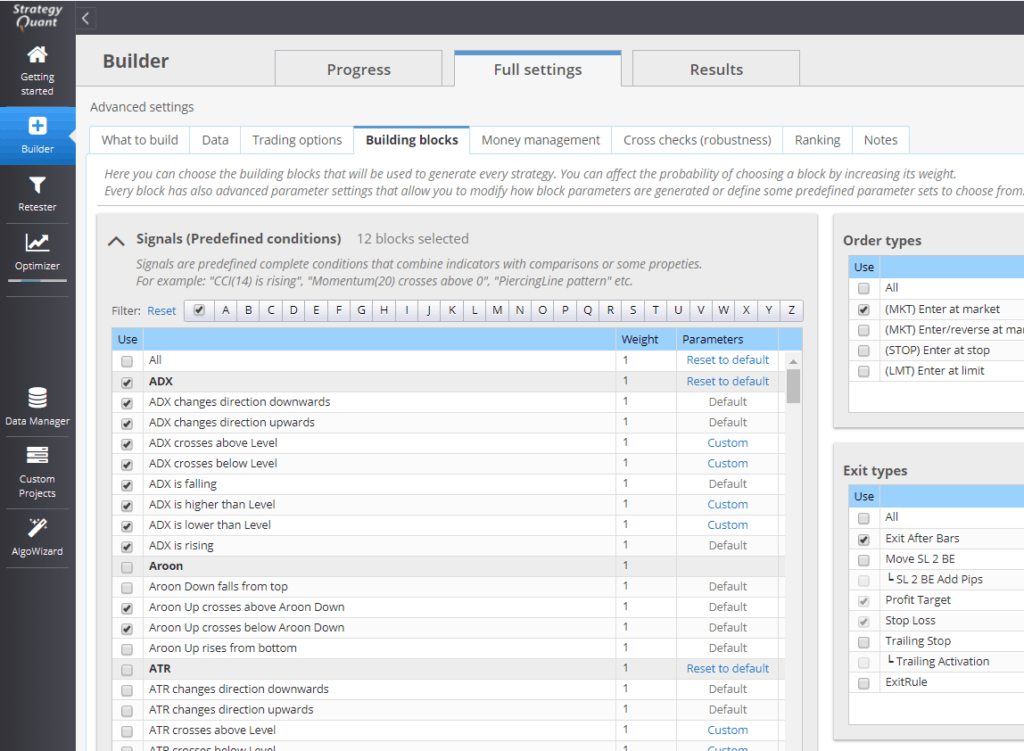
The logic inserted into RandomCondition placeholders is based on the configuration in:
Full Settings → Building Blocks
Key parameters affecting condition generation include:
- Indicator and Condition Types
- (selected from your building block definitions)
- Number of Conditions to Generate
- (e.g., single vs. compound conditions)
- Period and Shift Ranges
- (used for indicators and data referencing)
StrategyQuant uses this configuration to ensure that all generated logic is consistent with your strategy design requirements.
Notes on Customization
- Each RandomCondition can be uniquely identified (e.g., RandomConditionLong, RandomConditionExit, etc.).
- You can build templates with various logic flows, including entry/exit conditions, filters, and position sizing logic using placeholders.
- Templates are a powerful tool to guide the strategy generation process according to a preferred logic structure.
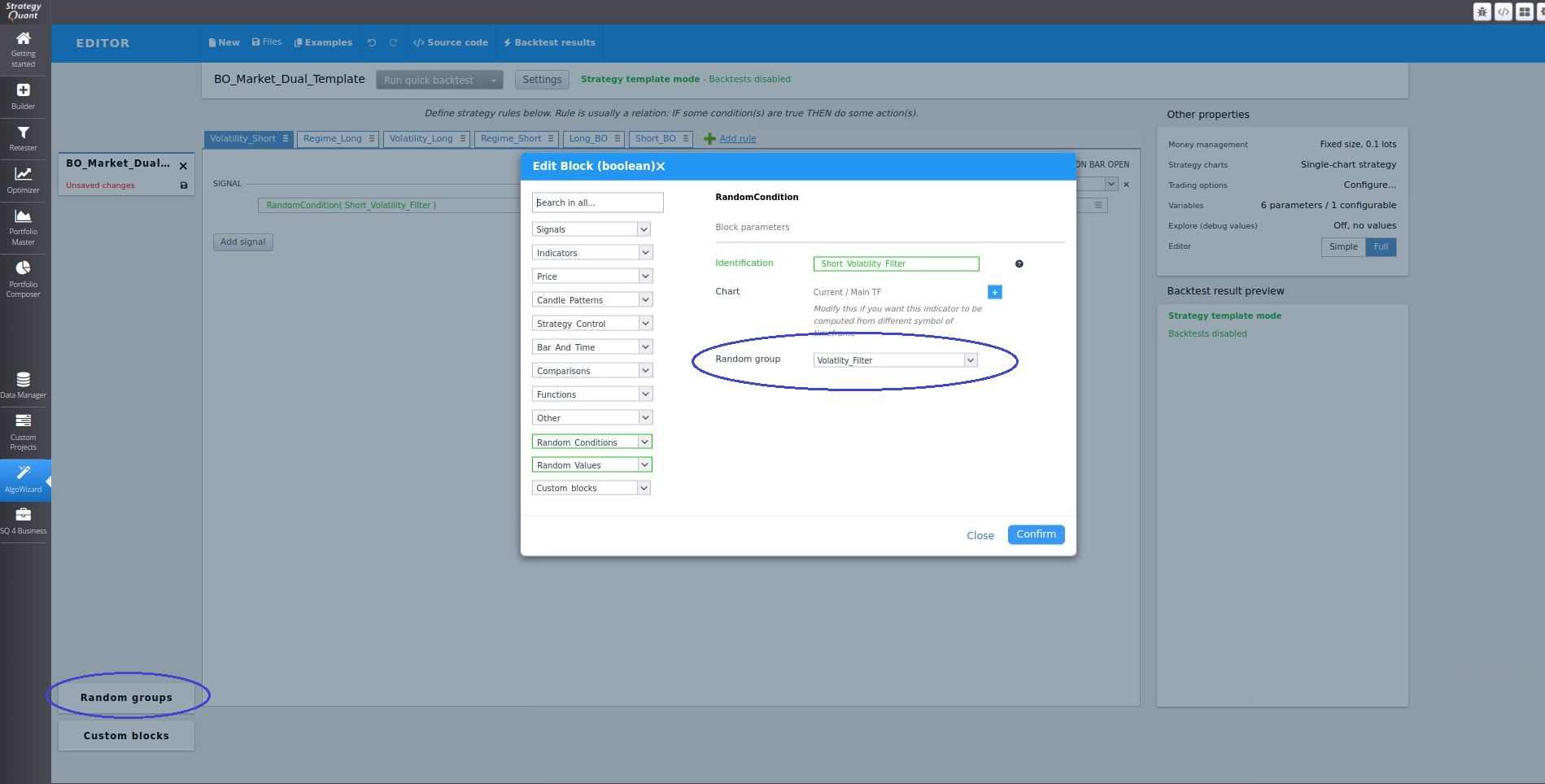
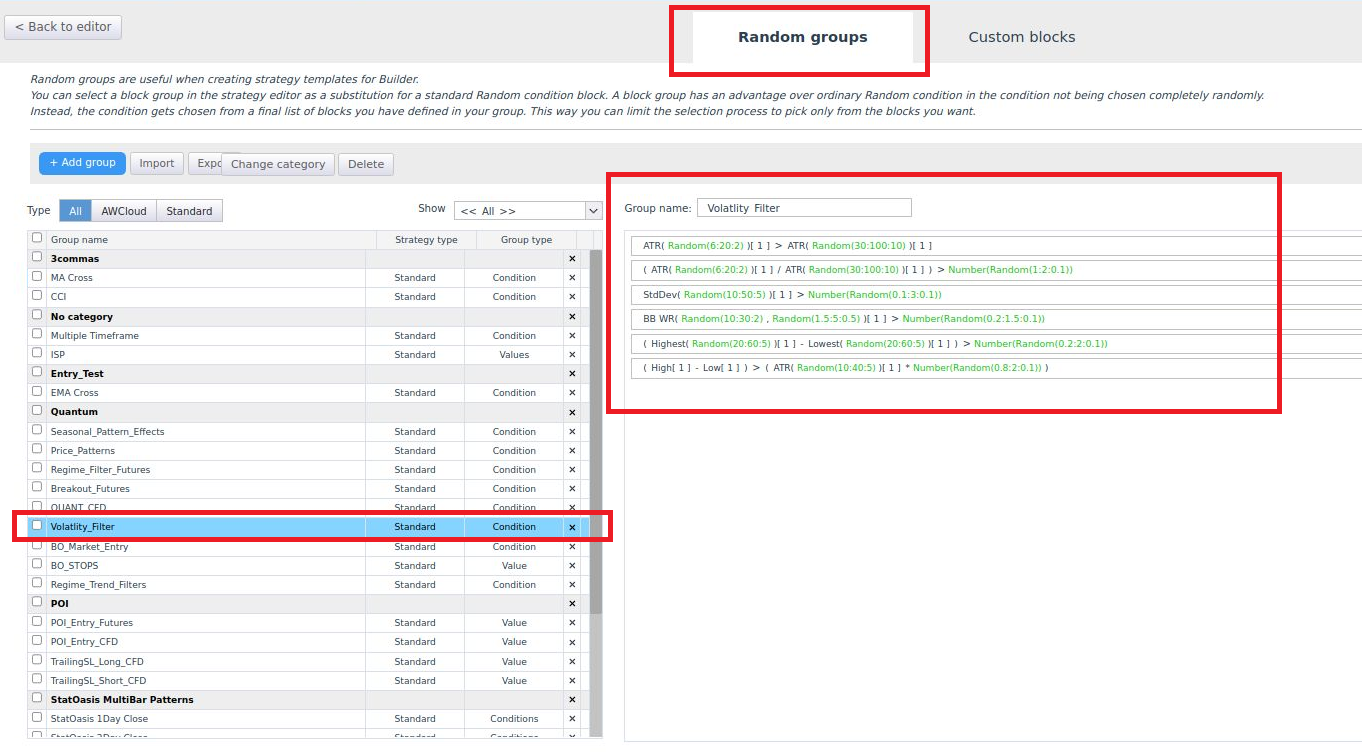
You can create a custom Random Group with predefined indicators and signals, assigning this specific group to replace Building locks. This allows you to limit the indicators and signals that SQX will test.
Further Reading
For detailed insights into the templating system, refer to the following articles:
- Introduction to the StrategyQuant Templating System – Part I
- https://strategyquant.com/blog/introduction-strategyquant-templating-system-part/
- Introduction to the StrategyQuant Templating System – Part II
- https://strategyquant.com/blog/introduction-strategyquant-templating-system-part-ii/
Was this article helpful? The article was useful The article was not useful
Page contents