


 Spanish
 Portuguese
 French
 Italian
 German
 Japanese
Documentation & User Guides
Learn the basics, or refine your skills with tutorials designed to inspire.
Last updated on 19. 9. 2025 by Kornel Mazur
Trades on Chart
Page contents
Results → Trades on Chart
The Trades on Chart tab displays a visual representation of all trades executed during the backtest, directly overlaid on historical price data.
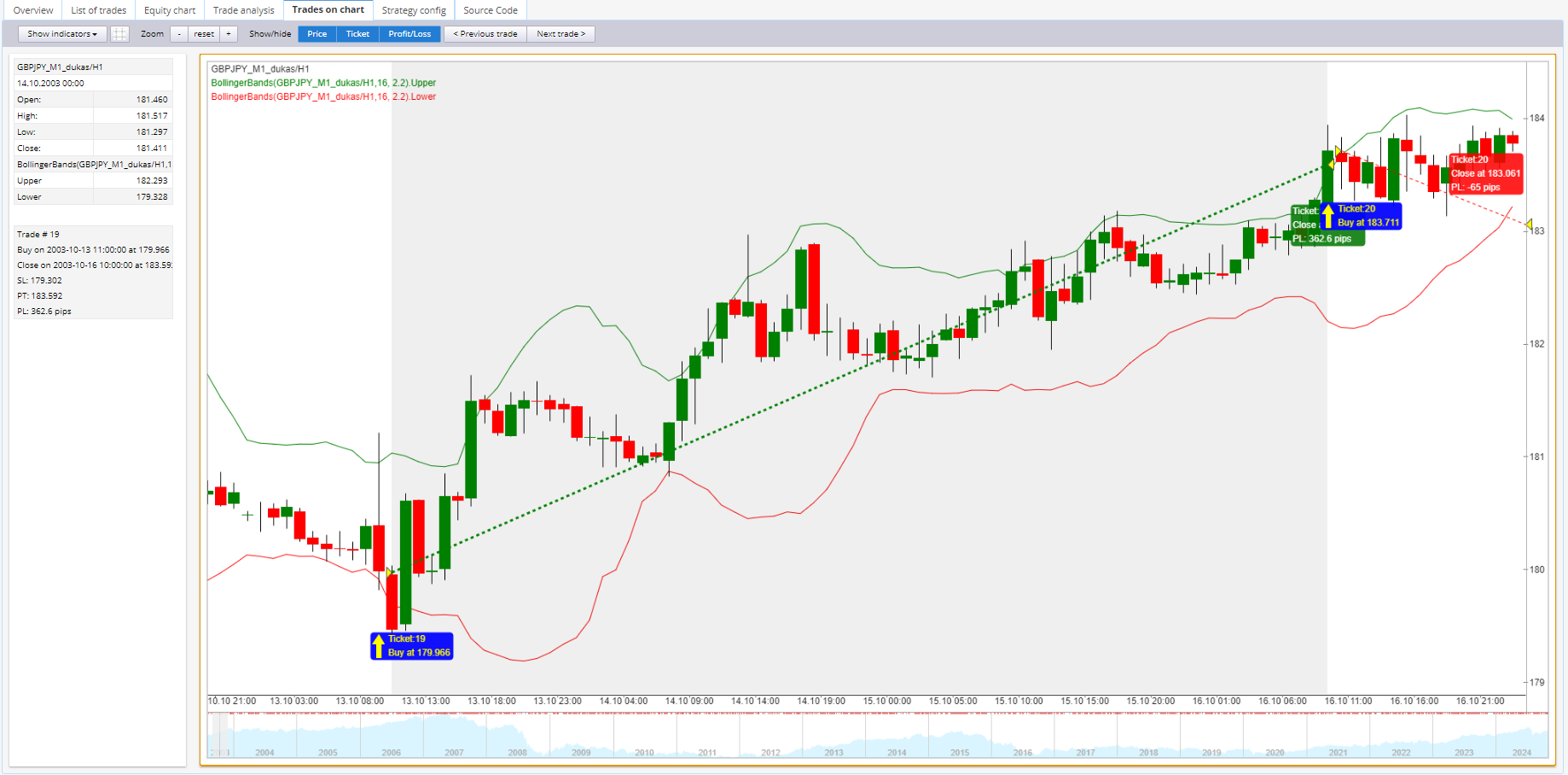
Features:
- Includes:
- All indicators used in the strategy
- Entry and exit points for each trade
- Enables visual inspection of strategy logic and trading behavior
Important: This tab is available only if the option Store Chart Data is enabled in
Settings → Trading Options → Store Chart Data.
Was this article helpful? The article was useful The article was not useful
Please login to comment
0 Comments
Oldest
Page contents