


 Spanish
 Portuguese
 French
 Italian
 German
 Japanese
 Zach
Zach23. 2. 2026
Přejít k obsahu | Přejít k hlavnímu menu | Přejít k vyhledávání

Page contents
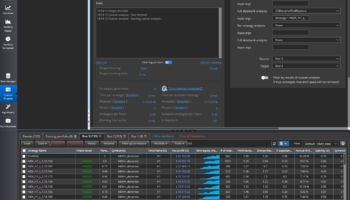
A StrategyQuant X plugin that adds a single‑click Auto Rename button to every databank toolbar.
Automatically renames selected strategies using the format:
TradingStyle_Ticker_Timeframe_001
Examples:
Breakout_SP500_H4_001
Breakout_SP500_H4_002
Momentum_EURUSD_H1_001
Copy the contents of this repository into:
<SQX_install>/user/extend/Plugins/AutoRename/
Your folder structure should look like:
user/extend/Plugins/AutoRename/
    AutoRenamePlugin.java
    AutoRenameServlet.java
    ui/
        module.js
No other folders need to be modified.
After restarting, the Auto Rename button will appear in the databank toolbar, to the right of the Tools menu.
Breakout
,
Momentum
,
Counter_Trend
)
Tested on StrategyQuant X Build 143.
Full source code is available on GitHub:
https://github.com/AnimateDread/sqx-autorename/tree/main