


 Spanish
 Portuguese
 French
 Italian
 German
 Japanese
Documentation & User Guides
Learn the basics, or refine your skills with tutorials designed to inspire.
Last updated on 26. 8. 2025 by Kornel Mazur
Recommended Workflow Using Custom Projects
Page contents
Recommended Workflow Using Custom Projects
There is no single ideal workflow in StrategyQuant X that fits all users or trading goals. However, this guide outlines a standardized workflow that you can follow to build, validate, and refine robust trading strategies. As you become more experienced, you’ll discover and tailor different workflows based on your specific needs.
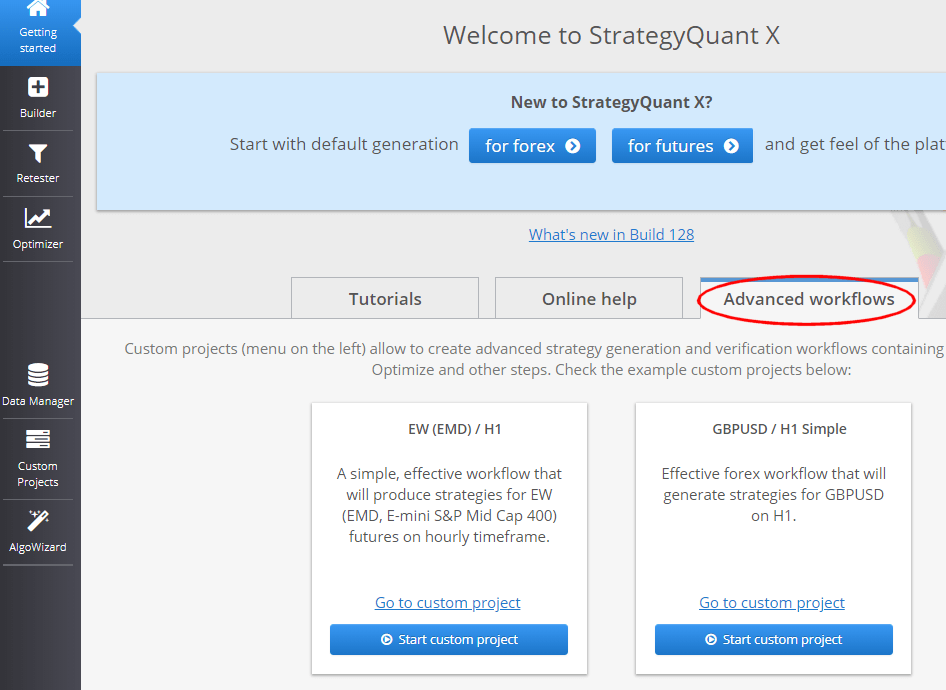
For more practical examples, refer to the Getting Started page and the Shared section to explore workflows published by other users.
How to Start Quickly
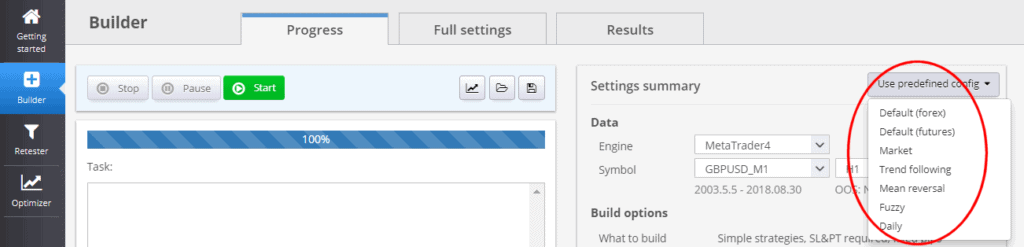
The easiest way to begin is by using one of the predefined Builder configurations included in StrategyQuant X. These provide ready-to-use settings for generating and testing strategies.
For more flexibility, use one of the example Custom Project workflows available in the application. These templates automate multiple steps and serve as a good foundation for more complex workflows.
Standard Strategy Development Workflow
The typical workflow for creating a trading strategy involves the following stages:
1. Import or Download Data for Backtesting
You can:
- Use the historical data included with StrategyQuant X
- Import your own data in supported formats
- Download high-precision tick data from sources like Dukascopy
Ensure that your data is accurate and representative of real market conditions.
2. Configure Builder Options
Set up the Builder to define how strategies should be generated:
- Strategy Settings: Choose strategy types, trading logic, indicators, and order types.
- Time Constraints: Optionally restrict trading to specific sessions or time ranges.
- Cross-Checks: Enable robustness tests to automatically filter out weak or overfitted strategies during generation.
- Ranking Options: Define selection criteria such as Profit Factor, Return/DD ratio, or System Quality Number.
- Custom Conditions: Filter strategies based on required thresholds (e.g., minimum number of trades, profit levels).
- Data Settings: Use “Selected Timeframe” precision for faster initial generation. More precise testing (e.g., real tick data) can be applied later to promising candidates.
3. Run Build
Start the strategy generation process. You may let the build run for minutes, hours, or days, depending on your goals and system performance. Strategies that meet your criteria will be automatically stored in the Databank.
4. Evaluate Generated Strategies
Review the stored strategies using:
- Visual equity curve analysis
- Sorting and filtering in the Databank based on performance metrics
Select the best-performing candidates for further analysis and save them in .SQX format.
5. Retest or Optimize and Perform Additional Robustness Checks
After initial generation, ensure the strategy is robust and not overfitted. At this stage, you should:
- Retest the strategy on different markets, timeframes, spreads, and slippage values
- Use additional Cross-Checks, such as:
- High-precision retesting
- Monte Carlo simulations
- Multi-market or Walk-Forward testing
This phase is essential for validating that your strategy maintains its performance in more realistic and varied conditions.
6. Improve the Strategy (Optional)
Use the Improver module to apply changes such as:
- Modifying entry/exit conditions
- Adding filters or new logic rules
After changes, retest and re-validate the updated strategy using robustness checks to ensure it remains viable.
7. Optimize the Strategy (Optional)
Run optimization routines to fine-tune parameter values:
- Simple Optimization: Search for optimal fixed parameter combinations
- Walk-Forward Optimization: Assess performance under periodic re-optimization
- Walk-Forward Matrix: Identify the best re-optimization frequency and configuration
Example:
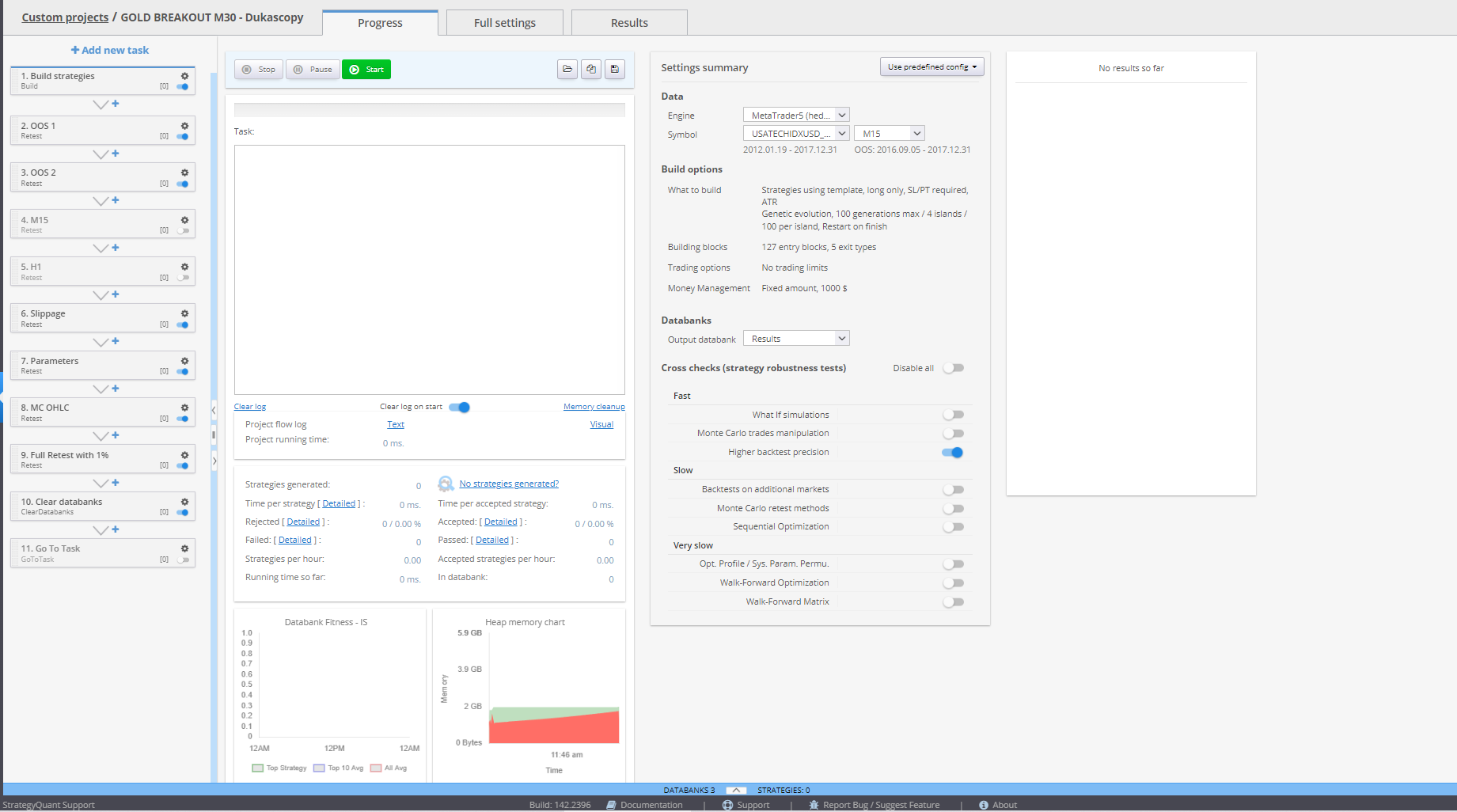
These steps help ensure that your strategy adapts well to evolving market dynamics.
Was this article helpful? The article was useful The article was not useful
Page contents