


 Spanish
 Portuguese
 French
 Italian
 German
 Japanese
Documentation & User Guides
Learn the basics, or refine your skills with tutorials designed to inspire.
Last updated on 8. 9. 2025 by Kornel Mazur
What to Build
Page contents
What to Build
In this section, you define what type of strategy StrategyQuant X should generate or improve. You can create new strategies for single or multiple charts (multi-symbol or multi-timeframe), refine components of existing strategies, or generate strategies from a template.
Strategy Type Options
You can choose from the following strategy configurations:
- Simple Strategy
- A standard strategy that operates on a single symbol and a single timeframe.
- Multi-Timeframe / Multi-Symbol Strategy
- A strategy that uses multiple additional charts in addition to the main trading chart.
- Example: A strategy trading EURUSD on H1 could also reference EURUSD/H4 and GBPUSD/H1.
- You must define how many additional charts will be used, and later specify their details in Data Settings.
- Strategy from Template
- Generate strategies based on a custom template you previously created in AlgoWizard. This allows for flexible architectures different from default SQX strategies.
- Improve Existing Strategy
- Select a saved strategy and specify which components to improve (e.g., Long Entry rule, Short Exit rule, or Order Type). The selection is made in the Parts to Improve configuration.
Additional Build Config:
Trading Direction Options
Define how the strategy will trade:
- Both directions (default)
- Long-only or Short-only
- Symmetrical rules – Entry/exit logic is mirrored and reversed:
- Long: CCI > 0
- Short: CCI < 0
- Non-symmetrical rules – Separate logic for each direction:
- Long: CCI > 0
- Short: RSI < 0 AND Momentum < 100
You can configure symmetry independently for entry and exit rules.
Strategy Style Configuration
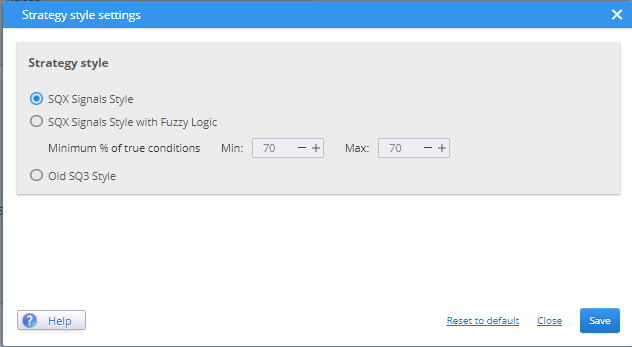
For details about strategy styles, please check: https://strategyquant.com/doc/strategyquant/strategy-style/
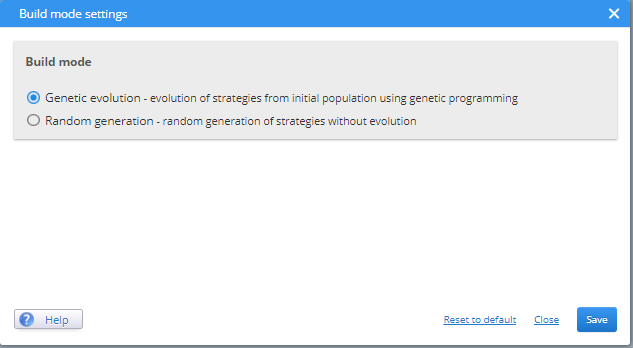
Build Mode
- Choose between:
- Random Generation
- Genetic Evolution (enables the Genetic Options tab in the Builder)
Number of Conditions, Periods, and Shift Settings
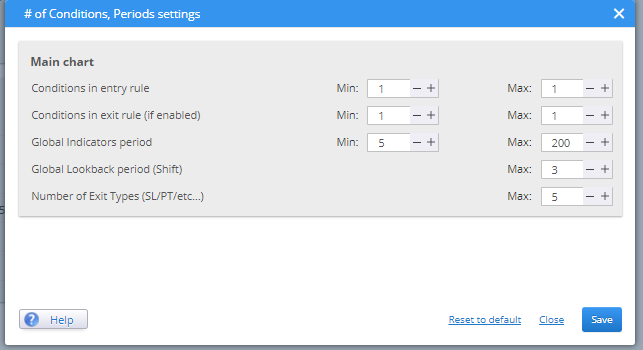
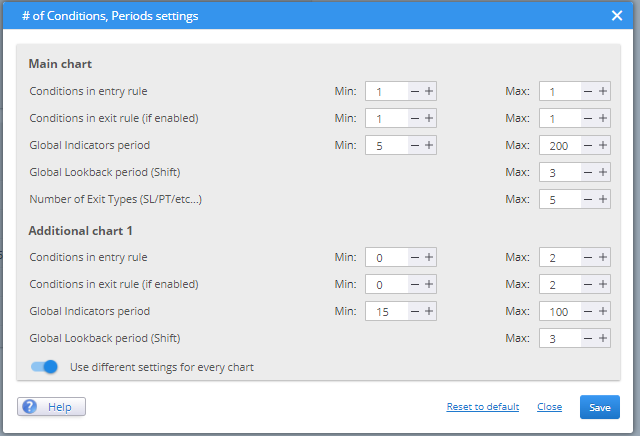
Conditions in Entry/Exit Rules
Specify the minimum and maximum number of conditions per signal:
- Example (1 condition):
- EntrySignal = CCI > 0
- Example (3 conditions):
- EntrySignal = CCI > 0 AND RSI > 50 OR Momentum < 0
For Fuzzy Logic architectures, a minimum of 3 conditions is recommended for effective evaluation.
Shift (Lookback Period)
The Shift parameter specifies how many bars back in history the condition evaluates data from:
- Shift = 0 → current bar
- Shift = 1 → previous bar
- Shift = 2 → two bars ago, and so on
⚠️ Note (CFD – MetaTrader Engine):
Unless tick data is used, the minimum valid shift is [1], since all calculations are performed only after the bar has closed.
Recommendation: Use a small range (e.g., 0–5).
Note: Using Shift = 0 can cause inconsistencies due to indicators being calculated on bar close, while evaluations happen at bar open. For this reason, Minimum Shift = 1 is preferred.
Indicator Periods
Defines the range for the period parameter of technical indicators:
- Minimum: >1
- Recommended Maximum: <50 (preferably not exceeding 100)
For instance, if the minimum period is set to 10 and the maximum is set to 100, the RSI would have a period parameter of RSI(10-100).
These parameters can be defined separately for each chart in multi-symbol or multi-timeframe strategies.
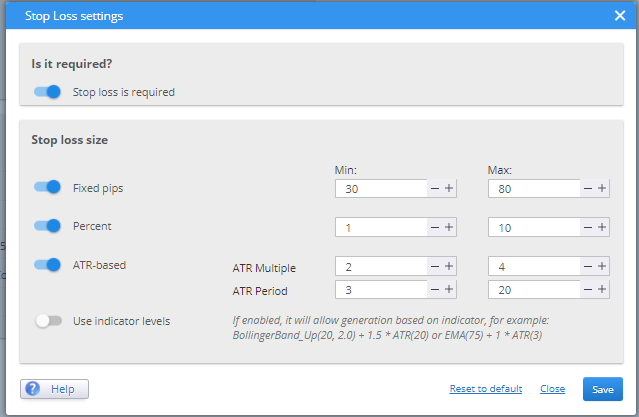
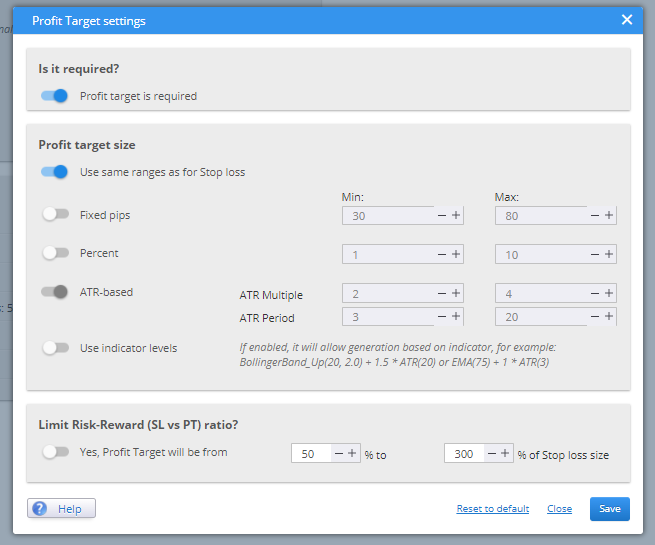
Stop Loss & Profit Target Configuration
These options define how Stop Loss (SL) and Profit Target (PT) should be handled:
- Specify whether SL/PT is required
- Specify and define the minimum and maximum values in pips, percent % or ATR based
- Specify whether the use of indicators is allowed (e.g., a stop loss or profit target level set on the indicators defined in Building Blocks)
- Optionally configure a target Risk-Reward Ratio
Including SL/PT is recommended for simplicity and risk management.
If SL/PT is not required, ensure an alternate exit rule is defined (e.g., "exit after X bars") to prevent positions from remaining open indefinitely.
All these settings are defined as minimum and maximum ranges. The exact values are selected randomly during strategy generation.
Was this article helpful? The article was useful The article was not useful
Page contents