


 Spanish
 Portuguese
 French
 Italian
 German
 Japanese
Documentation & User Guides
Learn the basics, or refine your skills with tutorials designed to inspire.
Last updated on 9. 9. 2025 by Kornel Mazur
Data settings
Page contents
Settings → Data
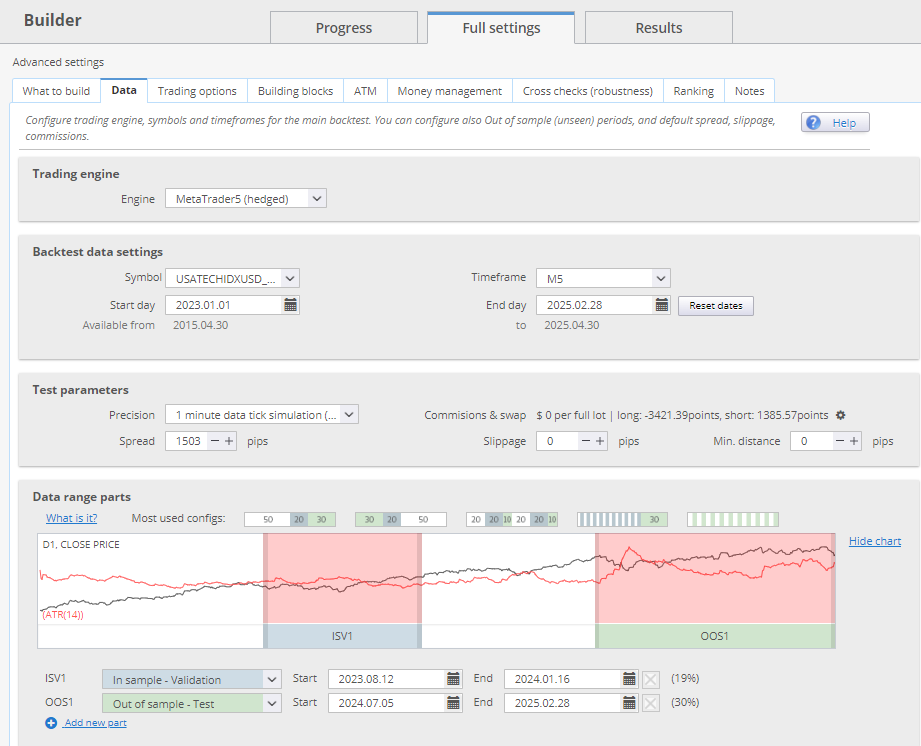
The Data settings define the market data, test environment, and simulation parameters used to backtest strategies.
The data component is one of the most crucial aspects of algorithmic trading.
Trading Engine
Select the trading platform simulation engine for backtesting:
- MetaTrader 4 / MetaTrader 5
- Other engines as supported
This ensures the testing logic aligns with platform-specific execution behavior.
Backtest Data Settings
Configure the backtesting environment:
- Symbol
- Timeframe
- Date Range
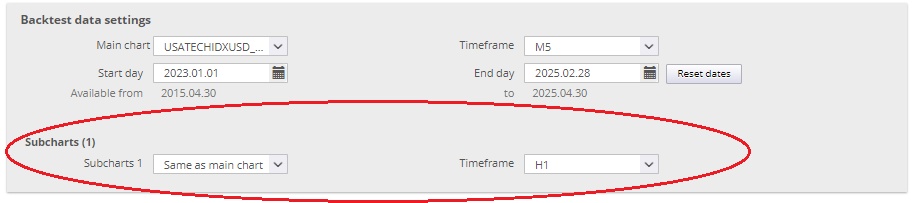
For multi-symbol or multi-timeframe strategies, configure each chart individually.
Test Parameters
These parameters influence how price data is simulated during the backtest.

Testing Precision Modes
- Selected Timeframe Only
- Fastest mode. Simulates four ticks per bar using OHLC prices. Suitable for market order strategies.
- 1-Minute Data
- Uses minute-level data to simulate intra-bar price movement. Useful for strategies requiring moderate precision.
- Real Tick – Custom Spread
- Uses real tick Bid data and a user-defined spread for Ask price. Recommended for final validation.
- Real Tick – Real Spread
- Uses full real tick Bid/Ask data. Most accurate and computationally intensive. Best for final verification.
For MultiCharts or TradeStation only the “selected timeframe” option is available.
Additional Parameters
- Spread: Define the Bid–Ask difference in pips.
- Slippage: Simulate slippage in pips or ticks added to entry/exit prices.
- Min Distance: Set minimum allowable distance from current price for pending orders (per broker rules).
Commission & Swaps
- Commission settings
- Swap types:
- Points
- Fixed monetary value
- Percentage-based
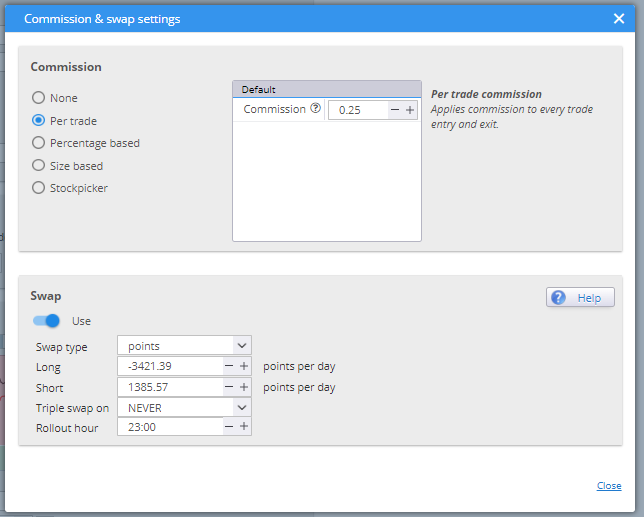
Swap Calculation Formulas:
- Points:
- Swap = Lot Size × Contract Size × Point Value × Swap Rate × Days
- Money:
- Swap = Lot Size × Swap Rate × Days
- Percent:
- Swap = Lot Size × Contract Size × Entry Price × (Swap Rate% / 100 / 360) × Days
Set according to your broker's specifications.
Data Range Parts
Split historical data into distinct logical segments:
- In Sample Training (IST)
- Used for training and fitness ranking in genetic evolution.
- In Sample Validation (ISV)
- Validates model performance independently of IST. Can trigger genetic evolution restarts upon fitness stagnation.
- Out of Sample (OOS)
- Represents unknown data excluded from strategy development.
- No Trade
- Defines a non-trading window within the data range (e.g., periods of low volatility).
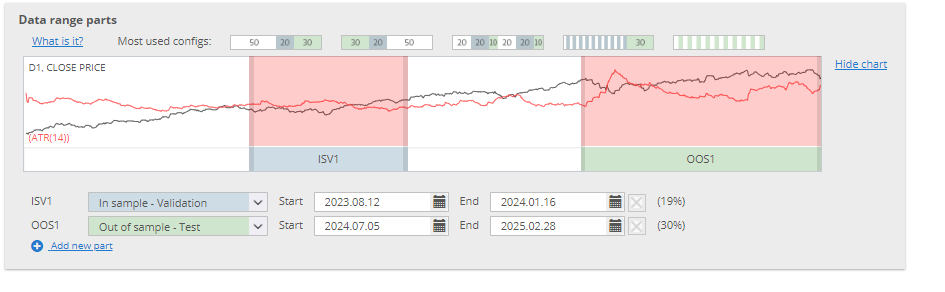
These partitions support advanced validation techniques and machine learning-based workflows
Was this article helpful? The article was useful The article was not useful
Page contents