


 英語
 スペイン語
 ポルトガル語
 フランス語
 イタリア語
 ドイツ語
ドキュメント
アプリケーション
最終更新日:2020年5月11日、マーク・フリックによって
主な概念
Multiple databanks
You can create more than one databank in your custom project. Databank is a “database” where tasks can store / retrieve the strategies. You can create an unlimited number of databanks:

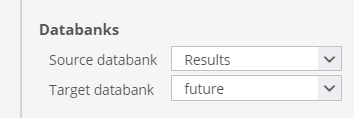
And you can configure your tasks (for example Retester) to use one databank as a source (to read strategies from) and a target (to save retested strategies to).
Tasks flow
When you’ll open a custom project you can see the flow of tasks on the left:
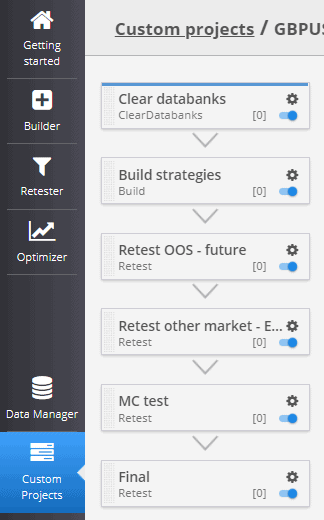
This defines the tasks that will be performed from start to finish. In this example we’ll start with clearing all the project databanks, then building a set of strategies, retest them a few times using a different settings. The strategies that pass all the retests will be placed to the Final databank.
Conditional loops and filtering
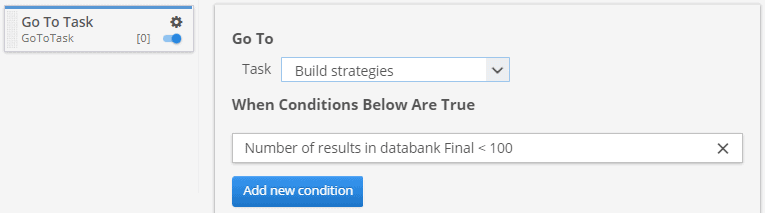
The power of custom projects is in making possible loops. For example, you can add a タスクに移動 task to the very end of your custom project with a condition to skip back to 戦略を立てる task if the number of strategies in the Final databank is lower than 100.
This way the custom project will repeat the generation and all filtering until there is at least 100 strategies that passed the whole custom project workflow.
この記事は参考になりましたか? この記事は役に立った この記事は役に立たなかった