


 英語
 スペイン語
 ポルトガル語
 フランス語
 イタリア語
 ドイツ語
ドキュメント
アプリケーション
最終更新日:2019年1月9日(コルネル・マズール)
ビルダー
Builder is the “core” of the program, here you can build new trading strategies.
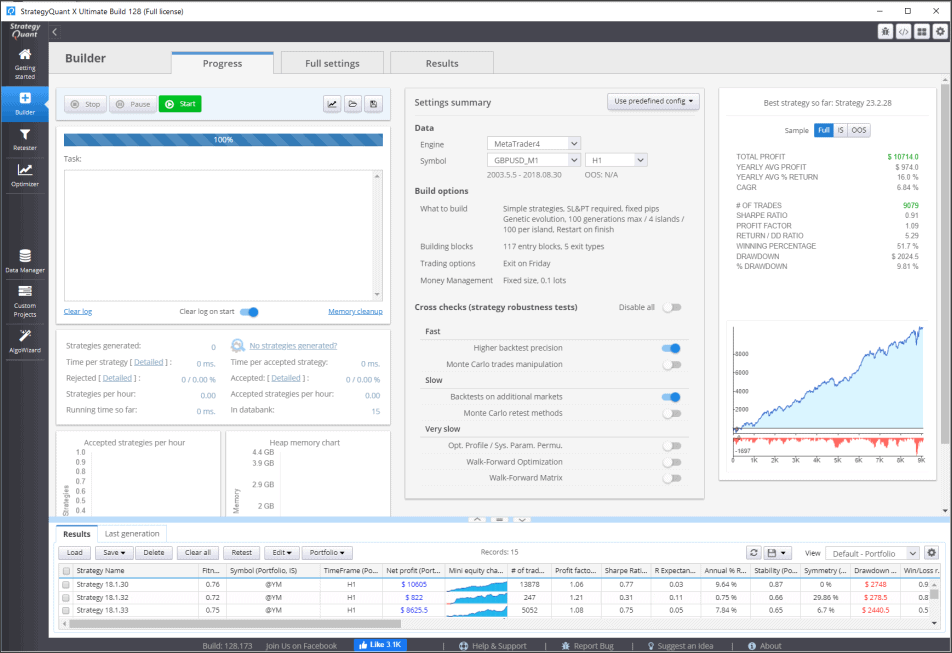
Before starting the build or retest you should have the data and settings configured. The results (generated top strategies) will be continually stored in the databank on the bottom.
Standard layout
of every module (Builder, Retester, Optimizer, Custom projects) is that you can switch between Pro草, すべての設定 そして 結果 using the tabs on the top.

- Pro草 screen alows you to Start/Pause / Stop the action, it displays logs, perfotmance and memory charts, and overview of the settings.
- すべての設定 screen contains all the settings that are available in the particular module
- 結果 screen contains tabs with different metrics (Net profit, equity chart, etc.) of the strategy that is actually chosen in the databank
この記事は参考になりましたか? この記事は役に立った この記事は役に立たなかった
コメントを投稿するにはログインしてください
0 コメント
最古の