


 英語
 スペイン語
 ポルトガル語
 フランス語
 イタリア語
 ドイツ語
ドキュメント
アプリケーション
Last updated on 17. 12. 2018 by Tomas Vanek
Strategy QuantのインジケーターをMetaTrader 4/5にインストールする方法
Where are indicators stored?
They are stored in Strategy Quant installation folder, obviously in C:StrategyQuantXcustom_indicators
Now we are going to copy them to Metatrader 4/5
Open Metatrader 4/5 platform and go to the File -> Open data folder
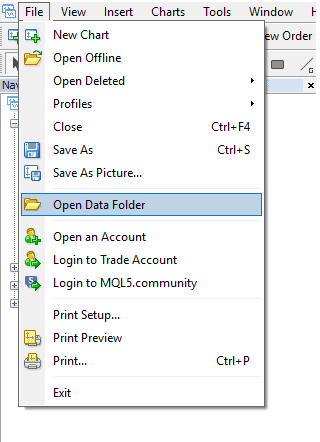
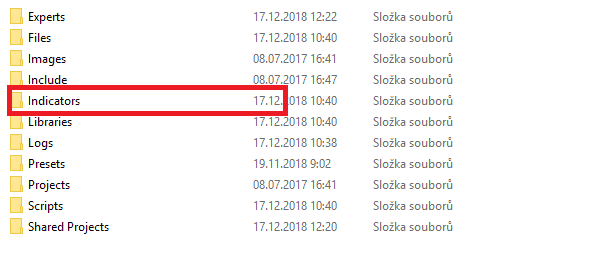
Find the Metratrader 4/5 indicators which are obviously stored in App data folder. In our case we are using portable version of MT4/5 and indicators are stored in these folders:
MT4 installation folderMQL4 Indicators
MT5 installation folderMQL5 Indicators
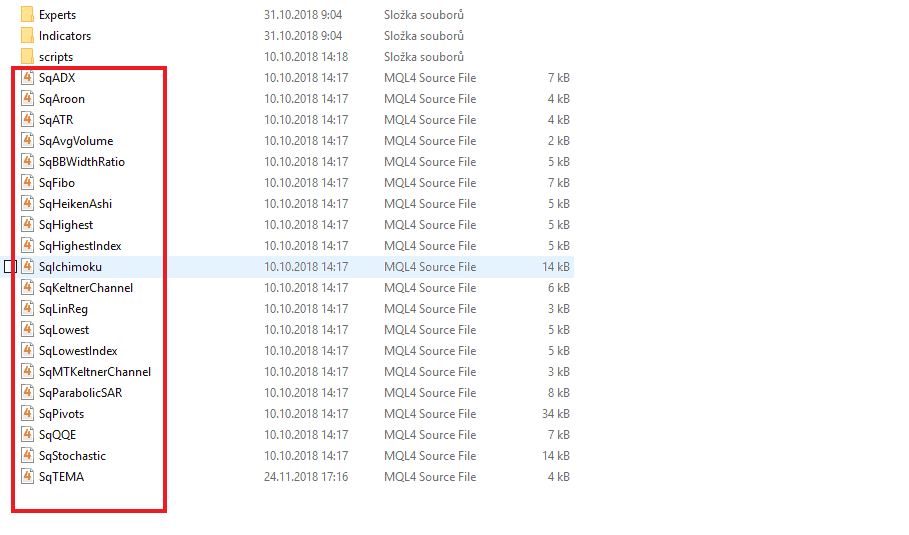
Metatrader 4
Copy indicators from StrategyQuant X C:StrategyQuantXcustom_indicatorsMetaTrader4 へ MT4 installation folderMQL4 Indicators
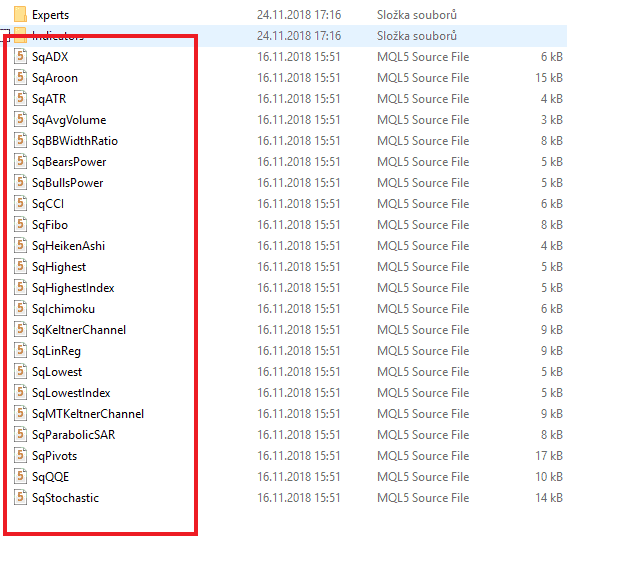
Metatrader 5
Copy indicators from StrategyQuant X C:StrategyQuantXcustom_indicatorsMetaTrader5 へ MT5 installation folderMQL5 Indicators
After copying the indicators to Metatrader 4/5 you have restart the platform to compile all indicators and reload into the platform.
この記事は参考になりましたか? この記事は役に立った この記事は役に立たなかった
1Q, if i have over 10 my Generates and need to test separate terminals. ill copy all these Indicators into every MT4s always? cant inbuild them into EA – then place on .SQ4 and compiles it ?
Correct, you need to install SQ custom indicators into each and every MT terminal
I’m getting error messages when i try to backtest the strategies in MT5 that say the custom indicators can not be read even though I have copied and pasted the custom indicators and Experts into the right folders in the MT5 terminal drive and restared the MT5 terminal to compile them all. Is there a walkthrough video available that does the entire process step by step? Error log when attempting back test..: 2024.07.17 06:46:30.057 Core 01 2024.01.01 00:00:00 —VERBOSE— 2024.01.01 00:00 ——————————————————– 2024.07.17 06:46:30.057 Core 01 2024.01.01 00:00:00 —VERBOSE— 2024.01.01 00:00 Starting the EA 2024.07.17 06:46:30.057 Core 01 program file SqBullsPower.ex5 read… 続きを読む »
Hi, can you send us screenshot to サポート@Kevin.com of SQX custom indicators being installed? We will confirm you have installed correctly
サポート@sheppy.com?