


 Inglese
 Spagnolo
 Portoghese
 Francese
 Tedesco
 Giapponese
Documentazione e guide per l'utente
Imparate le basi o perfezionate le vostre abilità con le esercitazioni pensate per ispirarvi.
Last updated on 26. 3. 2023 by Kornel Mazur
Banche dati
Contenuto della pagina
Panoramica
A Banca dati is a core component of StrategyQuant X, serving as the storage area for all strategies generated or processed by the system. Each major module—Costruttore, Ritestatore, e Ottimizzatore—maintains its own independent databanks.
Databanks store strategies along with their backtest results, such as number of trades, total profit/loss, and fitness scores. The system retains only a defined number of top-performing strategies (e.g., Top 100 or Top 1000), based on configured ranking and sorting criteria.
To configure how many strategies are stored and the criteria for ranking, go to Settings → Ranking Options.
Databank Location and Access
Databanks are located at the bottom of the main screen. The panel can be minimized or expanded as needed.
- Minimized View: Compact layout to save space during builds or analysis.
- Expanded View: Full access to strategy metrics and controls.
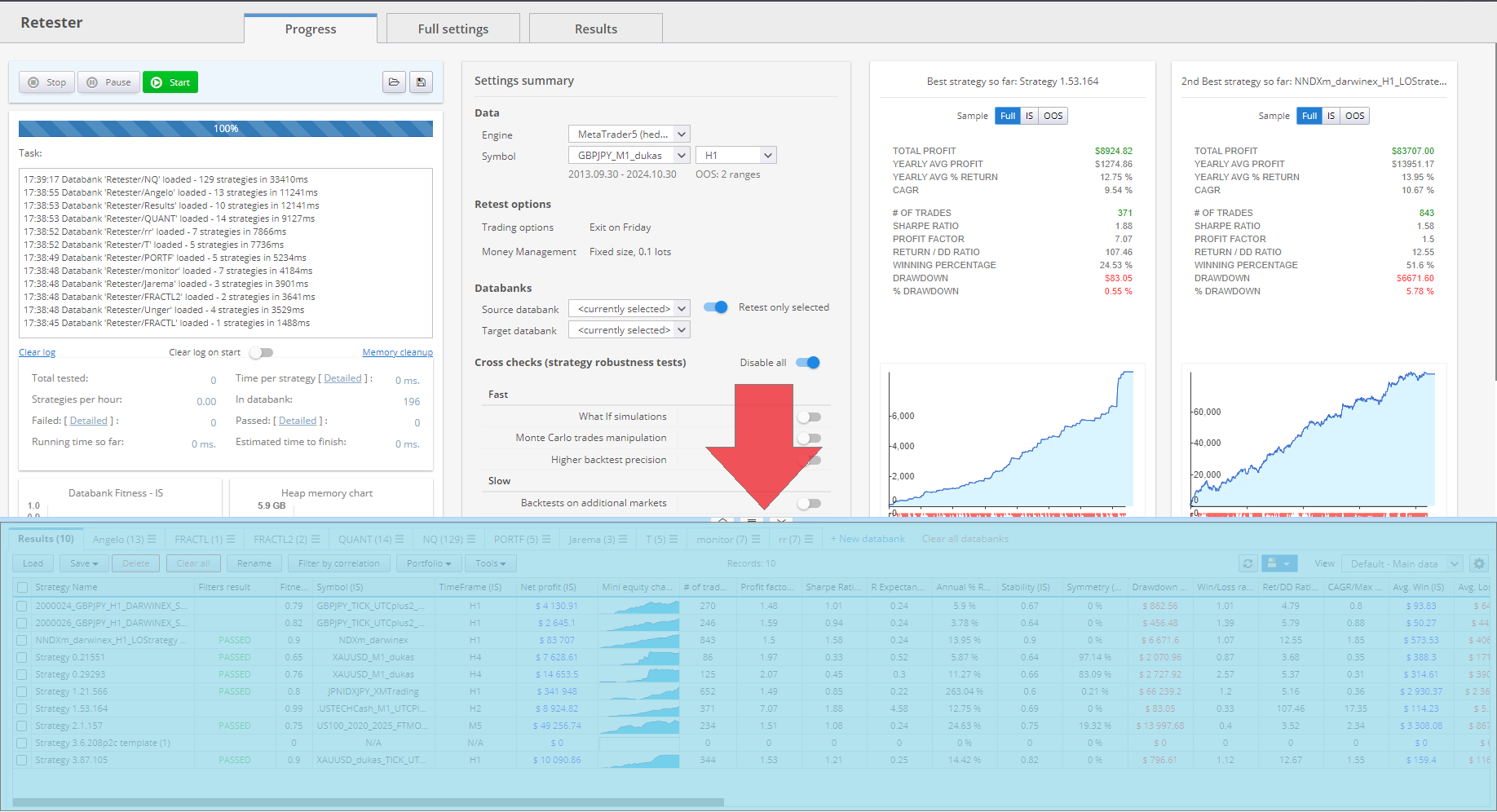
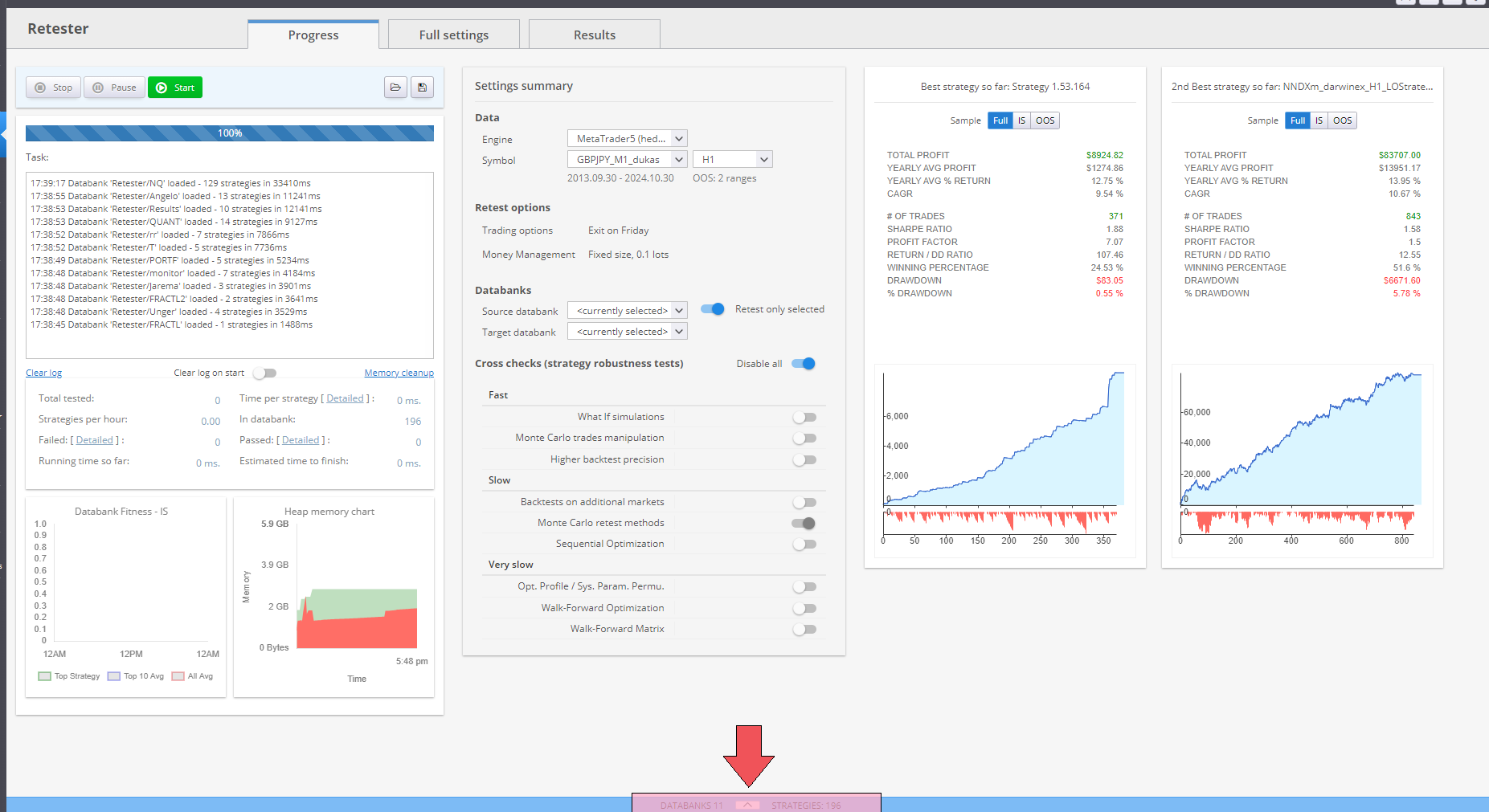
Each row in the Databank represents a single strategy and its associated
backtest results. Double-clicking a row opens the detailed Results View for that strategy.
Key Actions in the Databank
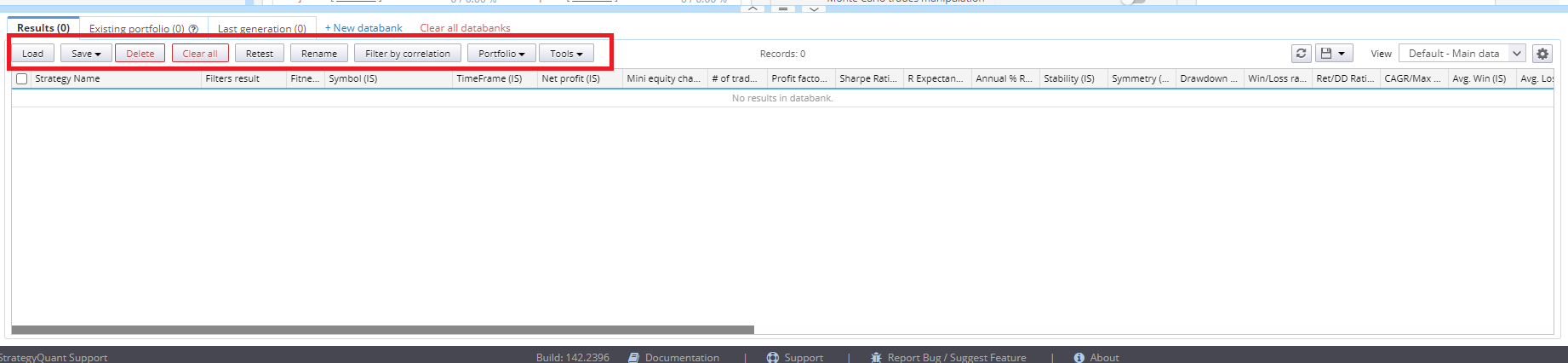
The Databank supports several operations for managing strategies:
Carico
- Import .sqx strategy files into the Databank.
- Useful for reviewing or further processing previously saved strategies.
Risparmiare
- Save selected strategies in StrategyQuant (.sqx) format.
- Supports additional formats (e.g., CSV, XLS) for external analysis or documentation.
- Always retain a .sqx copy for further use within StrategyQuant.
Delete / Clear All
- Remove selected strategies or clear the entire Databank.
- Use with caution, especially in shared or collaborative environments.
Ripetizione del test
- Available within the Costruttore module.
- Transfers selected strategies to the Ritestatore module along with their original backtest configuration for further validation or scenario testing.
Edit (Parameters / Strategy)
- Open the strategy in the AlgoWizard editor.
- Modify parameters or adjust trading logic directly.
Portafoglio
- Combine selected strategies into a strategy portfolio report.
- Evaluate combined performance metrics.
- For detailed functionality, refer to the Unire/dividere il portafoglio sezione.
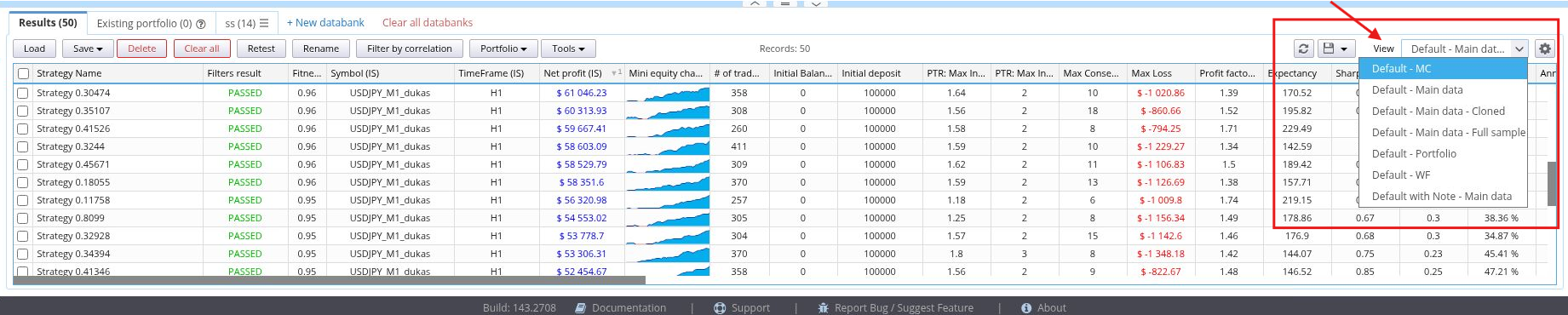
Databank Views
The visible data columns in the Databank are configurable through Visualizzazioni:
- Switch between pre-defined views.
- Create and save custom views tailored to specific metrics or evaluation needs.
Each view controls which columns are displayed, such as:
- Netto Profit
- Numero di compravendite
- Maximum Drawdown
- Fitness Score
This allows users to focus on the most relevant performance indicators for their evaluation workflow.
Databanks and Files
Strategy File Format
Strategies in StrategyQuant X are saved in the proprietary .sqx file format, which is not compatible with trading platforms such as MetaTrader or TradeStation.
- Always save promising strategies in .sqx format to ensure continued access and compatibility with StrategyQuant.
Exporting Strategies to External Platforms
To use strategies in platforms like MetaTrader o TradeStation:
- Export the strategy to MQL (e.g., .mq4) o EasyLanguage source code using the appropriate export function.
- Refer to the section How to Export Strategy to MetaTrader for detailed instructions.
⚠ Note: Exported files such as .mq4 are not readable by StrategyQuant. Always maintain a backup of your strategy in .sqx format.
Questo articolo è stato utile? L'articolo è stato utile L'articolo non è stato utile
Contenuto della pagina