


 Inglese
 Spagnolo
 Portoghese
 Francese
 Tedesco
 Giapponese
Documentazione e guide per l'utente
Imparate le basi o perfezionate le vostre abilità con le esercitazioni pensate per ispirarvi.
Ultimo aggiornamento il 23 aprile 2026 a cura di Kornel Mazur
Matrice di avanzamento
Contenuto della pagina
Panoramica
Il Matrice di avanzamento is a powerful robustness testing tool in StrategyQuant X that performs multiple walk-forward optimizations using various reoptimization periods and Out-of-Sample (OOS) settings. It serves two critical purposes:
- Strategy Robustness Validation
- Verifies if a strategy remains effective when reoptimized under varying conditions.
- Optimal Reoptimization Period Discovery
- Identifies the most effective reoptimization frequency for the strategy.
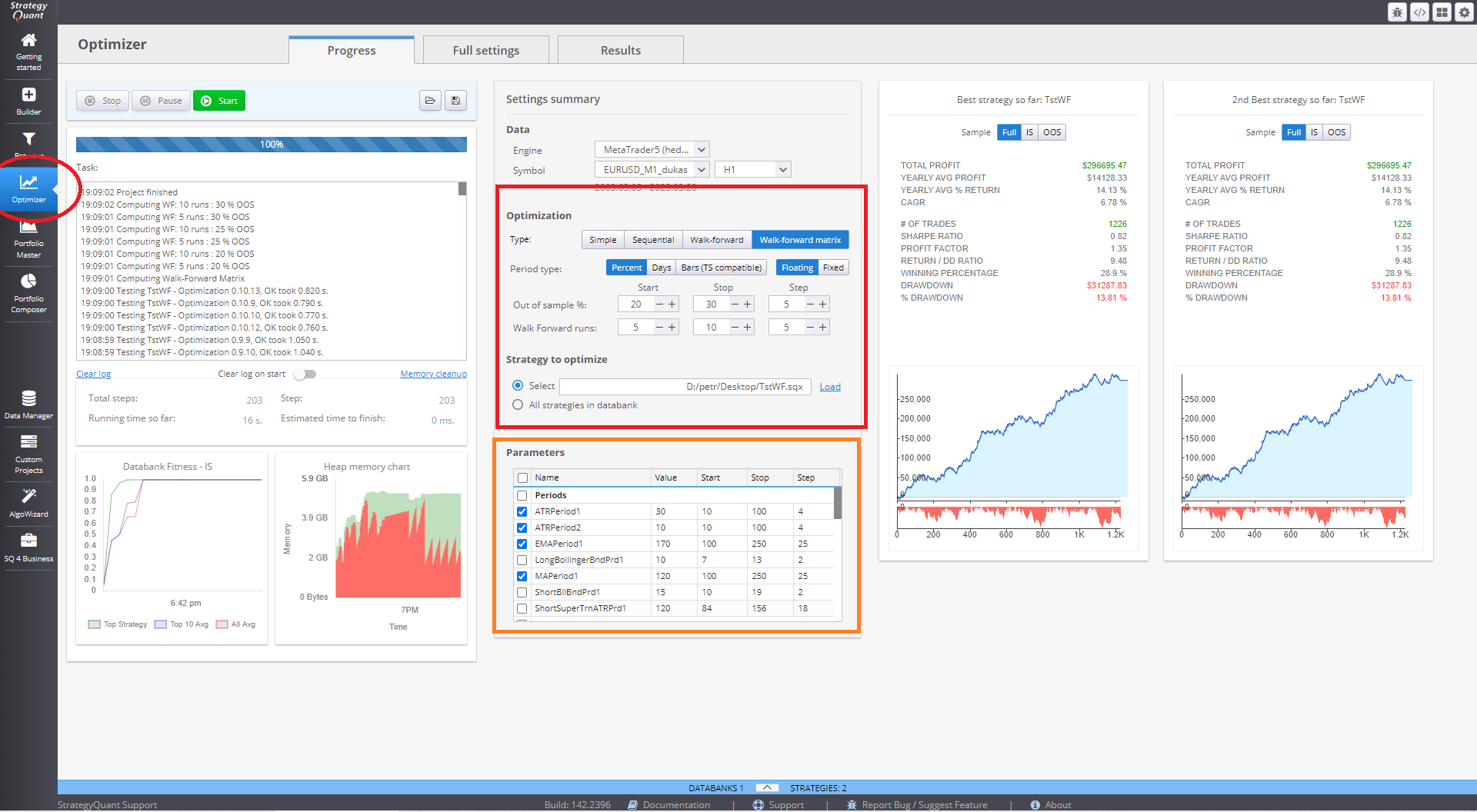
What Is a Walk-Forward Matrix?
A Walk-Forward Matrix consists of a grid of multiple Walk-Forward Optimizations, each using different:
- Number of Walk-Forward Runs (e.g., 5, 7, 9, 11, 13, 15)
- Out-of-Sample Percentages (e.g., 20%, 30%, 40%)
The result is a matrix showing which combinations produce successful results, enabling a data-driven approach to robustness analysis and reoptimization scheduling.
A configurable 3D chart visualizes all combinations, making it easier to interpret robustness across scenarios.
How to Use Walk-Forward Matrix
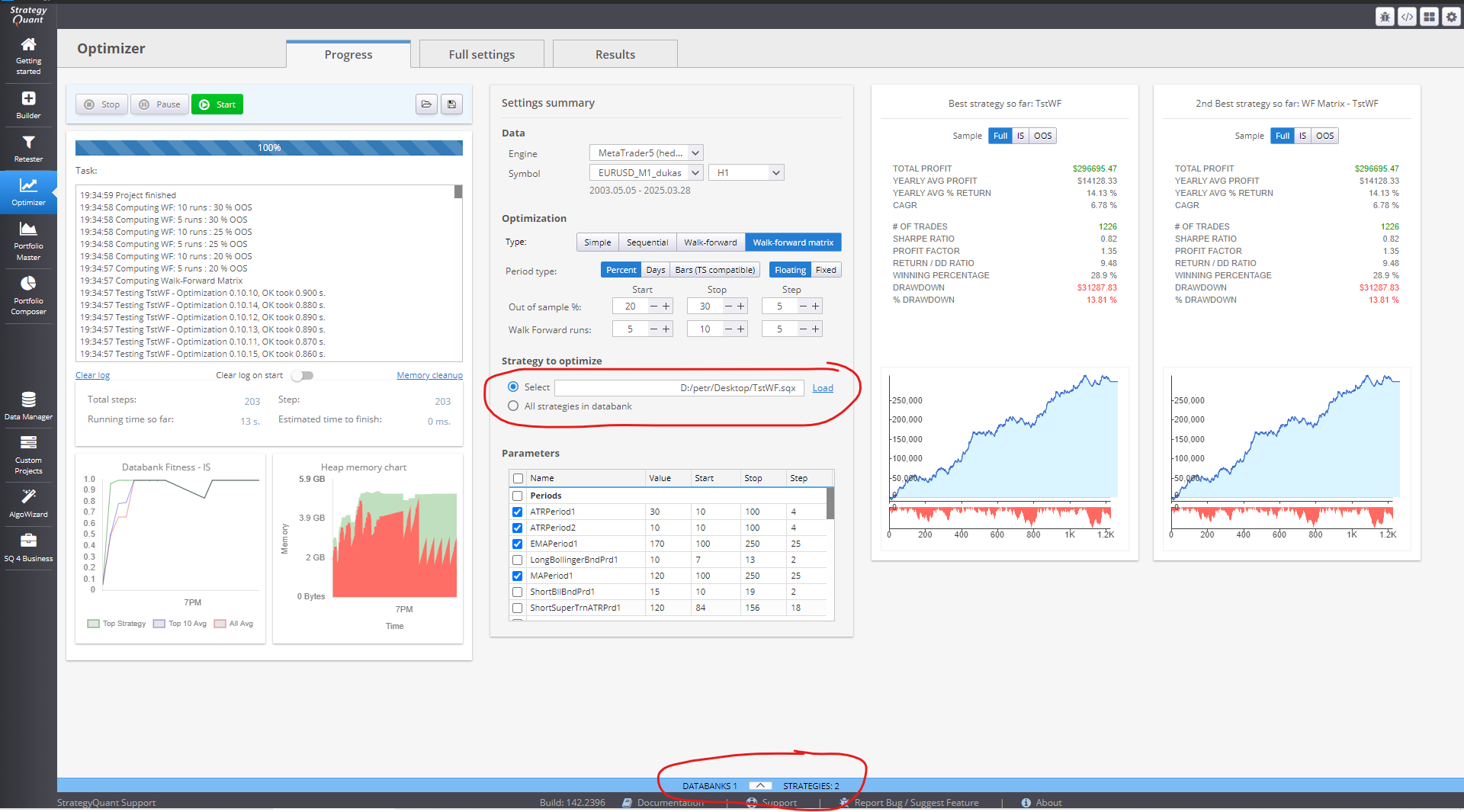
Step 1: Load a Strategy
- Aprire la sezione Ottimizzatore module.
- Load the desired strategy into the system.
- Passare alla schermata Matrice di avanzamento modalità.
Step 2: Define Matrix Parameters
Set the combinations of Walk-Forward runs and OOS percentages using:
- Start, Stop, and Increment fields for each axis (runs and OOS).
- Example setup:
- Walk-Forward Runs: 5 to 15 in steps of 2
- OOS %: 20%, 30%, 40%
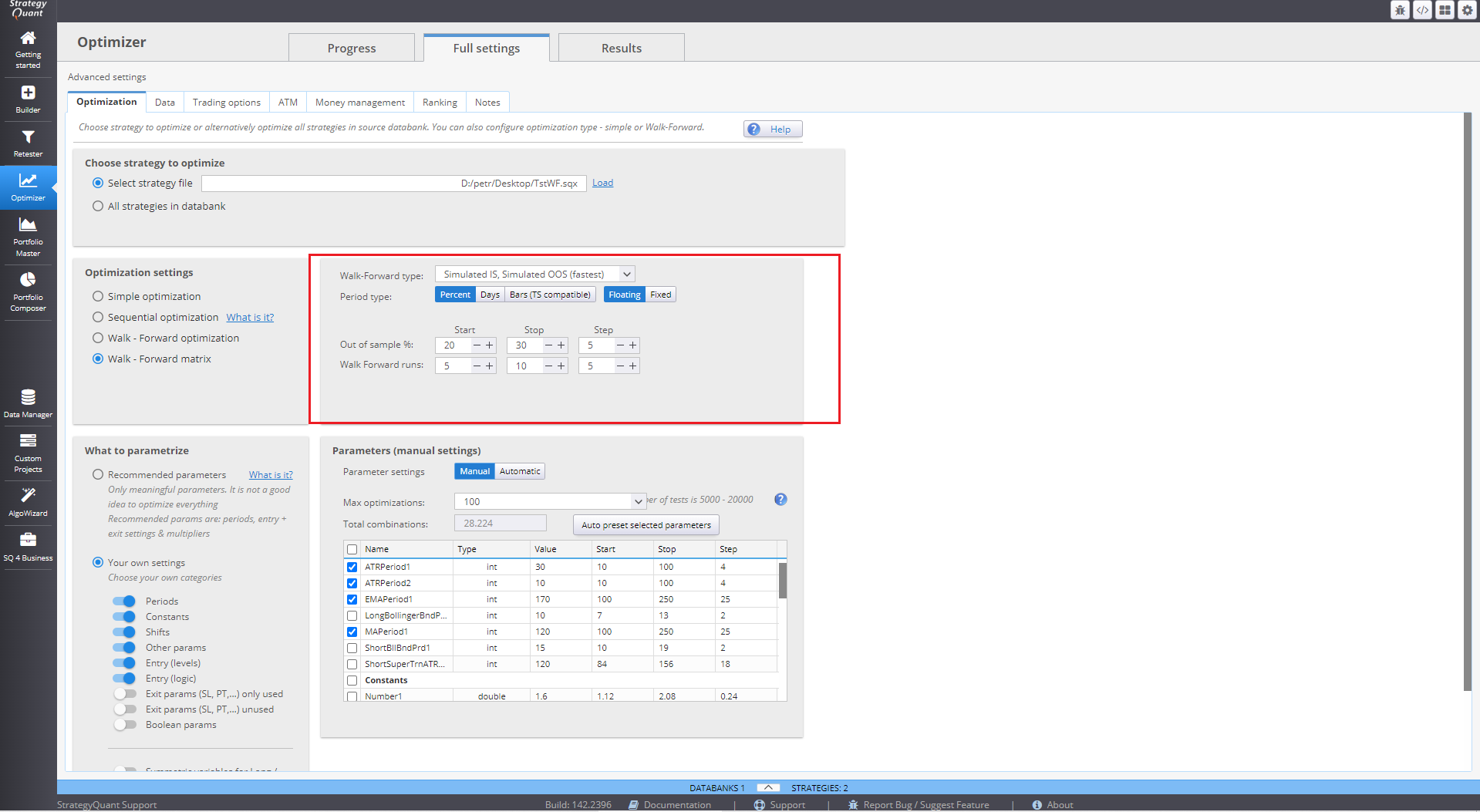
Nota: The matrix executes a full walk-forward optimization for every combination, so fewer steps mean faster execution.
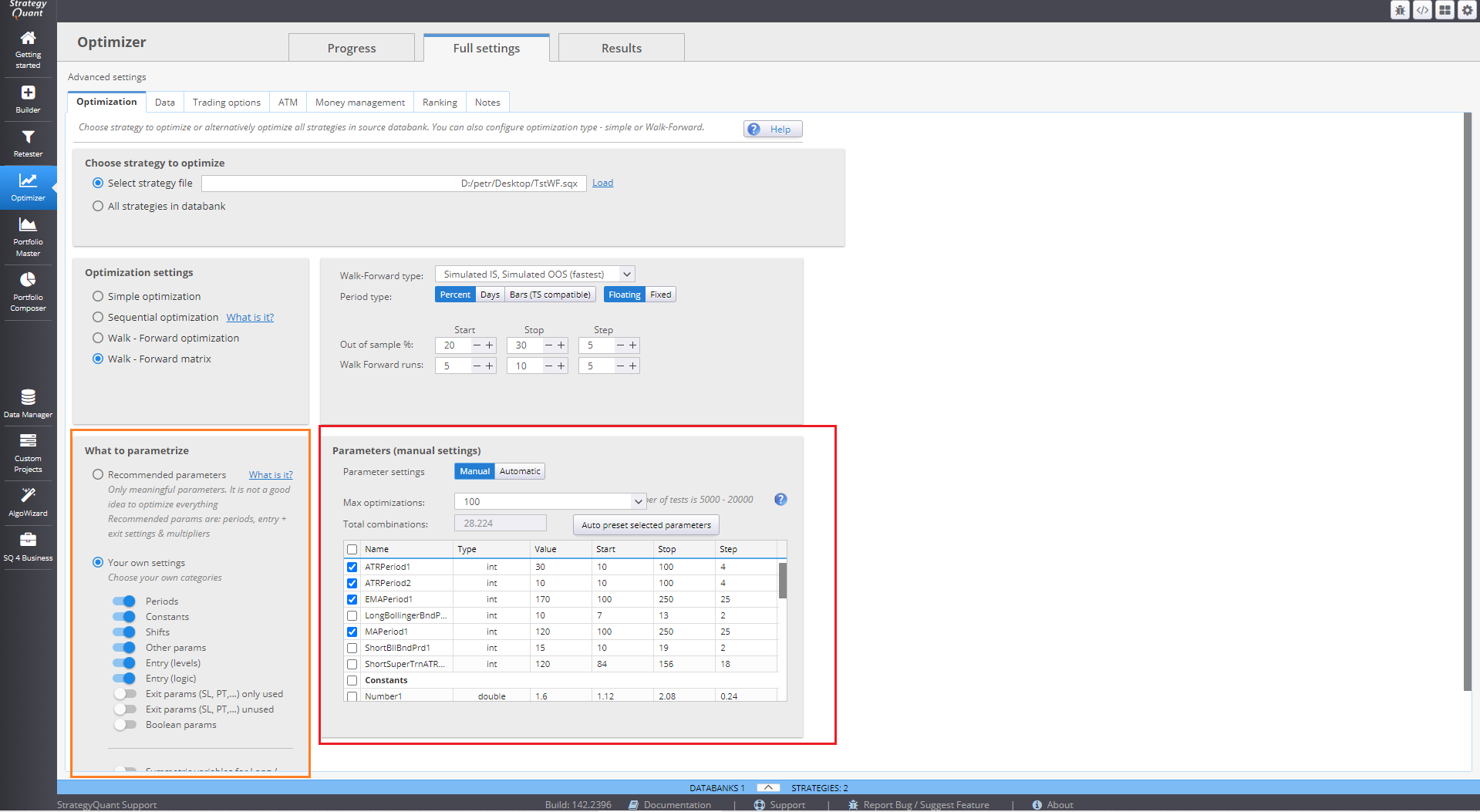
Step 3: Set Optimization Parameters
Configure the optimization values for strategy parameters under Settings → Parameters, just as in a standard optimization or walk-forward process.
Step 4: Execute and Review Results
Start the matrix run by clicking Inizio. Upon completion:
- Results are displayed in the Banca dati, including:
- Original Strategy
- Walk-Forward Matrix Result
- Double-click the matrix result to view:
- Robustness Scores
- 3D visualization
- Detailed result table for each tested combination
- Nel Grafico azionario, the selected combination’s performance is displayed:
- Blue Line: Reoptimized (Walk-Forward) strategy
- Gray Line: Original strategy
Interpreting the Results
Robustness Check
The matrix evaluates if the strategy performs well across different reoptimization settings. A robust strategy shows consistent success across multiple combinations.
- Robust Region (Cluster):
- Look for at least a 3×3 cluster of combinations where 7 out of 9 walk-forward runs pass.
- StrategyQuant can automatically detect such clusters if configured under Matrix Configuration.
- Clusters are visually marked (e.g., yellow or blue) and signify regions of stable reoptimization performance.
Success Criteria for Walk-Forward Optimizations
Each combination's success is determined by the Robustness Score, which is:
- Comprised of user-defined conditions (e.g., minimum Net Profit, acceptable Drawdown).
- Evaluated per run in the matrix.
To pass:
- A required percentage of robustness components must meet the thresholds.
- For instance, if 4 of 6 conditions pass, and a threshold of 80% is required, the run fails (66%).
Always investigate failed combinations to determine if the criteria were too strict or the strategy truly underperformed.
Selecting the Optimal Reoptimization Period
Once clusters are identified:
- Il center of a successful 3×3 cluster is typically the best reoptimization configuration.
- StrategyQuant will highlight the optimal combination under the matrix results.
The strategy should maintain profitability across different reoptimization intervals, demonstrating resilience to market changes.
Advanced 3D Charts
StrategyQuant includes a 3D visualization system to explore matrix results. These charts support:
- Surface Plots
- Bar Charts
- Heatmaps
Metrics available for plotting:
- Netto Profit
- Prelievo
- Stabilità
- Fattore di profitto
- Stagnation
- Sharpe Ratio (and more)
Gradual transitions in the surface plot indicate robustness. Sudden spikes or irregularities may signal overfitting.
Final Tip
For more insights into interpreting robustness metrics and customizing filters, refer to the article:
“Description of Advanced Walk-Forward Values”
Questo articolo è stato utile? L'articolo è stato utile L'articolo non è stato utile
Contenuto della pagina