


 Inglese
 Spagnolo
 Portoghese
 Francese
 Tedesco
 Giapponese
Documentazione e guide per l'utente
Imparate le basi o perfezionate le vostre abilità con le esercitazioni pensate per ispirarvi.
Ultimo aggiornamento il 23 aprile 2026 a cura di Kornel Mazur
What is a Custom Project
Contenuto della pagina
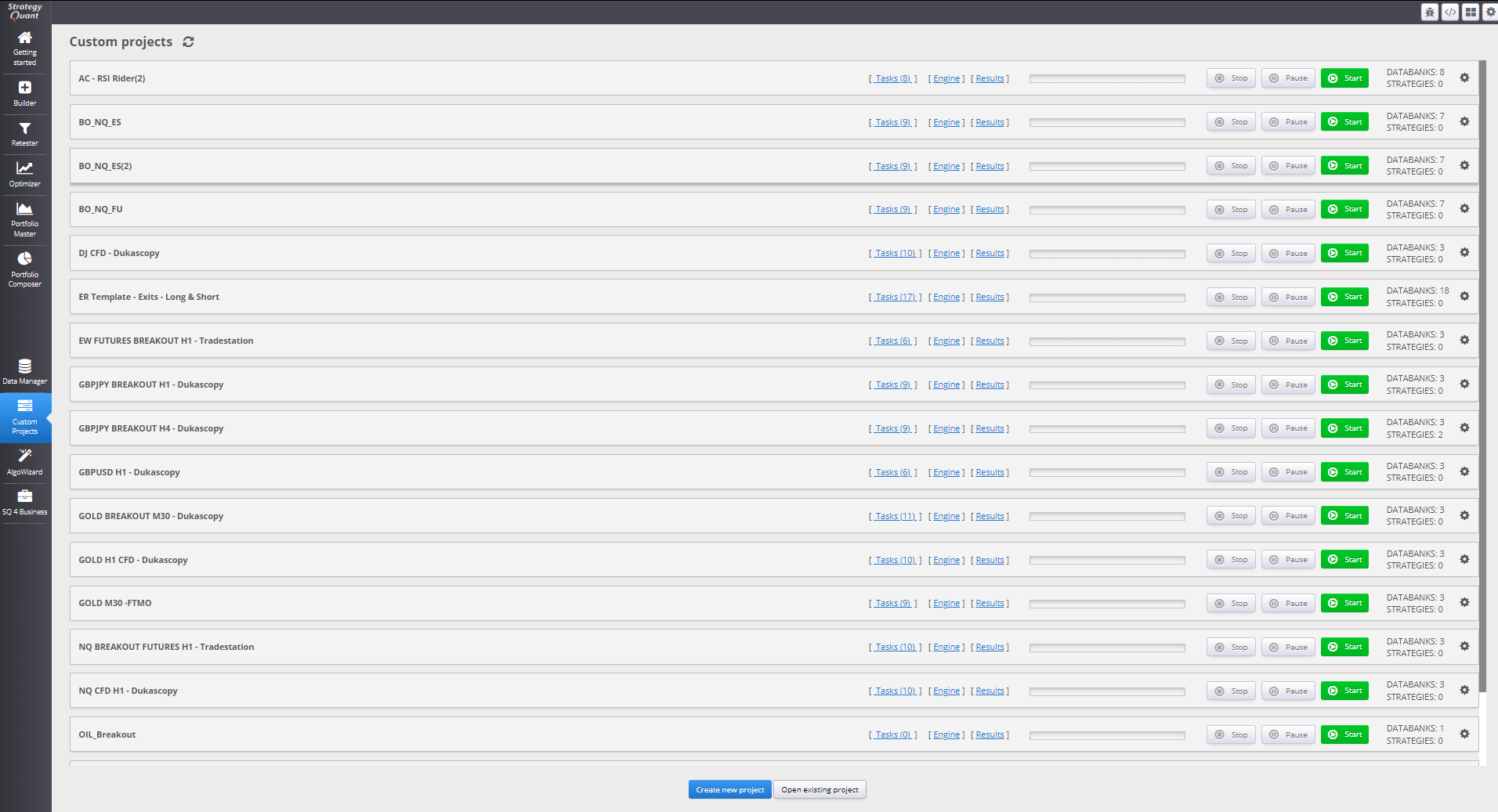
Progetti personalizzati 1TP9 in StrategyQuant X are designed to let users build fully automated workflows for strategy development, testing, and filtering. These workflows are composed of a sequence of configurable tasks that execute in a predefined order
 .
.
Scopo
Custom Projects enable:
- End-to-end automation of strategy generation and validation
- Customizable, repeatable processes that save time
- The creation of complex development logic involving multiple phases, conditional filtering, e parallel data flows
This makes Custom Projects ideal for running long-duration, unsupervised workflows, where strategies are built, evaluated, retested, and filtered across multiple steps.
Use Cases
Examples of what you can build with Custom Projects:
- Generate a batch of 1,000 strategies
- Retest the survivors on multiple markets or data sources
- Apply robustness checks (Monte Carlo, WF Matrix)
- Filter the strategies into a final databank
- Automaticamente loop the entire workflow until enough strategies pass
Accessing Custom Projects
- Andare a “Custom Projects” in the left-side menu of StrategyQuant X.
- Create a new project or start with a predefined template.
Da Costruire 141, StrategyQuant X includes several pre-built custom project examples for Forex and Futures. These can be used as inspiration or as a starting point for more advanced workflows.
Concetto centrale
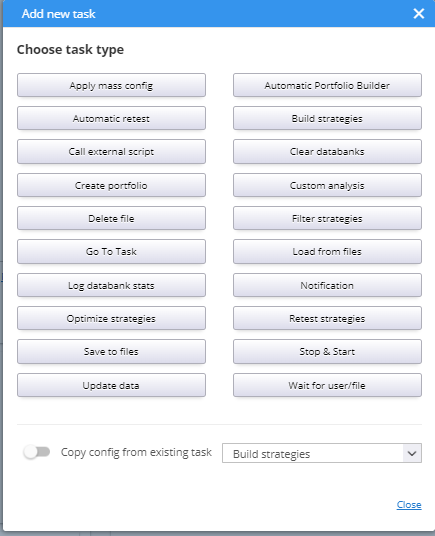
Each Custom Project is built from tasks, which are modular actions such as:
- Build Strategies
- Ripetizione del test
- Optimize
- Apply Cross-Checks
- Save/Export strategies
New task types are added regularly to expand automation capabilities.
Questo articolo è stato utile? L'articolo è stato utile L'articolo non è stato utile
Contenuto della pagina