


 Inglese
 Spagnolo
 Portoghese
 Francese
 Tedesco
 Giapponese
Documentazione e guide per l'utente
Imparate le basi o perfezionate le vostre abilità con le esercitazioni pensate per ispirarvi.
Ultimo aggiornamento il 23 aprile 2026 a cura di Kornel Mazur
Modelli
Contenuto della pagina
Modelli
Panoramica
One of the key features of StrategyQuant X is the ability to generate strategies using customizable modelli di strategia. These templates define the structure of strategies while leaving specific logic blocks open for automatic generation using random placeholders.
This system gives users full control over the format and logic layout of generated strategies while allowing StrategyQuant to randomly fill in the decision logic during the build process.
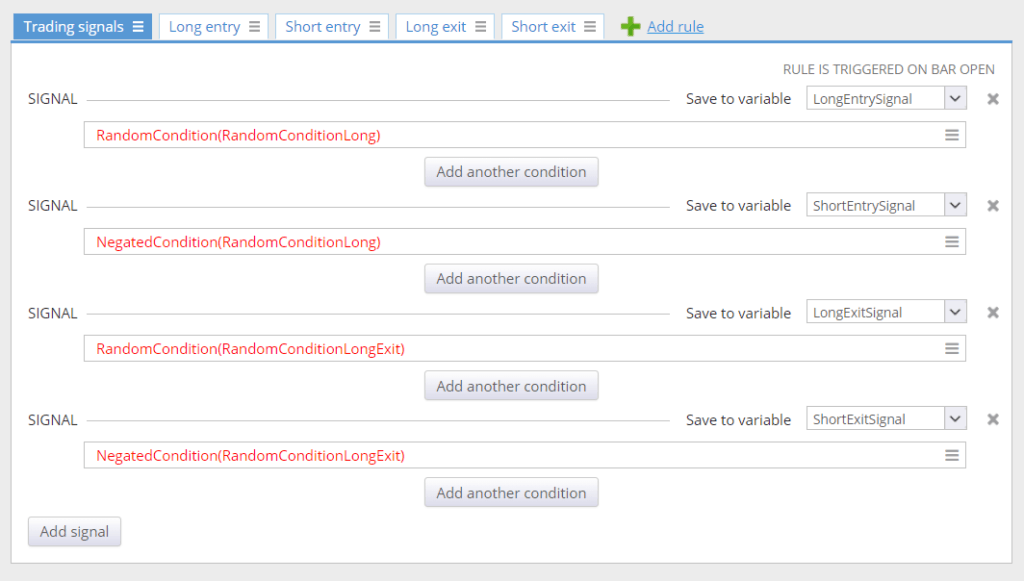
Strategy Templates and Placeholders
Strategy templates are predefined strategies containing placeholders instead of specific rules. These placeholders act as dynamic components that StrategyQuant replaces with randomly generated logic based on your configured settings.
Esempio:
A typical strategy template might include:
- RandomCondition(RandomConditionLong)
- → A placeholder for randomly generated condition(s) used for Ingresso lungo.
- NegatedCondition(RandomConditionLong)
- → Automatically generates a Breve iscrizione condition that is the logical negation of RandomConditionLong.
After strategy generation, these placeholders may be replaced as:
- Long Entry Condition:
- scss
- Revisione del testo
- CCI(14)[1] > 0 e RSI(20)[1] > 50
- Short Entry Condition:
- scss
- Revisione del testo
- CCI(14)[1] < 0 e RSI(20)[1] < 50
Note that the Breve entry is an exact negation of the Lungo condition, providing symmetrical entry logic.
How Are Random Conditions Generated?
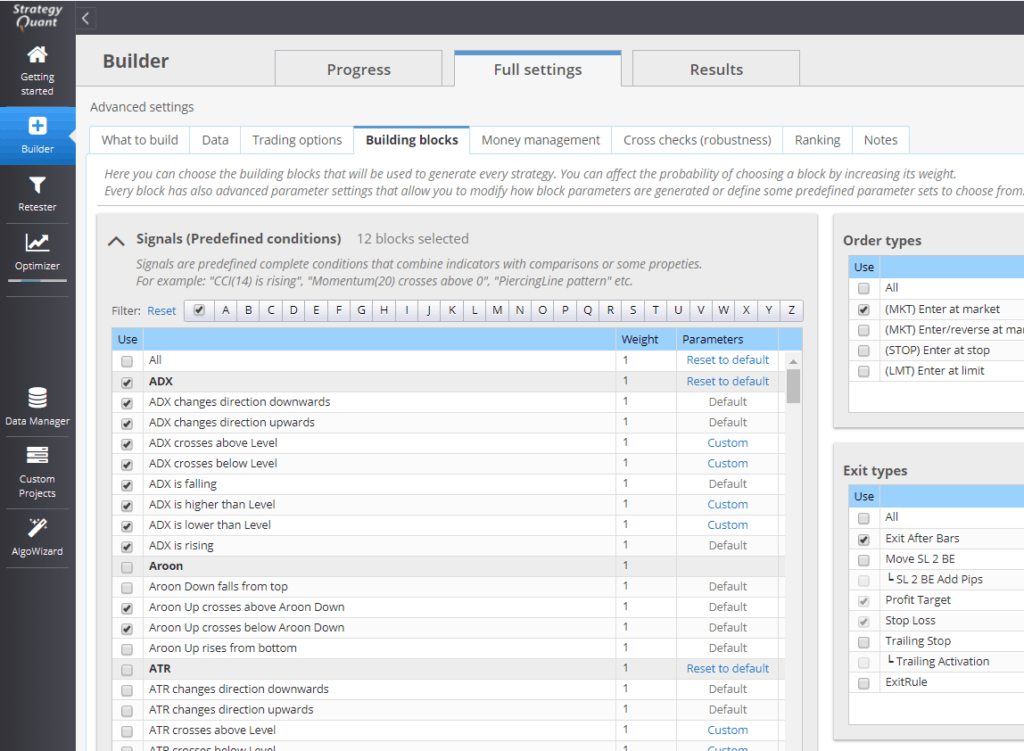
The logic inserted into RandomCondition placeholders is based on the configuration in:
Full Settings → Building Blocks
Key parameters affecting condition generation include:
- Indicator and Condition Types
- (selected from your building block definitions)
- Number of Conditions to Generate
- (e.g., single vs. compound conditions)
- Period and Shift Ranges
- (used for indicators and data referencing)
StrategyQuant uses this configuration to ensure that all generated logic is consistent with your strategy design requirements.
Notes on Customization
- Each RandomCondition can be uniquely identified (e.g., RandomConditionLong, RandomConditionExit, etc.).
- You can build templates with various logic flows, including entry/exit conditions, filters, and position sizing logic using placeholders.
- Templates are a powerful tool to guide the strategy generation process according to a preferred logic structure.
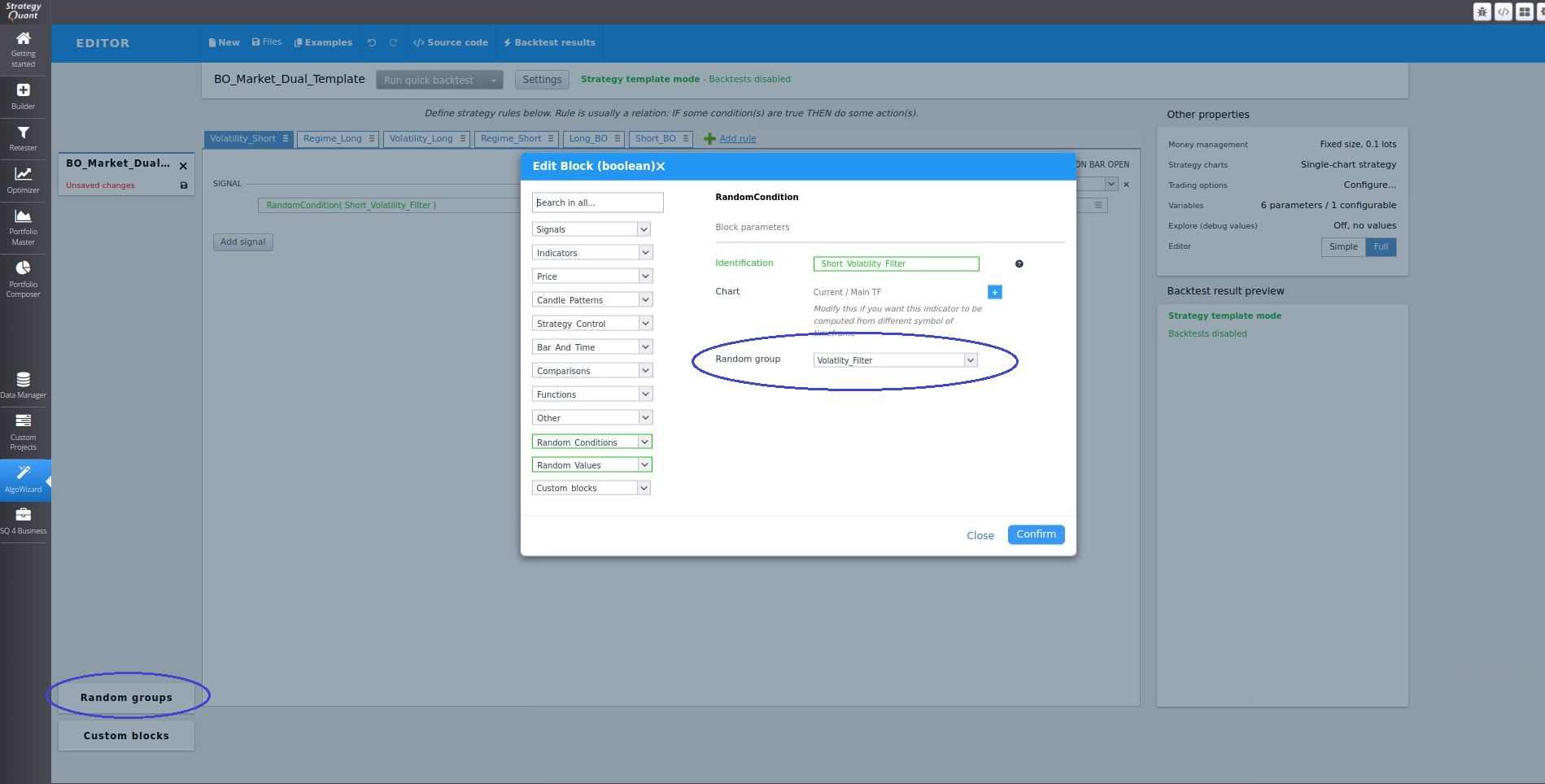
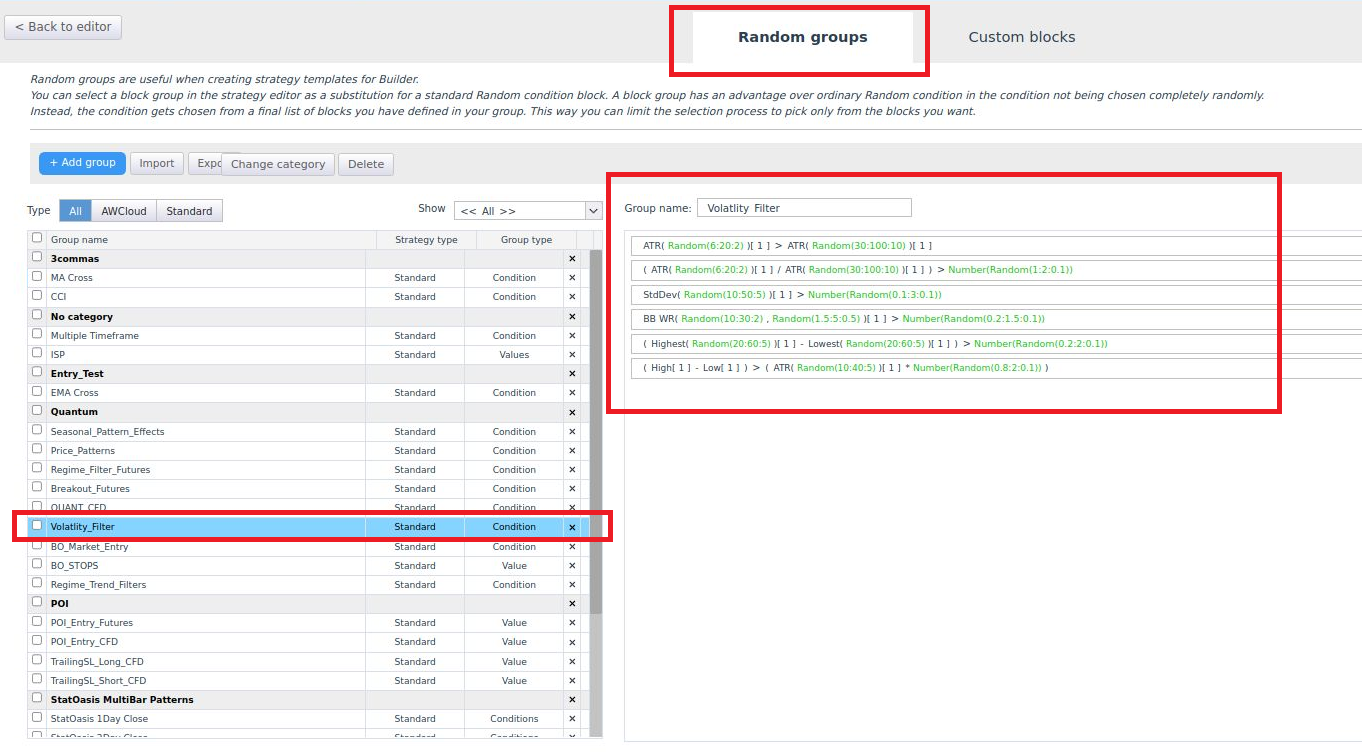
You can create a custom Random Group with predefined indicators and signals, assigning this specific group to replace Building locks. This allows you to limit the indicators and signals that SQX will test.
Further Reading
For detailed insights into the templating system, refer to the following articles:
- Introduction to the StrategyQuant Templating System – Part I
- https://strategyquant.com/blog/introduction-strategyquant-templating-system-part/
- Introduction to the StrategyQuant Templating System – Part II
- https://strategyquant.com/blog/introduction-strategyquant-templating-system-part-ii/
Questo articolo è stato utile? L'articolo è stato utile L'articolo non è stato utile
Contenuto della pagina