


 Spanish
 Portuguese
 French
 Italian
 German
 Japanese
Documentation
Applications
Last updated on 11. 5. 2020 by Mark Fric
Automatic retest task
Page contents
a specialized task that will retest the strategy using the settings that were used in its most recent retest or build, but before that it will update all the data to include the most recent days.
It is useful when you have a set of strategies you want to retest periodically for example every week – Automatic retest will first download the missing data for the last week and makes a retest with the most recent data.

Update from version 144:
The Automatic Retest Task loads strategies from a source databank (which must already contain backtest results) and retests them across custom combinations of symbols, timeframes, and other parameters. Results are stored in a target databank based on configured Ranking/filtering options.
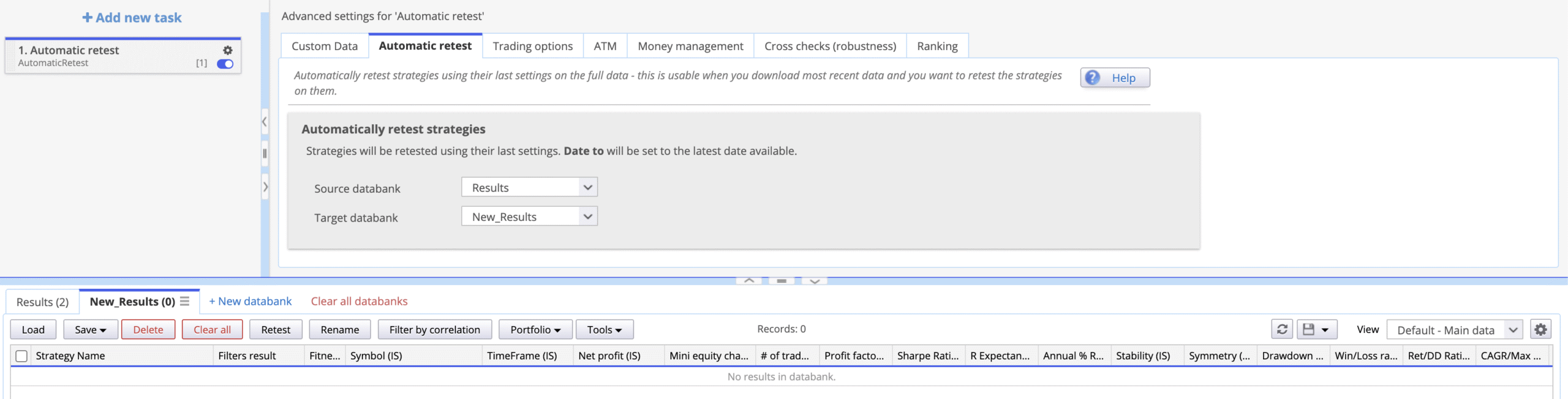
Automatic Retest Tab
This is where you define the data flow:
- Source databank — the databank containing the strategies to be retested
- Target databank — the databank where retest results will be saved
Custom Data Tab
Controls what gets overridden during the retest.
Any setting left “off” retains the configuration from the original strategy.
Turning a setting “on” lets you specify a new value that applies across all retested strategies.
Trading Engine
Specify MT4/MT5 or TS/MC Backtesting Engine.
It is recommended to keep this set to the platform on which the strategies were originally built and tested.
Additional charts
You can enable that option in case of Subchart usage (Multi-Symbol Strategy)
Backtest Data Settings
| Setting | Behavior when ON |
|---|---|
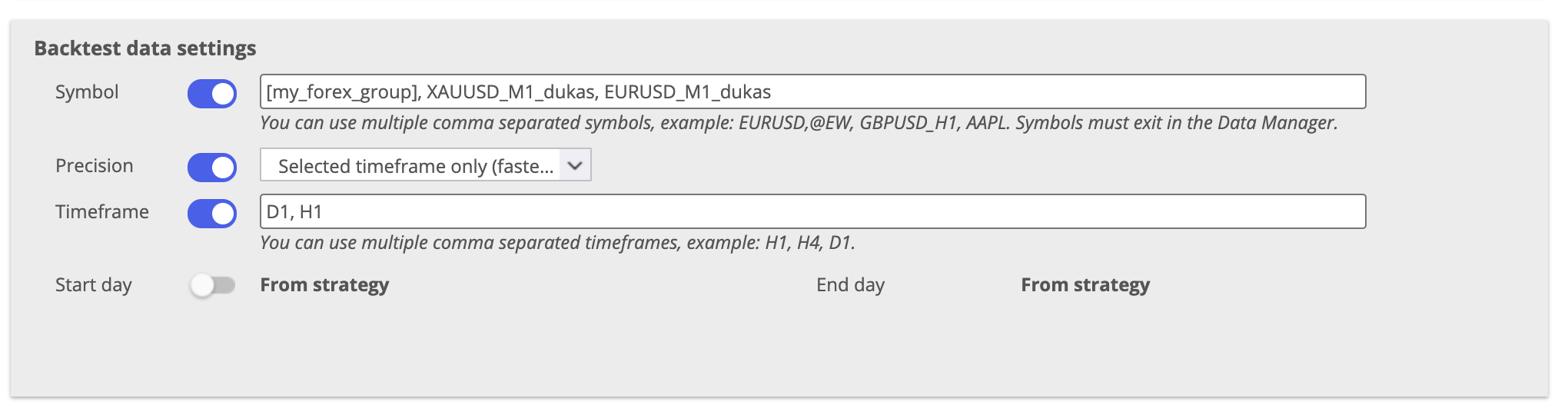
| Symbol | Comma-separated list of symbols (e.g. USDCHF_M1_dukas, GBPUSD_M1_dukas, and or [Custom Group]). Each strategy will be retested on every listed symbol. Symbols must exist in Data Manager. |
| Precision | Overrides the test precision used in backtest |
| Timeframe | Comma-separated list of timeframes (e.g. H1, H4, D1). Each strategy will be retested on every listed timeframe. |
| Start day / End day | Overrides the backtest date range |
Symbol — Stock Groups
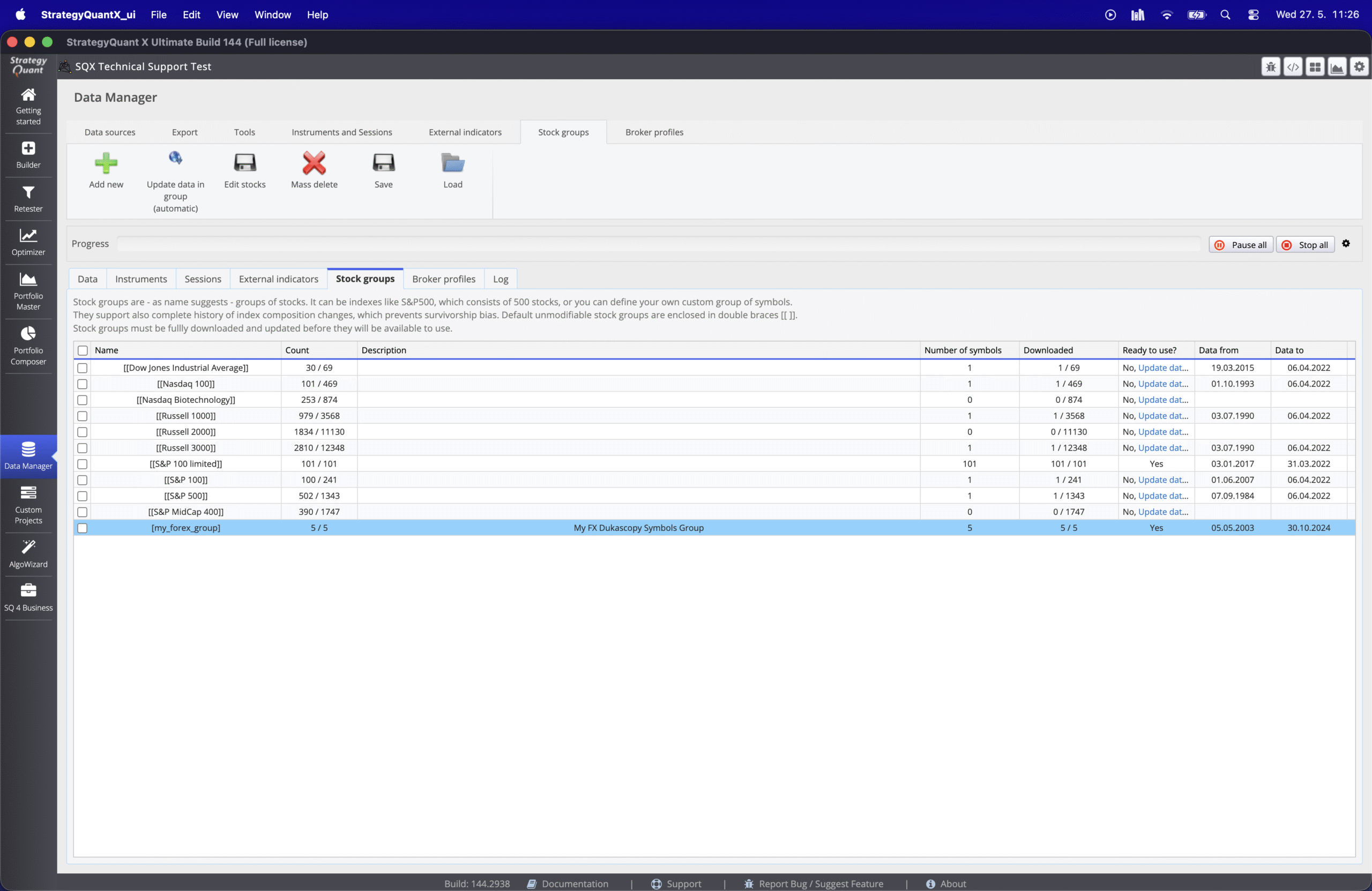
Instead of listing symbols individually, you can reference a custom symbol group created in Data Manager → Stock Groups by wrapping the group name in square brackets.
- In Data Manager, create a Stock Group named
my_forex_group containing your desired symbols - In the Symbol field, enter
[my_forex_group] - The task will automatically retest each strategy against every symbol in that group
You can also combine individual symbols and group references in the same field:
[my_forex_group], XAUUSD_M1_dukas
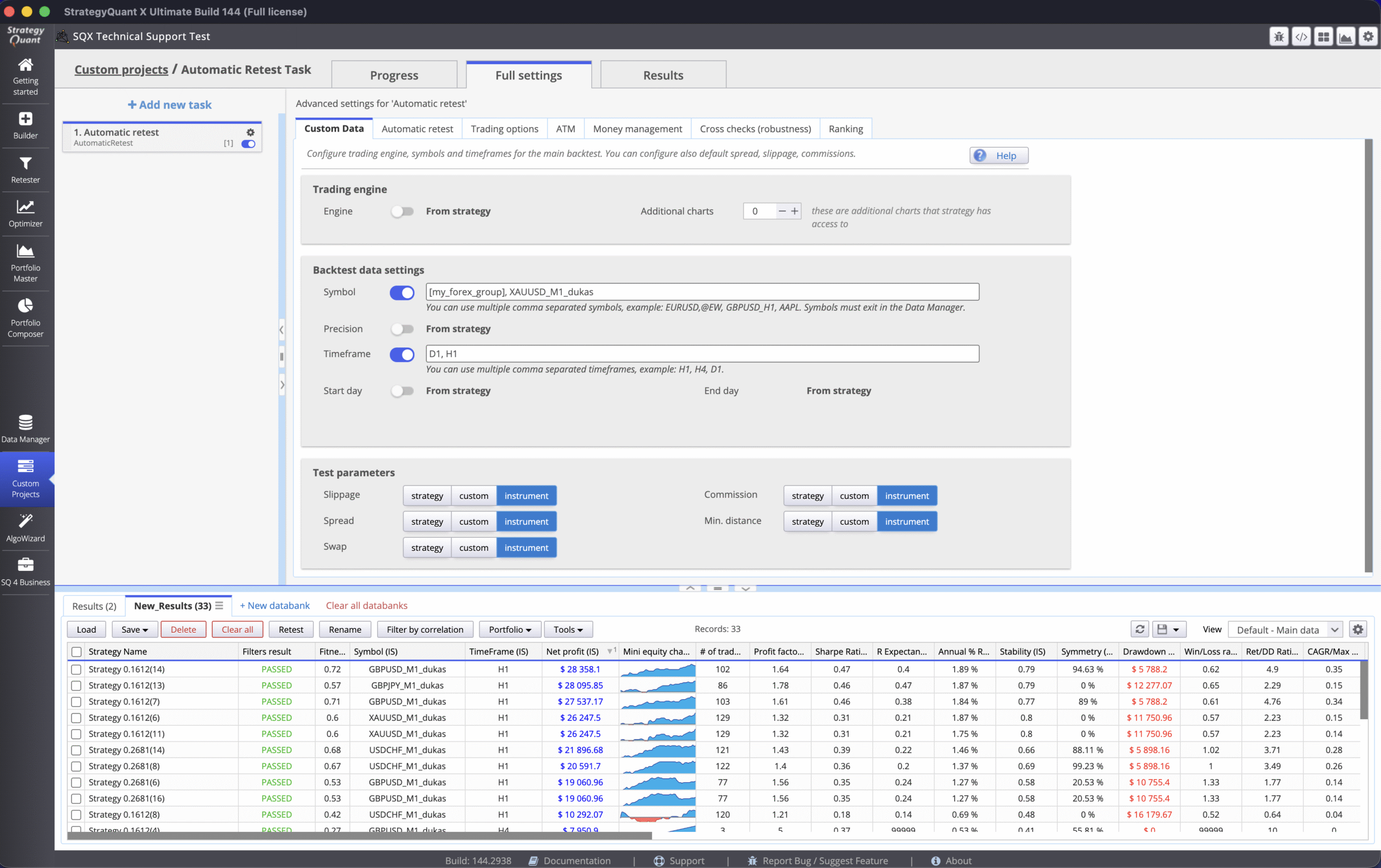
When multiple symbols and multiple timeframes are both enabled, the task tests every strategy against every symbol × timeframe combination. For example, 2 strategies × 3 symbols × 3 timeframes produces up to 18 result entries
Test Parameters
Each of the five parameters (Slippage, Spread, Swap, Commission, Min. distance) has three modes:
| Mode | Behavior |
|---|---|
| Strategy | Uses the value defined in the original strategy — consistent across all symbols |
| Custom | Lets you enter a specific value that overrides all strategies |
| Instrument | Reads the value from Data Manager → Instrument settings for each symbol individually — useful when testing across symbols with different market conditions |

Was this article helpful? The article was useful The article was not useful