


 Spanish
 Portuguese
 French
 Italian
 German
 Japanese
Documentation & User Guides
Learn the basics, or refine your skills with tutorials designed to inspire.
Last updated on 23. 4. 2026 by Kornel Mazur
Opti. Profile / Sys. Param. Permutation
Page contents
Optimization Profile and System Parameter Permutation (SPP)
Optimization Profile and System Parameter Permutation (SPP) are advanced robustness evaluation techniques implemented in StrategyQuant X. Introduced in Build 114, these tools allow for deeper analysis of strategy resilience and help determine whether a strategy truly has an edge or is the result of overfitting.
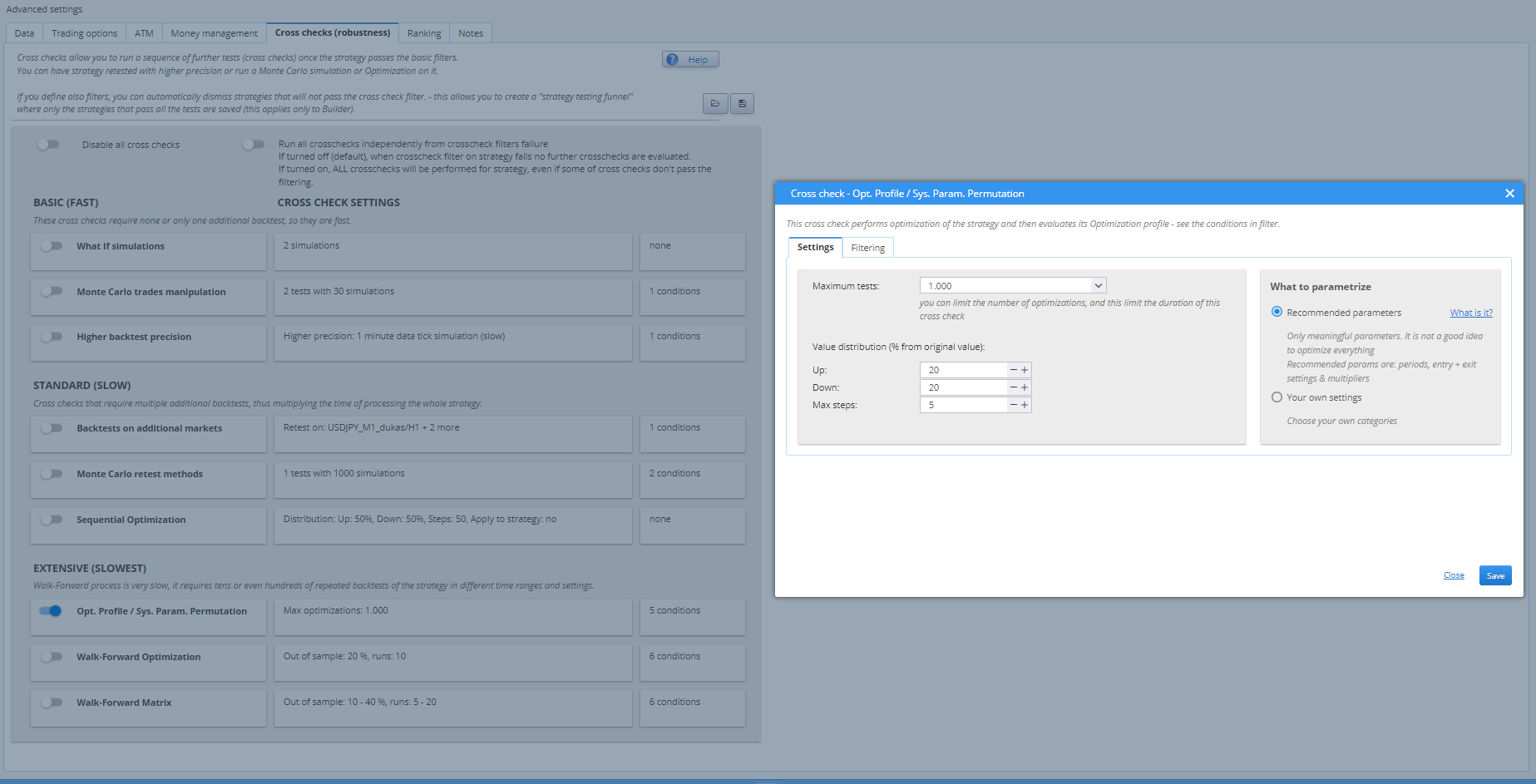
Purpose
These methods aim to answer critical questions in quantitative strategy development:
- Does the strategy have real, reproducible market edge?
- Can it be expected to perform reliably on unseen future data?
Both methods rely on optimization results and require that the strategy be optimized (either via Simple or Walk-Forward Optimization) prior to use.
Optimization Profile
Concept Overview
The Optimization Profile concept, originally detailed by Robert Pardo, involves analyzing the entire range of parameter combinations tested during optimization. It evaluates the stability of strategy performance across the parameter space.
Key Evaluation Criteria
- High proportion of profitable optimizations
- Average profit above zero
- Uniform profit distribution
- Top result within 1 standard deviation of the average
- Stable 3D optimization surface (evaluated visually)
These characteristics suggest a robust and non-fragile strategy structure.
How StrategyQuant Implements Optimization Profile
- Automatically generated during any optimization (Simple or Walk-Forward)
- Accessible in Results → Optimization Profile tab if optimization data is present
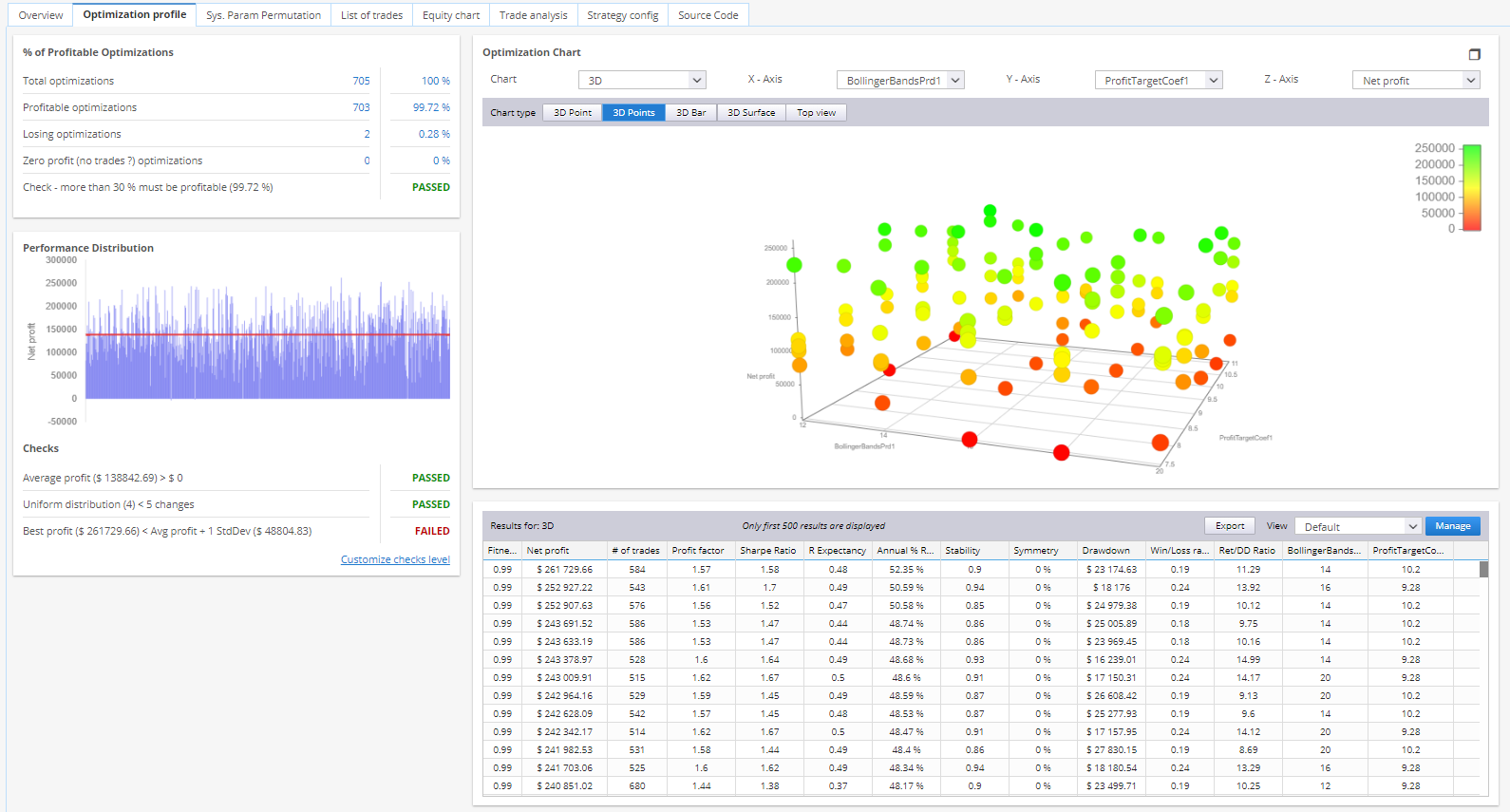
Results View Includes:
- Count and percentage of profitable vs. losing runs
- Histogram of Net Profit across all optimization runs
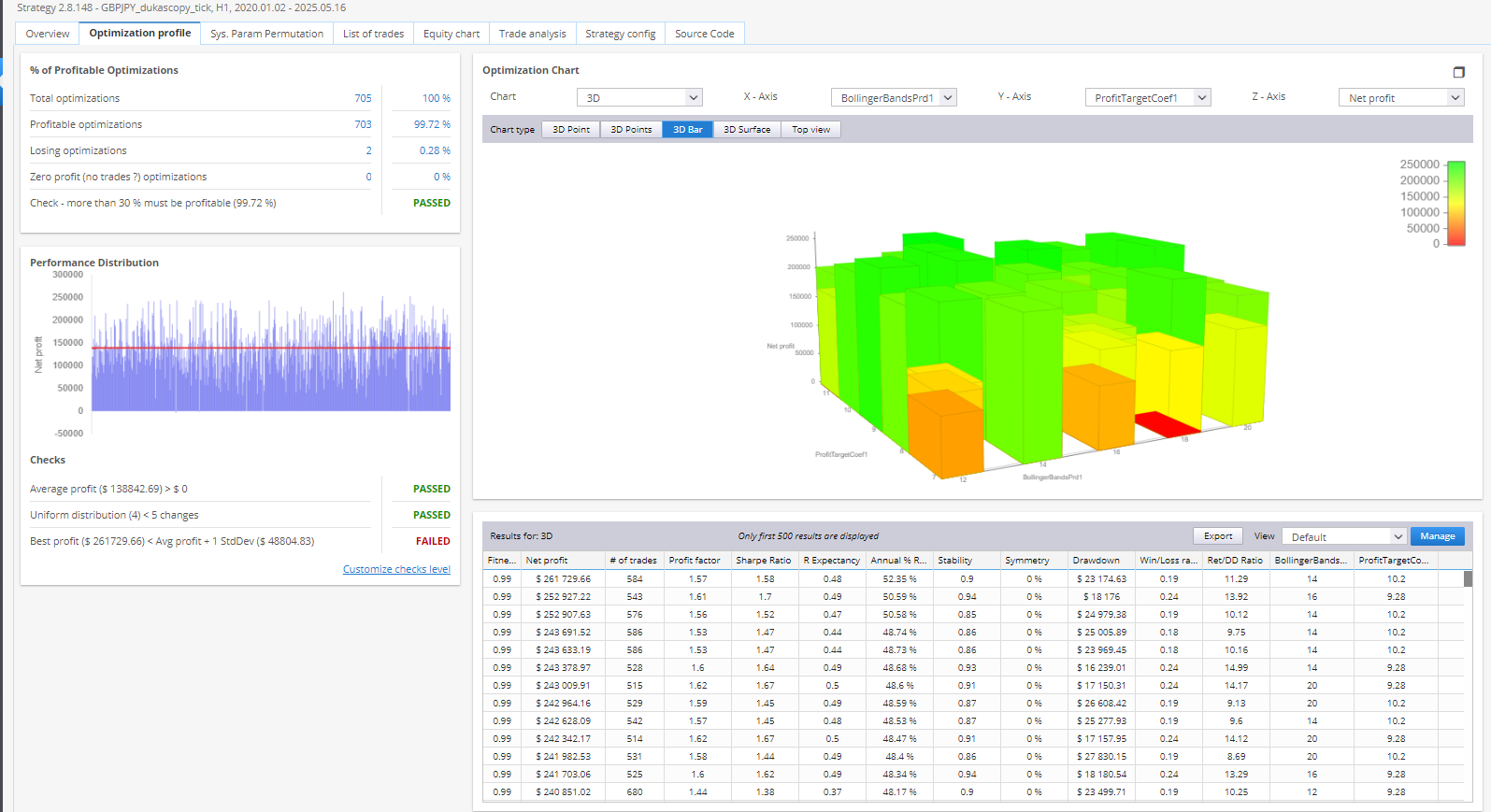
- 3D surface visualization for optimization landscape
Using Optimization Profile in Cross-Checks
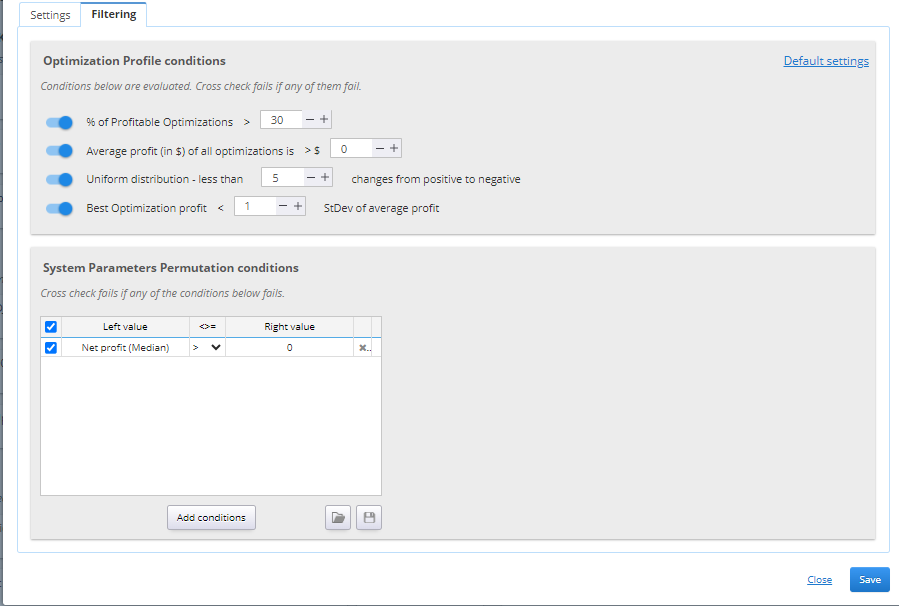
Enable the “Opt. Profile / Sys. Param. Permutation” cross-check to use this method.
Configuration Options:
- Define which parameters to optimize
- Set maximum number of optimization runs
- Specify pass/fail thresholds for each of the core profile metrics
System Parameter Permutation (SPP)
Concept Overview
SPP, introduced by Dave Walton (StatisTrade), provides a statistically grounded estimate of strategy performance by analyzing all optimization results, rather than relying on a single “best” parameter set.
Dave was the winner of the Wagner award in 2014 for a paper titled ‘Know your system – turning data mining bias to benefit through System Parameter Permutation’ (https://papers.ssrn.com/sol3/papers.cfm?abstract_id=2423187)
Core Insight
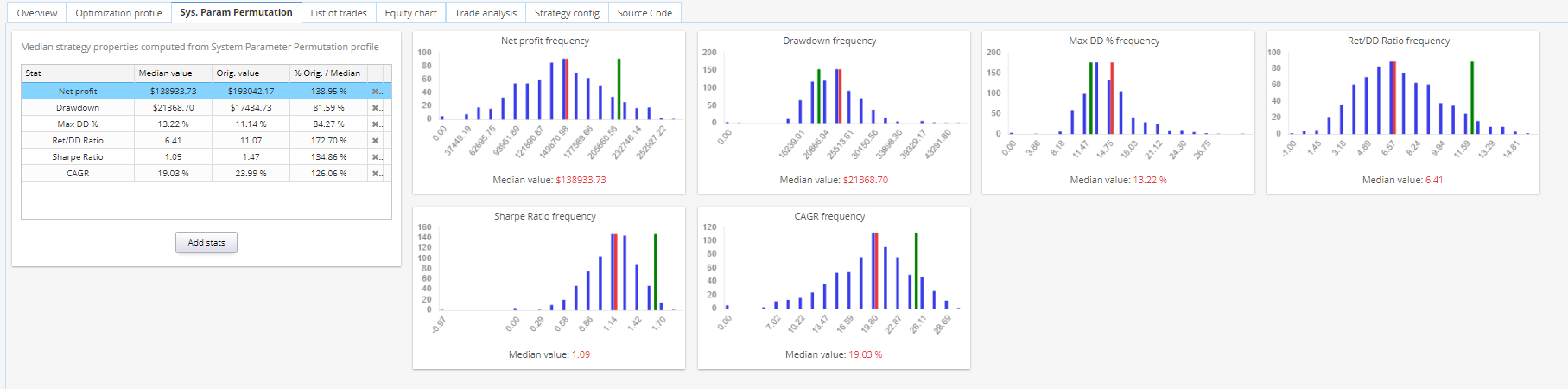
Due to random chance and overfitting, the “best” backtest result may not be indicative of future performance. SPP uses median values across all tested parameter sets to provide a realistic expectation.
StrategyQuant Implementation
If optimization data exists, the “Sys. Param. Permutation” tab appears in the Results.
View Includes:
- Median values for key metrics:
- Net Profit
- Drawdown
- Sharpe Ratio
- Other performance statistics
- Histograms and frequency charts
Using SPP in Cross-Checks
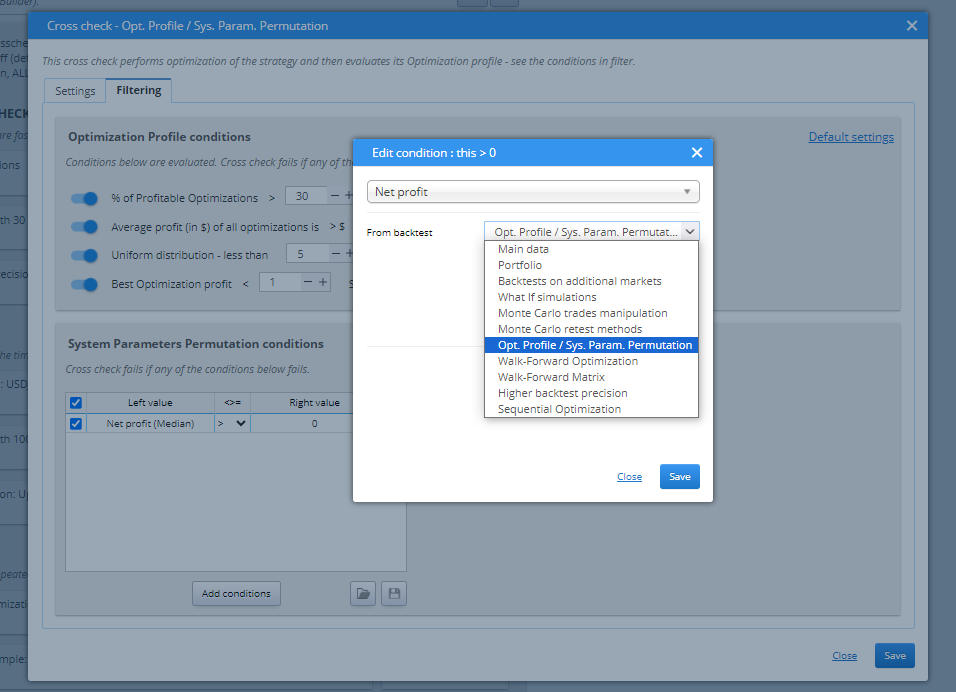
Also part of the “Opt. Profile / Sys. Param. Permutation” cross-check.
- Filter strategies based on median values
- Median values can be used in:
- Cross-check filters
- Databank column views
Configuration:
- Add the desired column (e.g., Median Net Profit)
- Set source to:
- From backtest → Opt. Profile / Sys. Param. Permutation
- Apply filtering conditions as needed
Displaying Median Values in Databank
- Available via Manage View → Add Column
- Set From backtest to the corresponding cross-check
- Requires the cross-check to have been executed with valid optimization data
Important Notes on Parameter Combinations
Both Optimization Profile and SPP rely on evaluating a wide range of parameter combinations.
Considerations:
- Works best when the number of parameters is small (2–3 variables)
- As the number of parameters increases, the number of combinations grows exponentially
- StrategyQuant allows limiting optimization via Maximum Tests
- Ensures feasibility, but reduces total variation coverage
Recommendation: Minimize the number of configurable parameters to reduce noise and improve statistical significance of these evaluations.
Was this article helpful? The article was useful The article was not useful
Page contents