


 Spanish
 Portuguese
 French
 Italian
 German
 Japanese
Documentation & User Guides
Learn the basics, or refine your skills with tutorials designed to inspire.
Last updated on 26. 3. 2023 by Kornel Mazur
Databanks
Page contents
Overview
A Databank is a core component of StrategyQuant X, serving as the storage area for all strategies generated or processed by the system. Each major module—Builder, Retester, and Optimizer—maintains its own independent databanks.
Databanks store strategies along with their backtest results, such as number of trades, total profit/loss, and fitness scores. The system retains only a defined number of top-performing strategies (e.g., Top 100 or Top 1000), based on configured ranking and sorting criteria.
To configure how many strategies are stored and the criteria for ranking, go to Settings → Ranking Options.
Databank Location and Access
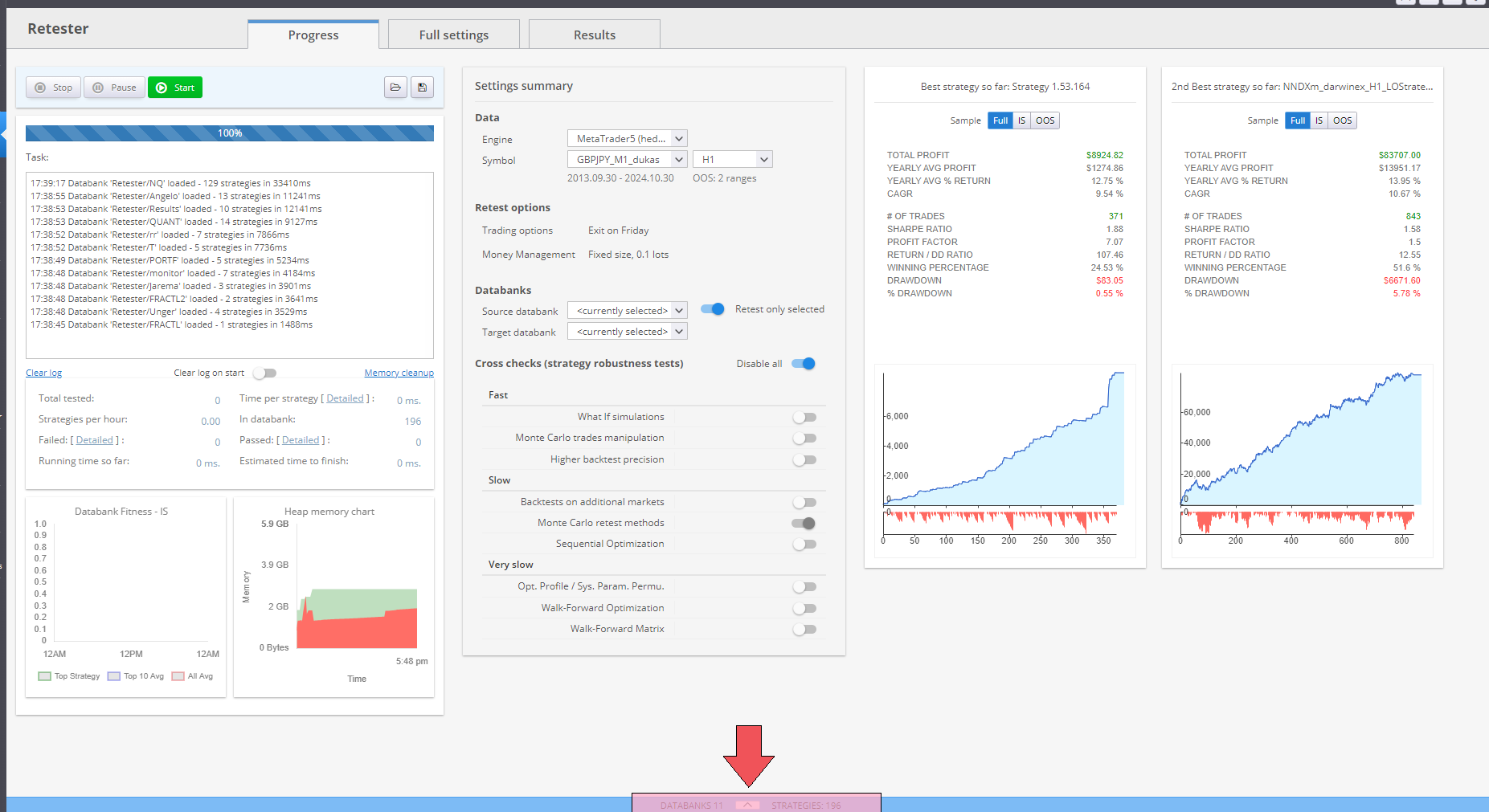
Databanks are located at the bottom of the main screen. The panel can be minimized or expanded as needed.
- Minimized View: Compact layout to save space during builds or analysis.
- Expanded View: Full access to strategy metrics and controls.
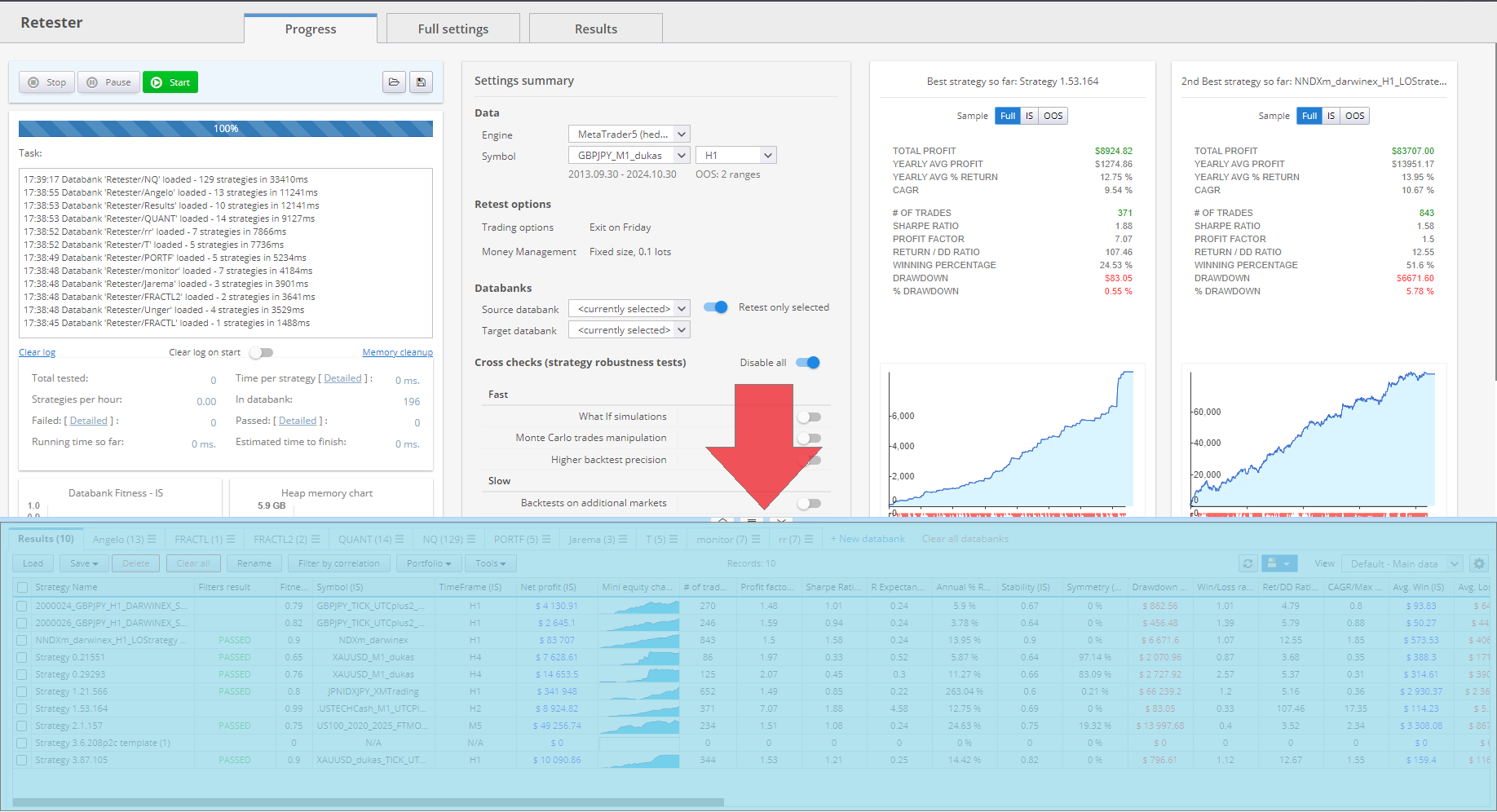
Each row in the Databank represents a single strategy and its associated
backtest results. Double-clicking a row opens the detailed Results View for that strategy.
Key Actions in the Databank
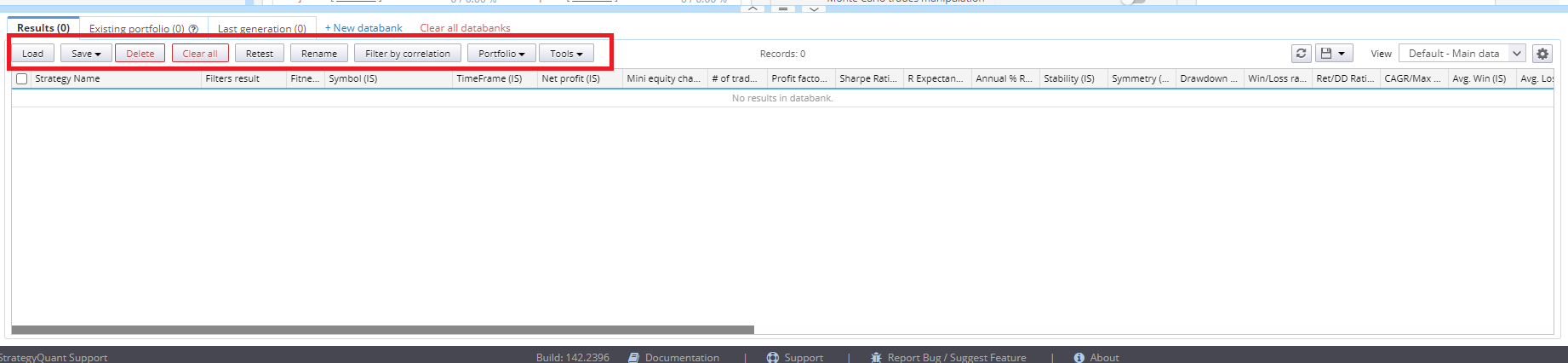
The Databank supports several operations for managing strategies:
Load
- Import .sqx strategy files into the Databank.
- Useful for reviewing or further processing previously saved strategies.
Save
- Save selected strategies in StrategyQuant (.sqx) format.
- Supports additional formats (e.g., CSV, XLS) for external analysis or documentation.
- Always retain a .sqx copy for further use within StrategyQuant.
Delete / Clear All
- Remove selected strategies or clear the entire Databank.
- Use with caution, especially in shared or collaborative environments.
Retest
- Available within the Builder module.
- Transfers selected strategies to the Retester module along with their original backtest configuration for further validation or scenario testing.
Edit (Parameters / Strategy)
- Open the strategy in the AlgoWizard editor.
- Modify parameters or adjust trading logic directly.
Portfolio
- Combine selected strategies into a strategy portfolio report.
- Evaluate combined performance metrics.
- For detailed functionality, refer to the Merge / Split Portfolio section.
Databank Views
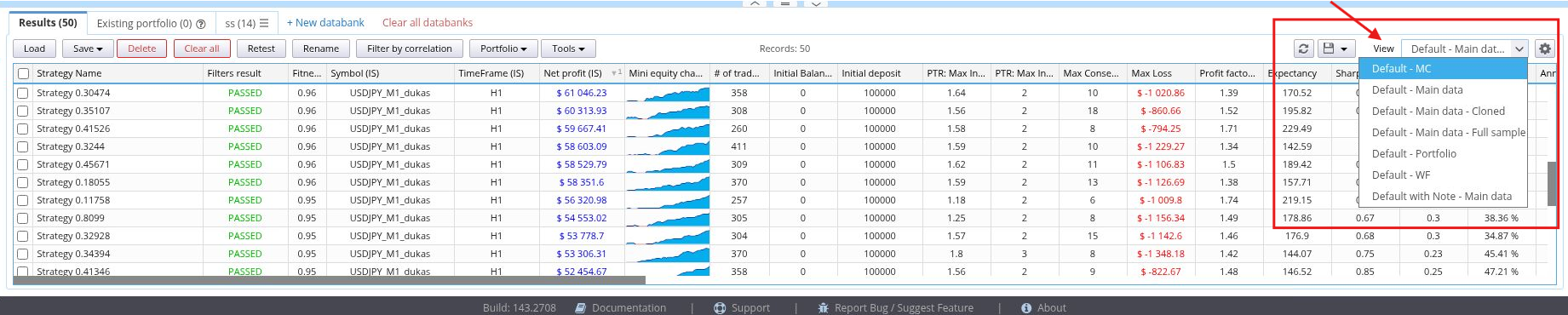
The visible data columns in the Databank are configurable through Views:
- Switch between pre-defined views.
- Create and save custom views tailored to specific metrics or evaluation needs.
Each view controls which columns are displayed, such as:
- Net Profit
- Number of Trades
- Maximum Drawdown
- Fitness Score
This allows users to focus on the most relevant performance indicators for their evaluation workflow.
Databanks and Files
Strategy File Format
Strategies in StrategyQuant X are saved in the proprietary .sqx file format, which is not compatible with trading platforms such as MetaTrader or TradeStation.
- Always save promising strategies in .sqx format to ensure continued access and compatibility with StrategyQuant.
Exporting Strategies to External Platforms
To use strategies in platforms like MetaTrader or TradeStation:
- Export the strategy to MQL (e.g., .mq4) or EasyLanguage source code using the appropriate export function.
- Refer to the section How to Export Strategy to MetaTrader for detailed instructions.
⚠ Note: Exported files such as .mq4 are not readable by StrategyQuant. Always maintain a backup of your strategy in .sqx format.
Was this article helpful? The article was useful The article was not useful
Page contents